

Addofy vs BrikPanel: two ways to improve wp-admin
BrikPanel adds a store dashboard full of reports, cart recovery and bulk editing. Addofy makes the admin you already have calmer, for every role and every plugin. This page shows where they differ, so you can pick the one that fits how you work.
Addofy Light is free and needs no account. The WooCommerce screens are in the licensed Addofy.
Where Addofy is the better fit
Your own admin, calmer
Addofy restyles the screens you already use, including those of other plugins. There is no new dashboard to learn.
Visibility per role
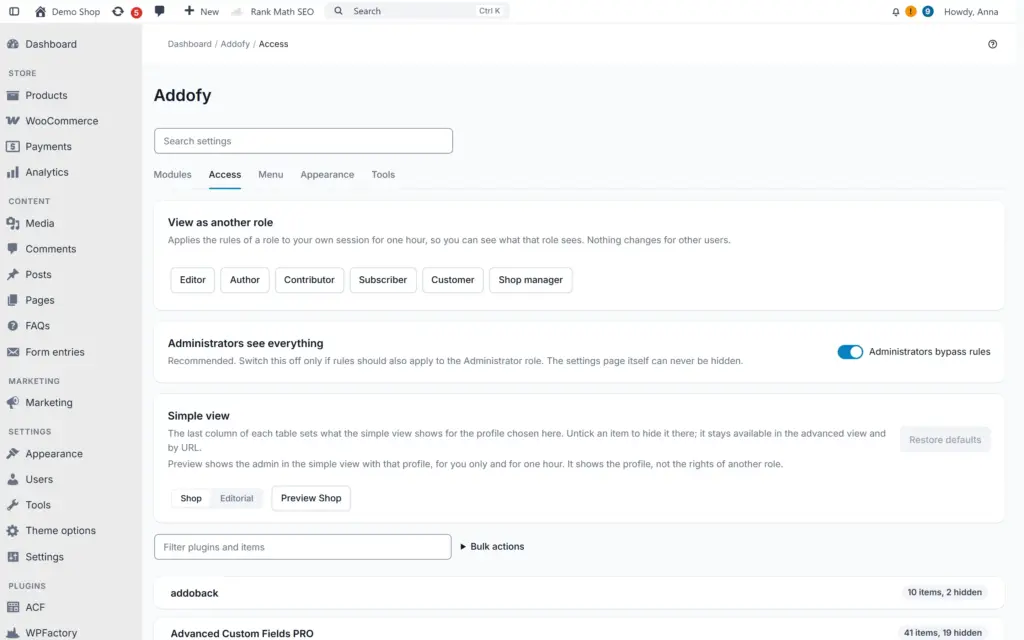
Decide per role which menu items, meta boxes, columns, notices and widgets show. A shop assistant sees orders, not plugin settings.
Nothing added for visitors
Visitors of your shop load nothing from Addofy. BrikPanel’s visitor and conversion tracking measures people on your shop.
Works without WooCommerce
Blogs, company sites and membership sites get the same calm admin. BrikPanel needs WooCommerce.
How to choose
Three questions to pick the right plugin
Do you want reports and cart recovery?
Then BrikPanel is a strong free choice. Addofy has order trends, but no abandoned carts, live visitors or ad spend reports.
Do several people work in the admin?
Then Addofy saves the most time. Per role visibility and the notice panel give each person only their part.
Does your site run more than a shop?
Addofy gives every WordPress and plugin screen the same style, with or without WooCommerce.
Your plugins keep their own screens
Addofy styles the standard WordPress building blocks: lists, boxes, forms and notices. A plugin that uses them looks right without a special adapter. Forms and meta boxes are never moved, so payment, shipping and invoice plugins keep their fields where they expect them. If one screen looks off, exclude it and it is plain WordPress again.
See all Addofy features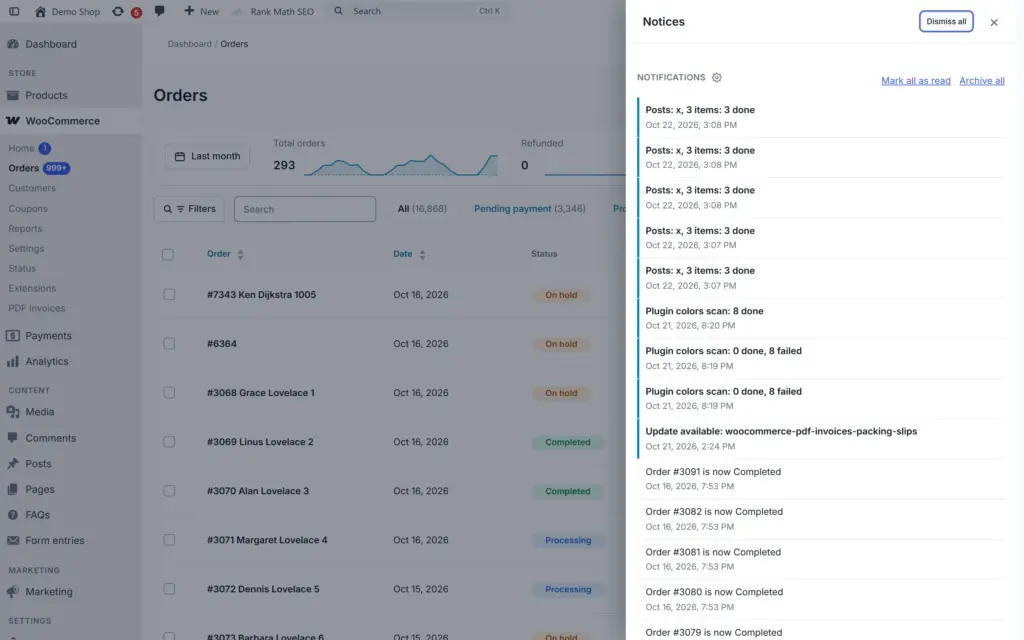
Addofy and BrikPanel side by side
BrikPanel 3.3.42 from WordPress.org, checked on 31 October 2026.
| BrikPanel | Addofy | |
|---|---|---|
| Main job | Store dashboard: reports, analytics, cart recovery, bulk editing | One calm admin for every screen and every role |
| Price | Free, no paid tier | Yearly license per site, Addofy Light is free |
| Needs WooCommerce | Yes | No, the WooCommerce parts load when WooCommerce is active |
| Screens it changes | WooCommerce dashboard, orders, products, coupons, categories and the login page | All of wp-admin, including the screens of other plugins |
| Visibility per role | Dashboard widgets can be hidden in Screen Options | Menu items, meta boxes, columns, notices, widgets and admin bar items per role |
| Reports and cart recovery | Yes, extensive | Order trends only |
| Your shop's frontend | Visitor and conversion tracking | Nothing for visitors |
| Search | Ctrl/Cmd+K order search | Ctrl/Cmd+K for orders, products, customers, content and settings |
Addofy vs BrikPanel: what is the difference?
BrikPanel (often searched as BrickPanel) and Addofy both make the WooCommerce admin nicer to work in, but they solve a different problem. BrikPanel adds tools: a sales dashboard, customer analytics, live visitors, abandoned cart recovery, Google Sheets sync and bulk editing, all free. Addofy changes the admin itself: one quiet design on every screen, one search for everything and control per role over what people see.
When is BrikPanel the better choice?
Pick BrikPanel when your main question is how the store is doing. Profit reports, customer lifetime value and cohorts, a live visitor map, recovery of abandoned carts with single-use coupons and ROAS from Google and Meta ads are not in Addofy. For one owner who runs a shop and wants numbers, that is a lot of value for free.
When is Addofy the better choice?
- Several people use the admin and each should see only their part.
- Your site runs more than WooCommerce, or no WooCommerce at all.
- You want every plugin screen in the same style, in light or dark mode.
- You want admin notices out of the way, in one panel.
- You do not want an admin plugin to add tracking to your shop.
Can you use Addofy and BrikPanel together?
Both change the WooCommerce order and product screens, so on those screens two plugins would style the same thing. We have not tested that combination. If you want BrikPanel’s reports next to Addofy’s admin, add the BrikPanel screens to the excluded screens on the Tools tab of Addofy. Those screens then show exactly as BrikPanel builds them.
What does Addofy cost compared to BrikPanel?
BrikPanel is free. Addofy Light is free too and covers the calm admin, the command palette, the notice panel and per role menus for WordPress. The licensed Addofy adds the WooCommerce screens, saved views, the edit panel and visibility for meta boxes, columns and notices. It costs € 60,50 /yr excl. VAT: € 50,00 for one site, with plans for 5, 25 and unlimited sites on the Addofy page.
Moving away from Dashify? Read why Addofy works well as a Dashify alternative.
Frequently asked questions
Yes. Addofy Light is a free download without an account. Local sites ending in .test, .local or .localhost also run the licensed Addofy without a license, so you can test the WooCommerce screens on a copy of your store.
No. Addofy is about the admin itself. For cart recovery, use BrikPanel or a plugin made for cart recovery.
Yes. On WordPress.org the plugin is called BrikPanel and it is made by Brksoft. People often search for it as BrickPanel.
See the difference in your own admin
Download Addofy Light for free, or test the full Addofy on a local copy of your store.