

The Dashify alternative that covers your whole admin
Dashify gives the WooCommerce order screens a Shopify look. Addofy does that too, and also restyles products, customers, settings, media and the screens of your other plugins. It works through WordPress hooks, so forms and meta boxes stay where plugins put them.
Addofy Light covers the WordPress screens. The WooCommerce screens are in the licensed Addofy.
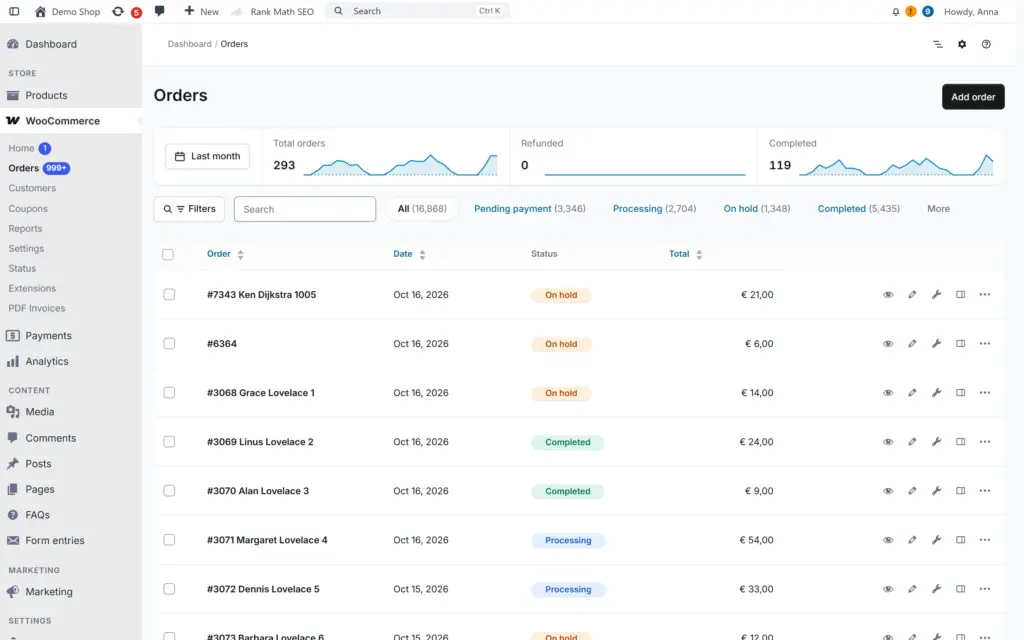
What changes when you move from Dashify
Every screen in one style
Orders, products, customers, coupons, WooCommerce settings, media, users and plugin pages all follow the same design, in light, dark or auto.
Forms stay where they belong
Addofy styles with CSS and WordPress hooks. It never rebuilds a screen in JavaScript or moves a meta box, so fields from other plugins keep working.
Each role sees only its part
Hide menu items, meta boxes, columns, notices and dashboard widgets per role. What people are allowed to do stays the same.
Search everything with Ctrl+K
One palette finds orders, products, customers, posts and settings pages. In Dashify, the global order search is a Pro feature.
Moving over
Switching from Dashify takes a few minutes
Install AddoBase and Addofy
AddoBase is free and handles the license. Then activate Addofy on the site. Your orders and settings are not touched.
Dashify switches off once
On the first admin page, Addofy turns Dashify off and says so in a notice. One click turns it back on, and Addofy then leaves it on.
Choose what each role sees
Run the short setup, pick your modules and set per role which menu items, columns and boxes stay visible.
Built so your other plugins keep working
Dashify rebuilds parts of the order screens with JavaScript and sets its own meta box order. Addofy changes how a screen looks, not how it is built. Payment, shipping and invoice plugins keep their boxes where they expect them. If one screen still looks wrong, add it to the excluded screens and it is plain WordPress again.
See what Addofy does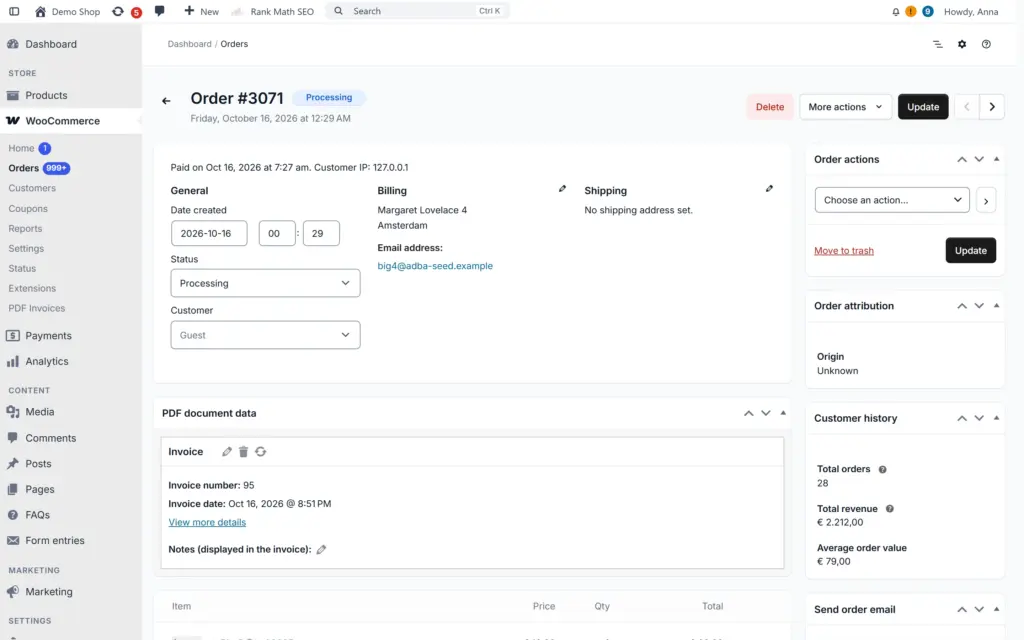
Dashify and Addofy side by side
Dashify 1.3.14 and Dashify Pro, checked on 31 October 2026.
| Dashify (free and Pro) | Addofy | |
|---|---|---|
| Screens it restyles | Orders and subscriptions. Product list and WooCommerce settings in Pro. | All of wp-admin, including the screens of other plugins |
| Without WooCommerce | Cannot be activated | Works, the WooCommerce parts load when WooCommerce is active |
| Tested up to | WordPress 6.8, last release June 2025 | WordPress 7.1, regular releases |
| How it changes a screen | Rebuilds parts with JavaScript, sets its own meta box order | CSS and hooks only, forms and meta boxes stay in place |
| Global search | Order search in the toolbar (Pro) | Ctrl/Cmd+K for orders, products, customers, content and settings |
| Visibility per role | Hide custom fields in the order view (Pro) | Menu items, meta boxes, columns, notices and widgets per role |
| Pricing | Pro at $3 per month per site, sign-up marked temporarily unavailable | Yearly license for 1, 5, 25 or unlimited sites |
Why look for a Dashify alternative?
Dashify was one of the first plugins to give WooCommerce orders a Shopify feel, and the free version still does that well. On 31 October 2026 its last release on WordPress.org was version 1.3.14 from June 2025. The plugin page warns that it has not been tested with the last three major WordPress releases, and the Pro sign-up on getdashify.com was marked temporarily unavailable. If your store runs on WordPress 7, that is a good reason to look for a Dashify alternative.
What does Addofy do that Dashify does not?
- Restyles the whole admin: posts, pages, media, users, plugins, menus and settings, not only WooCommerce.
- Works on a site without WooCommerce.
- Sets per role what people see: menu items, meta boxes, list columns, notices, admin bar items and dashboard widgets.
- Moves admin notices into one panel, where you mute a kind of notice for yourself or for a role.
- Adds saved views for lists, a floating bulk action bar and an edit panel that opens an item without leaving the list.
- Exports its settings, so a second site looks the same in a minute.
Which Dashify features does Addofy cover?
The parts most people install Dashify for are in Addofy as well: order trends with a date range, an order screen with the key details and actions at the top, order notes as a timeline, a filter bar that searches across statuses, dates in your own region format and a global order search. In Addofy those come with the base license, there is no separate Pro tier.
When is Dashify enough?
Dashify free is small. It styles a few WooCommerce screens and adds little else, so it costs almost nothing in load time. If you are the only person in the admin and a nicer order list is all you want, it may be enough. Addofy is the better fit when several people work in the admin, when you want every screen in the same style, or when you need a plugin that keeps up with new WordPress releases.
What does Addofy cost compared to Dashify?
Dashify Pro is listed at $3 per month per site. Addofy is a yearly license: € 60,50 /yr excl. VAT: € 50,00 for one site, with plans for 5, 25 and unlimited sites on the Addofy page. Local sites ending in .test, .local or .localhost run Addofy without a license, so you can try it on a copy of your store first.
Also looking at BrikPanel? Read Addofy vs BrikPanel.
Frequently asked questions
Not on the same screens. When Addofy starts, it switches Dashify off once and shows a notice with a link to turn it back on. If you turn it back on, Addofy leaves it on, but both plugins then style the order screens.
Addofy switches off and the site uses the normal WordPress admin. Your settings, visibility rules and views are kept and come back as soon as the license is active again.
No. Addofy only changes how the admin looks and what each role sees. Orders, products and the settings Dashify stored stay in the database.
Try Addofy on a copy of your store
Local sites run Addofy without a license. Compare it with Dashify on your own orders before you decide.