VAT
Your cart

Your cart is empty.

WordPress plugin

Addofy

A calmer WordPress and WooCommerce admin, set up the way each person likes to work.

€ 60,50 /yr excl. VAT: € 50,00
Payment period

Billed yearly. Updates and support while it runs.

Log in to try it free for 14 days No payment details needed. Covers 1 site. Stops by itself.

WordPress menu by Pixel Creatures

A calm admin for WordPress and WooCommerce

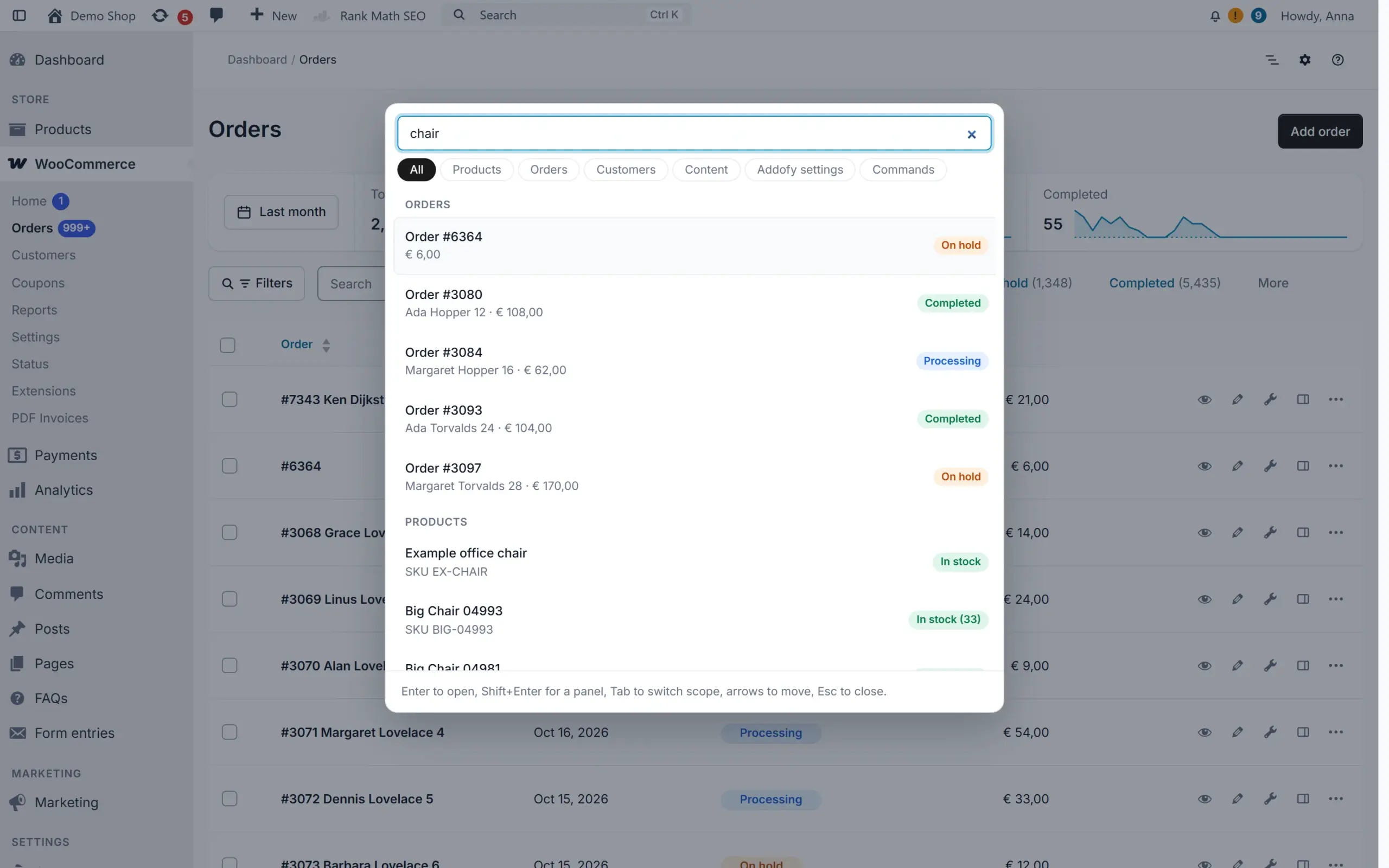
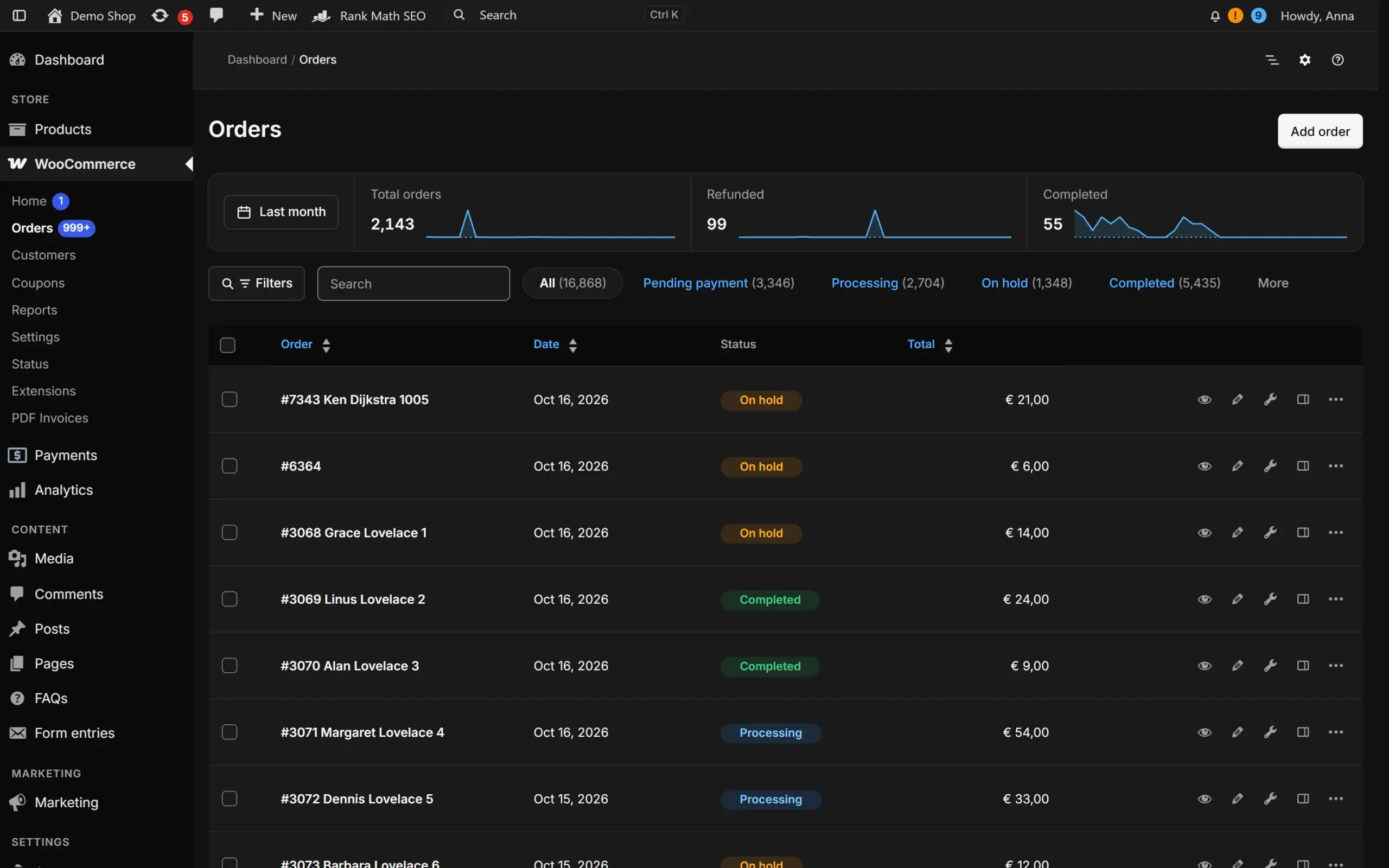
Addofy restyles the whole WordPress backend into one quiet, well organised admin. Orders, products, customers and settings get the same clean look, in light or dark, and one search box finds all of them.

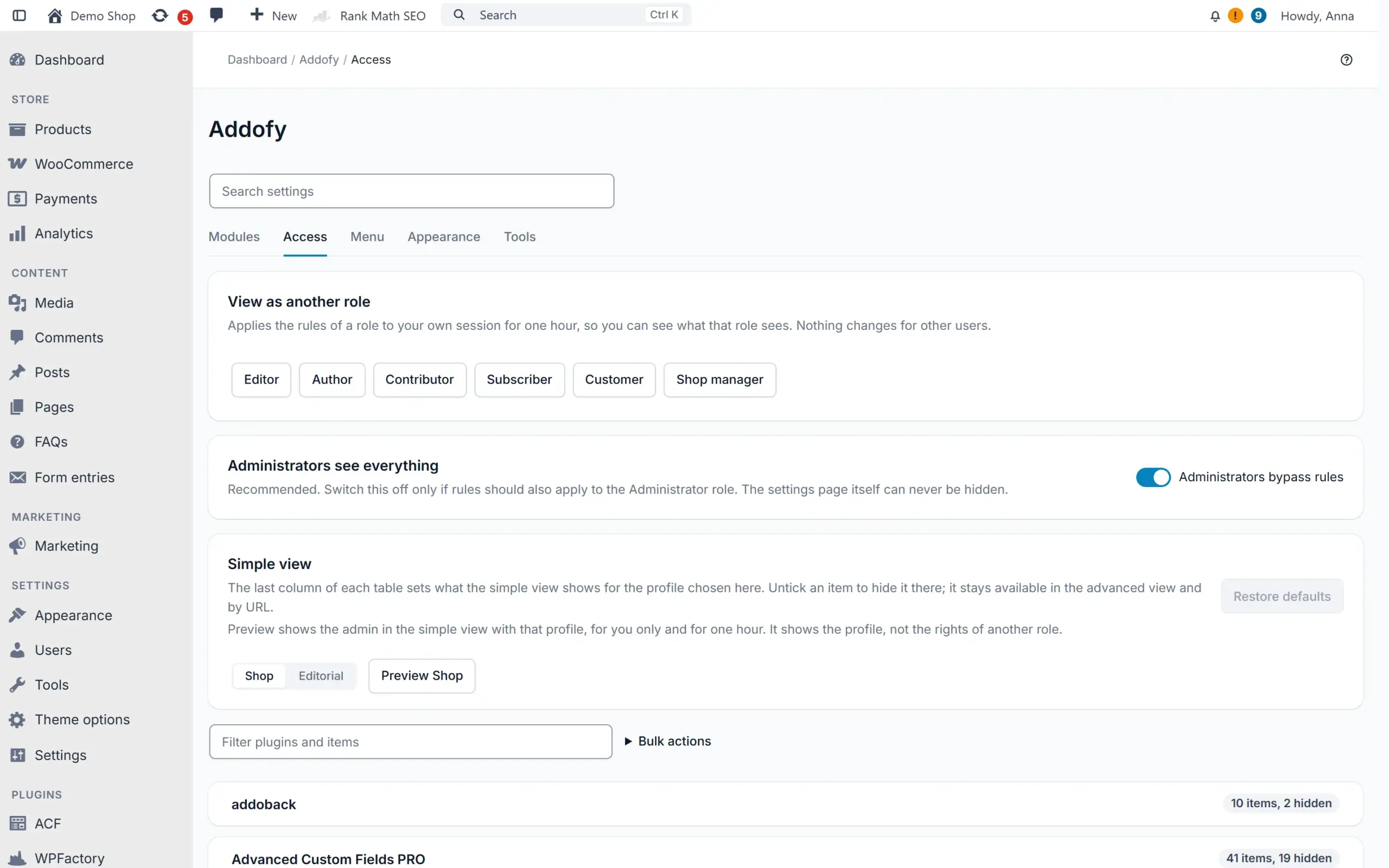
You decide per role what each person sees. Hide the menu items, meta boxes, columns and notices that a shop manager or editor never needs, without changing what they are allowed to do.

Addofy works through WordPress and WooCommerce hooks only. No core files or WooCommerce templates are overridden and forms are never moved, so your other plugins keep working. Without JavaScript, or on a screen you exclude, the admin is simply native WordPress. Addofy runs as an add-on of the free AddoBase plugin.

Before and after

Your wp-admin, without and with Addofy

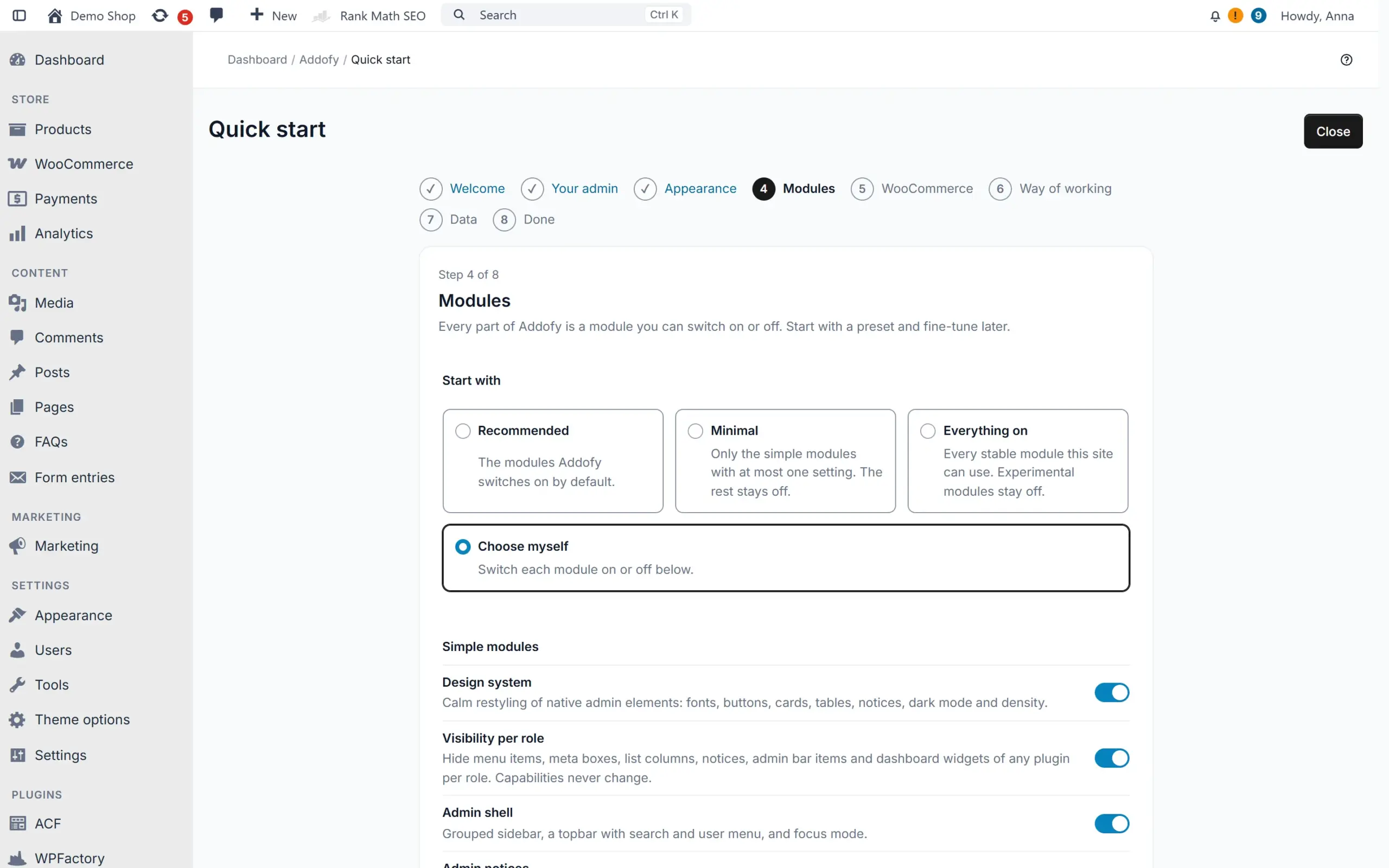
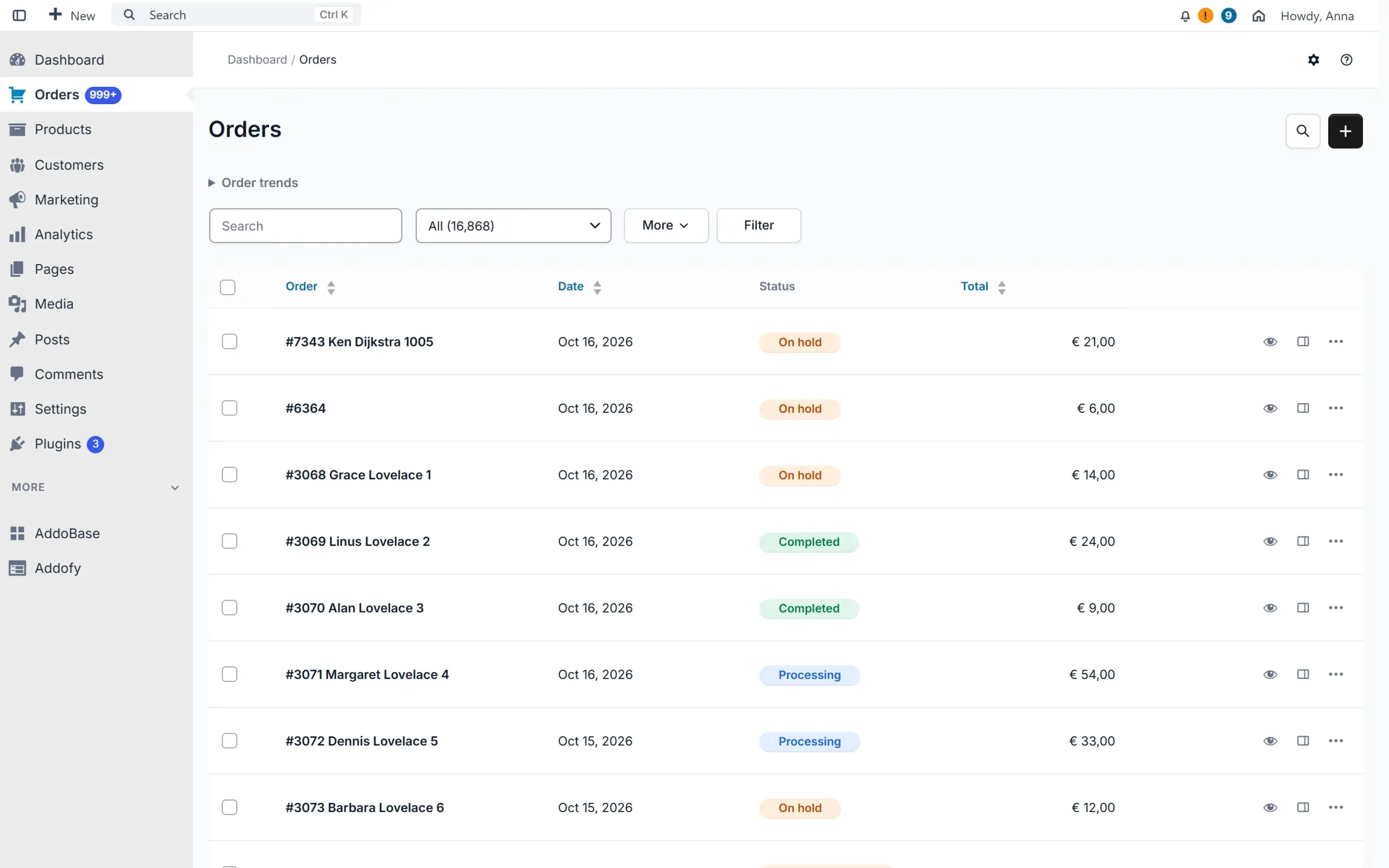
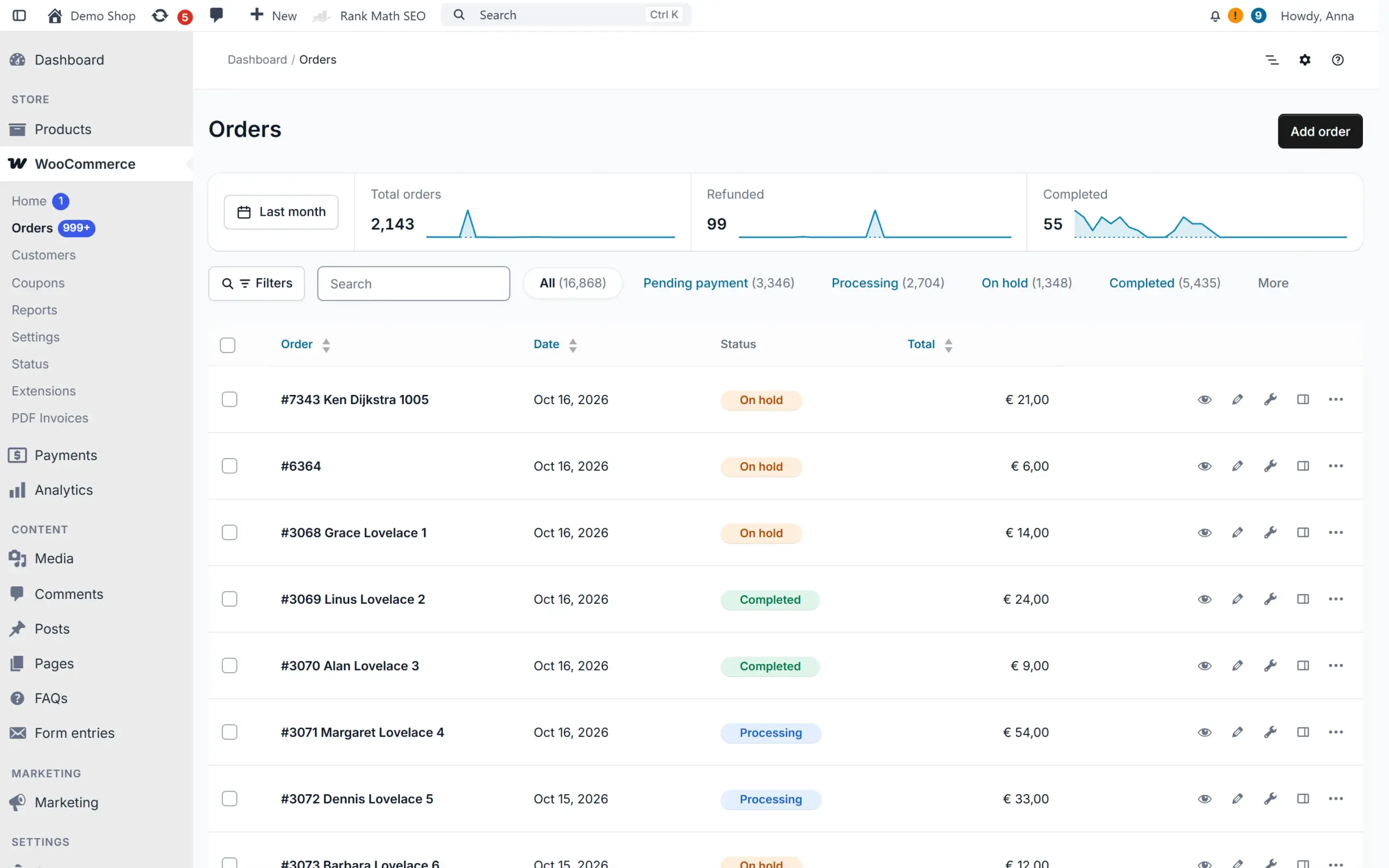
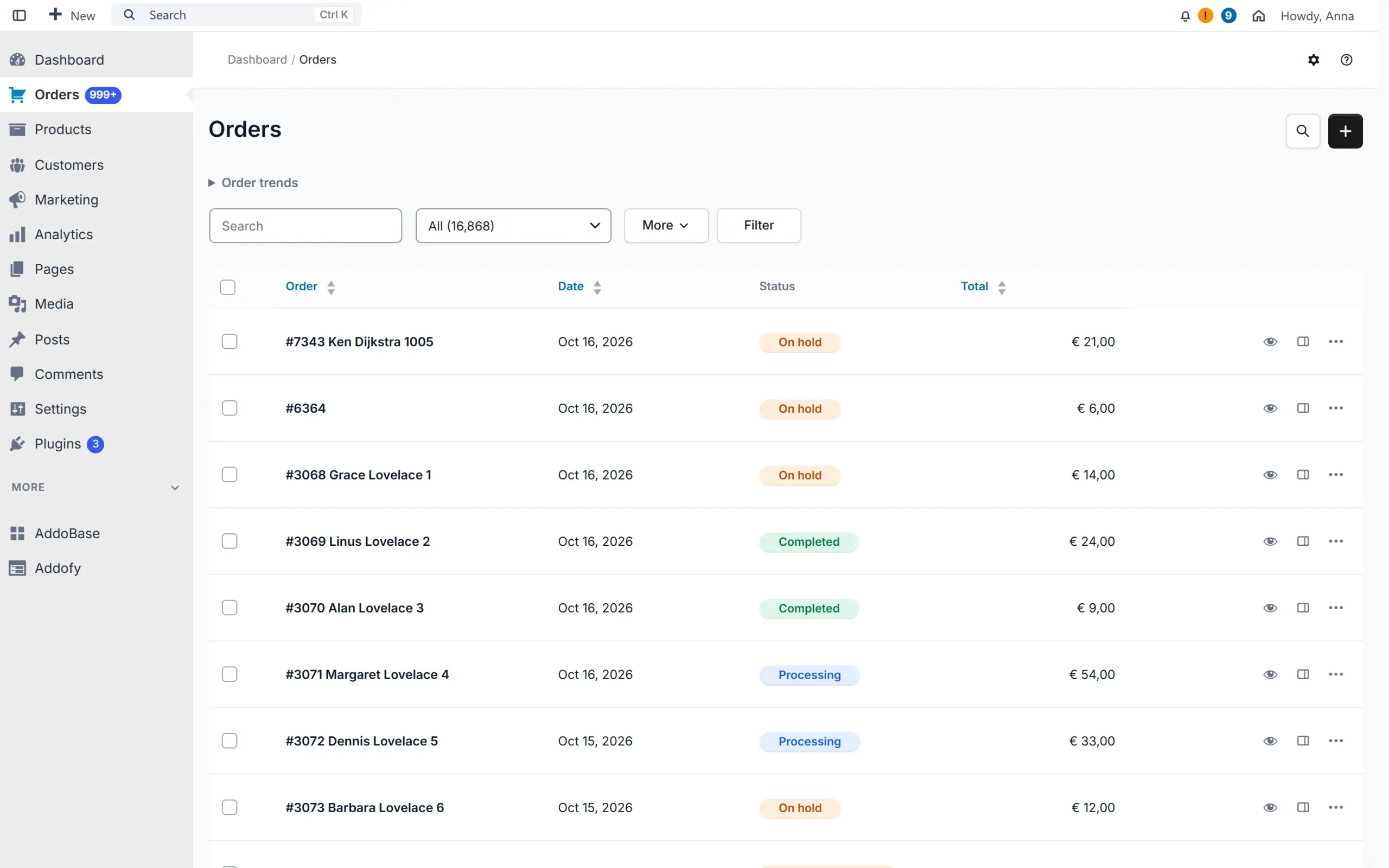
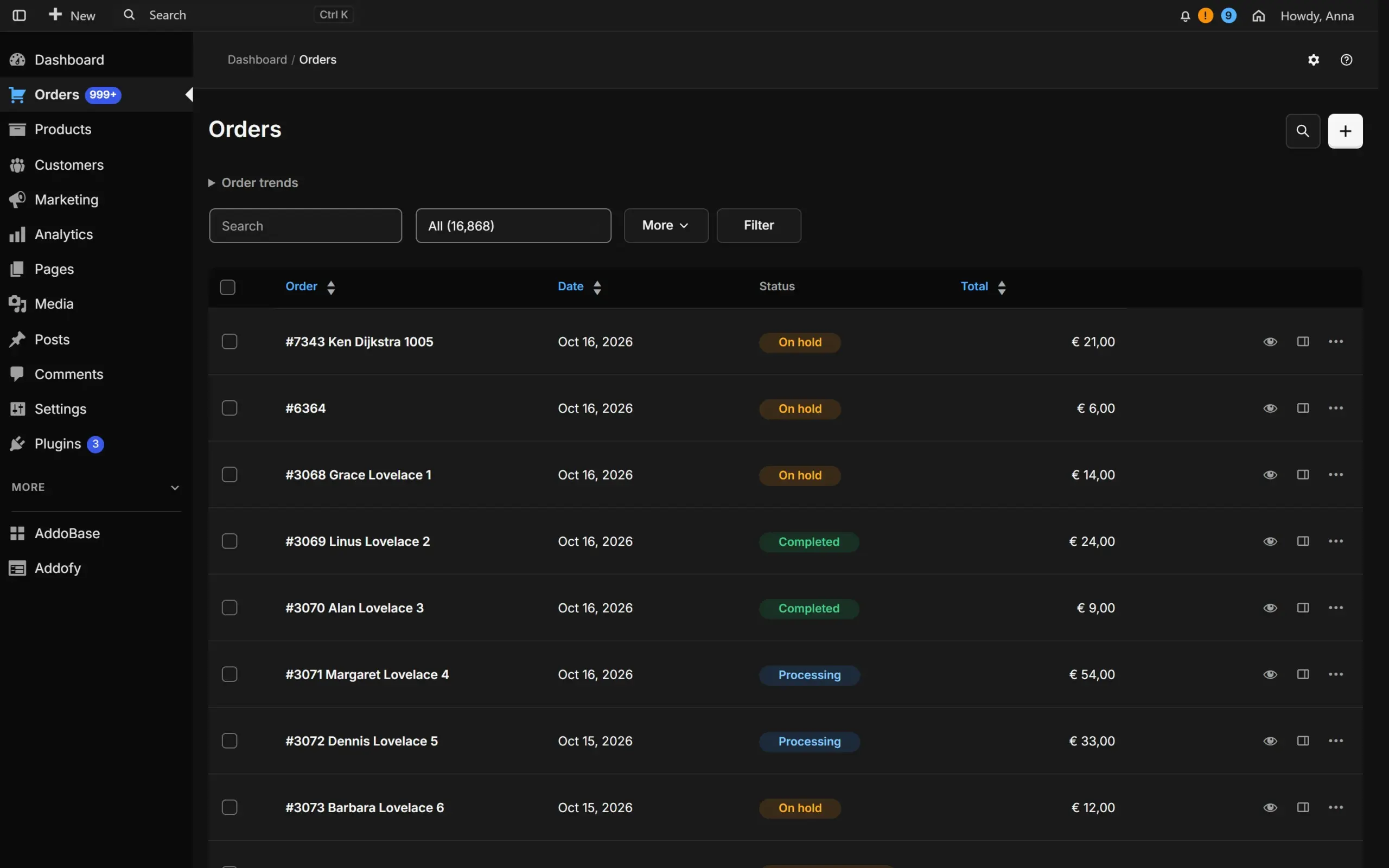
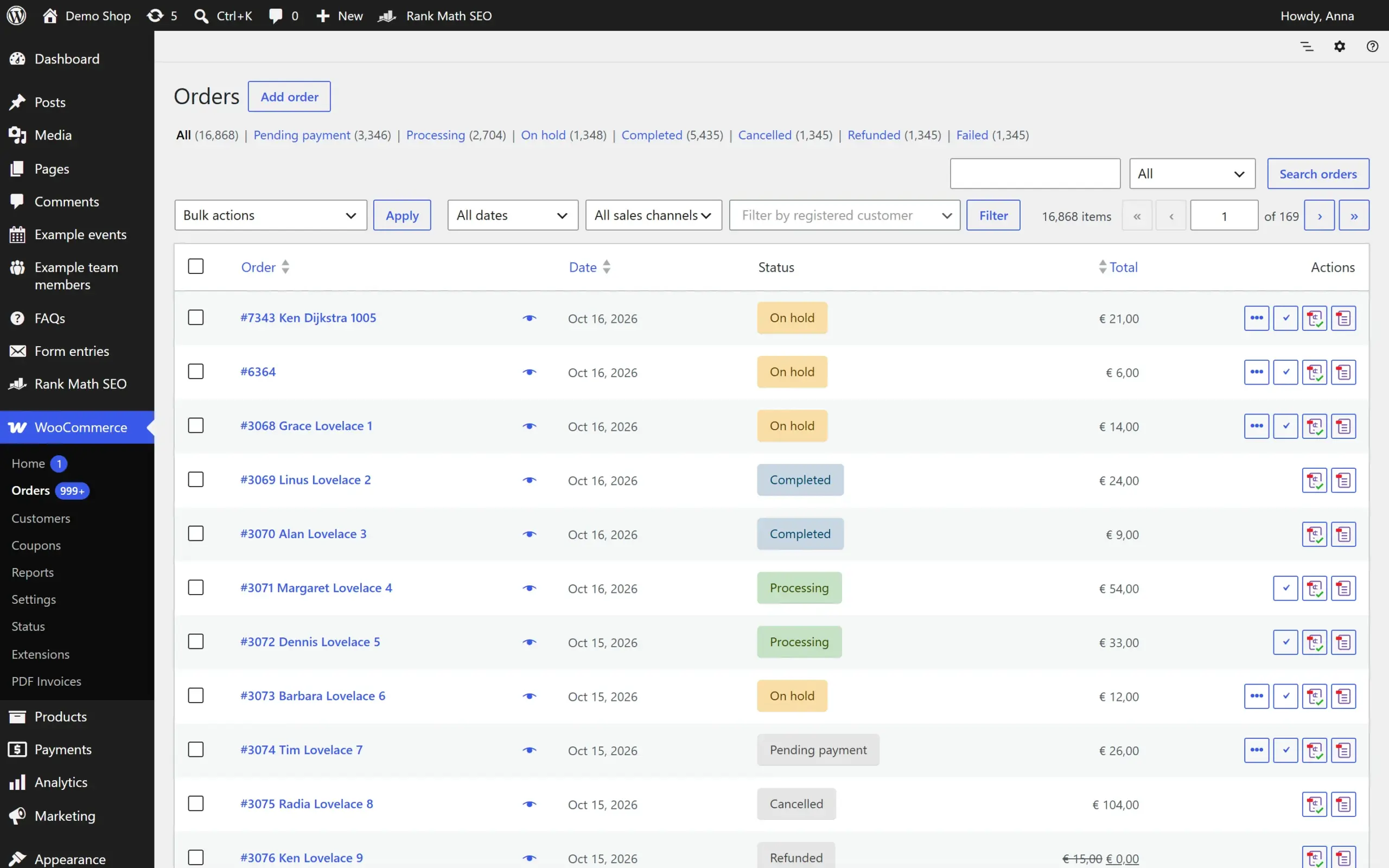
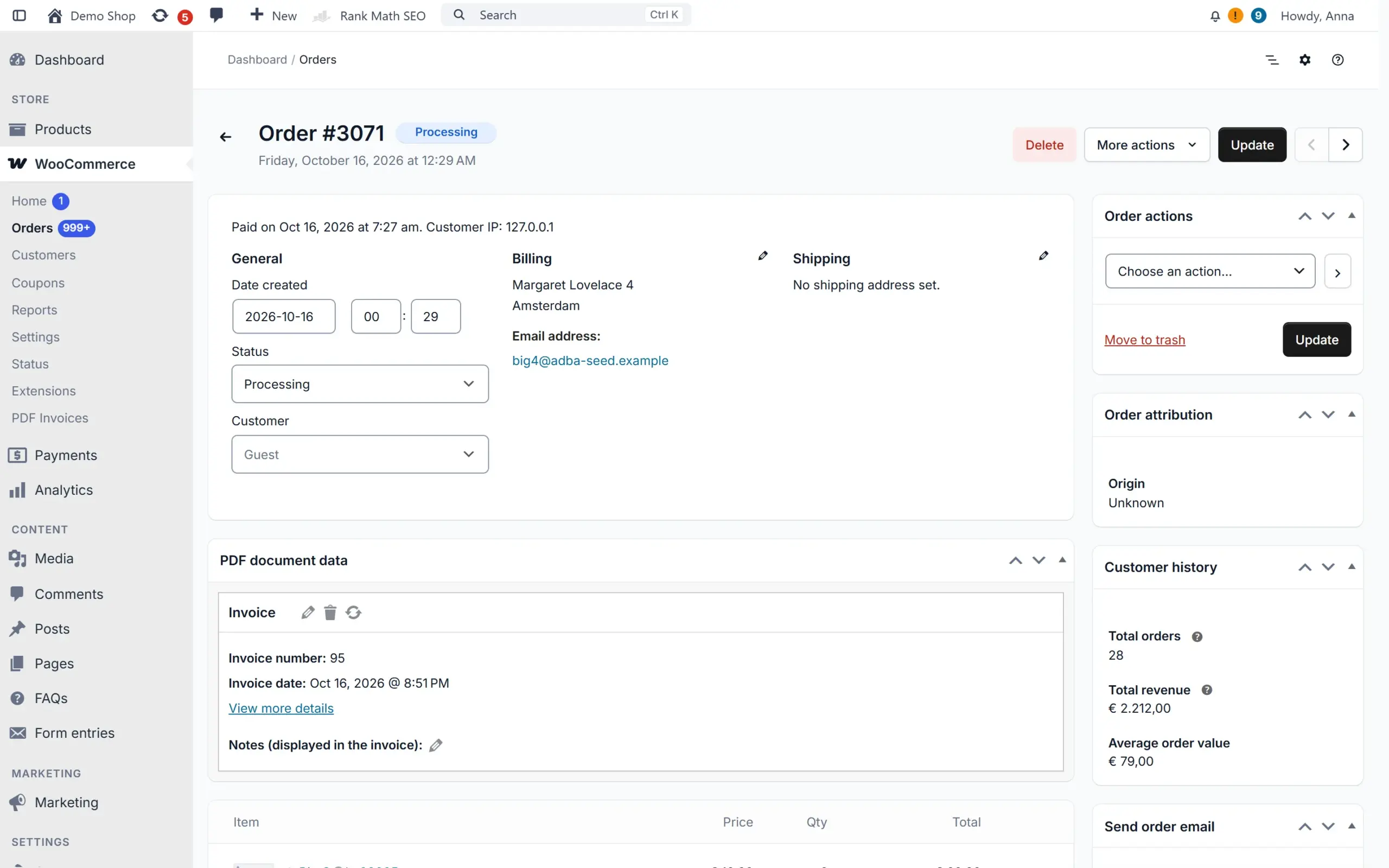
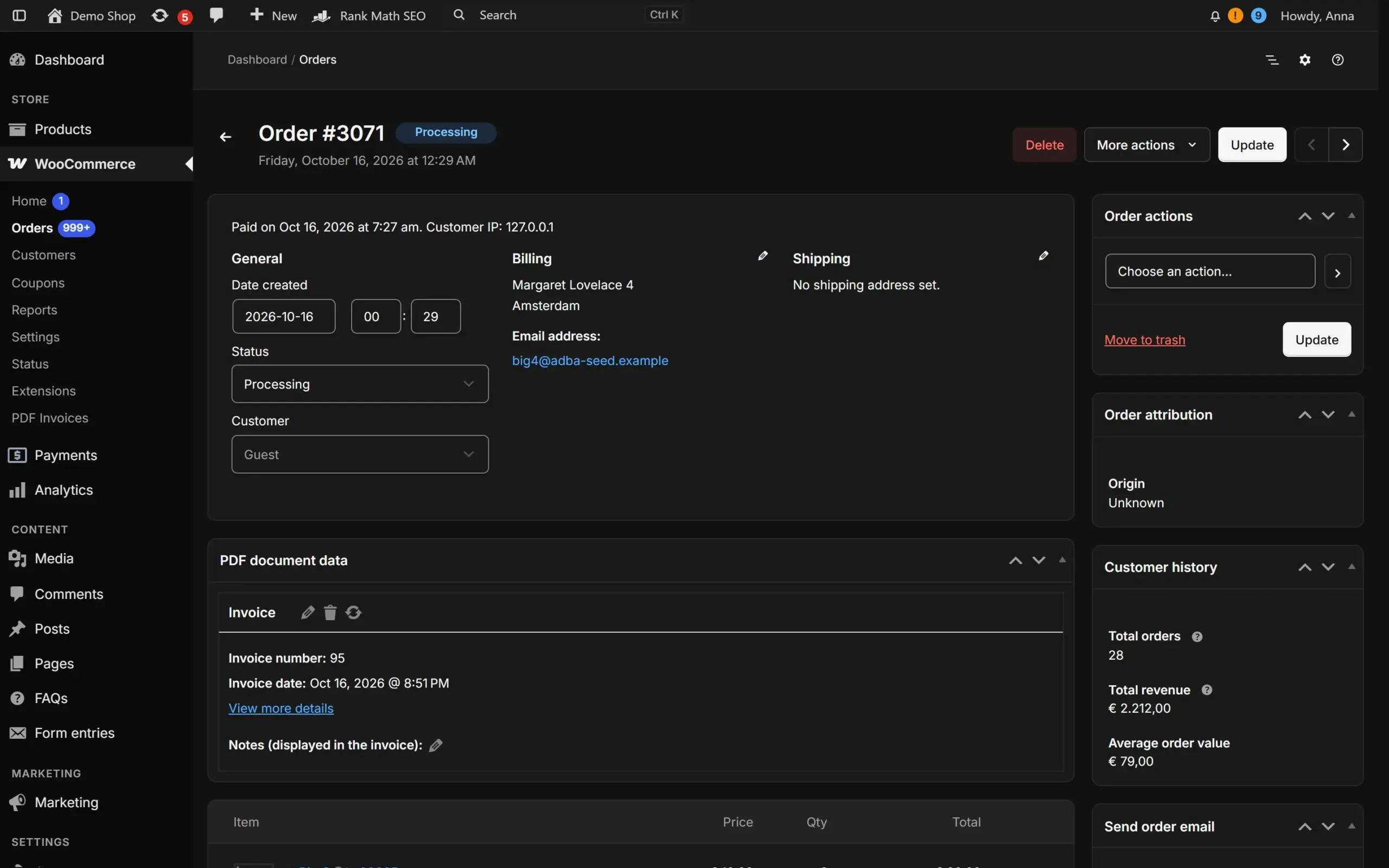
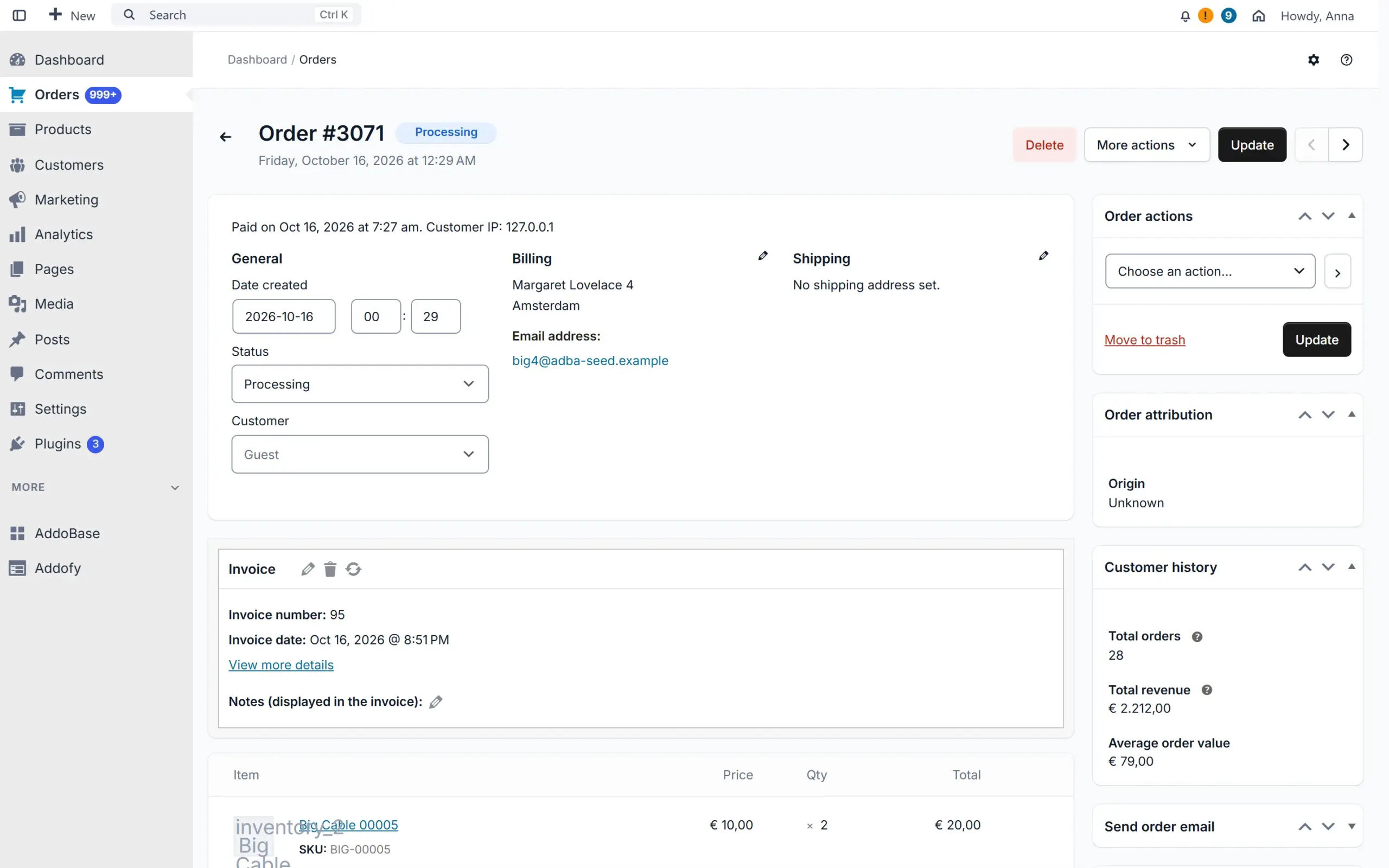
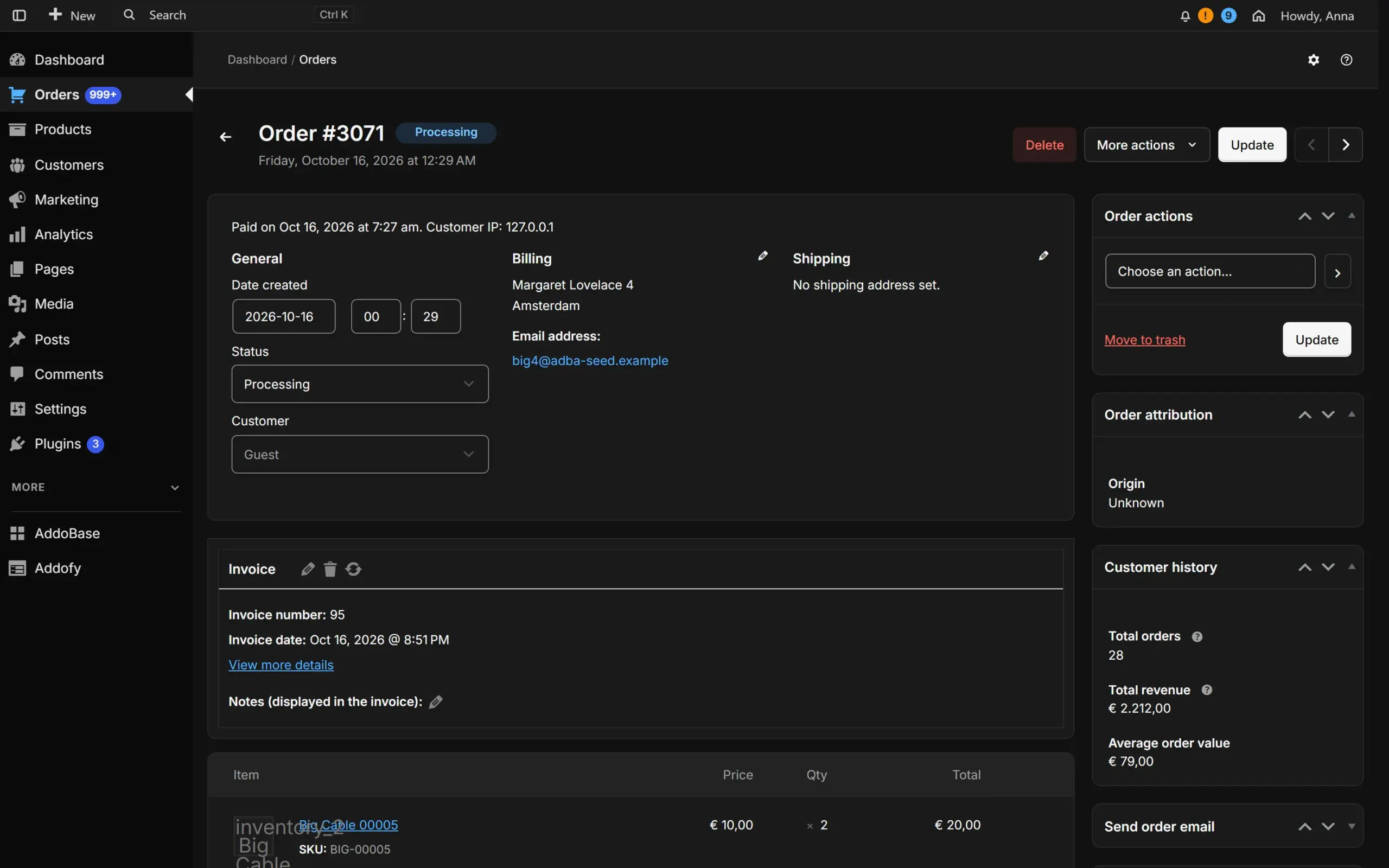
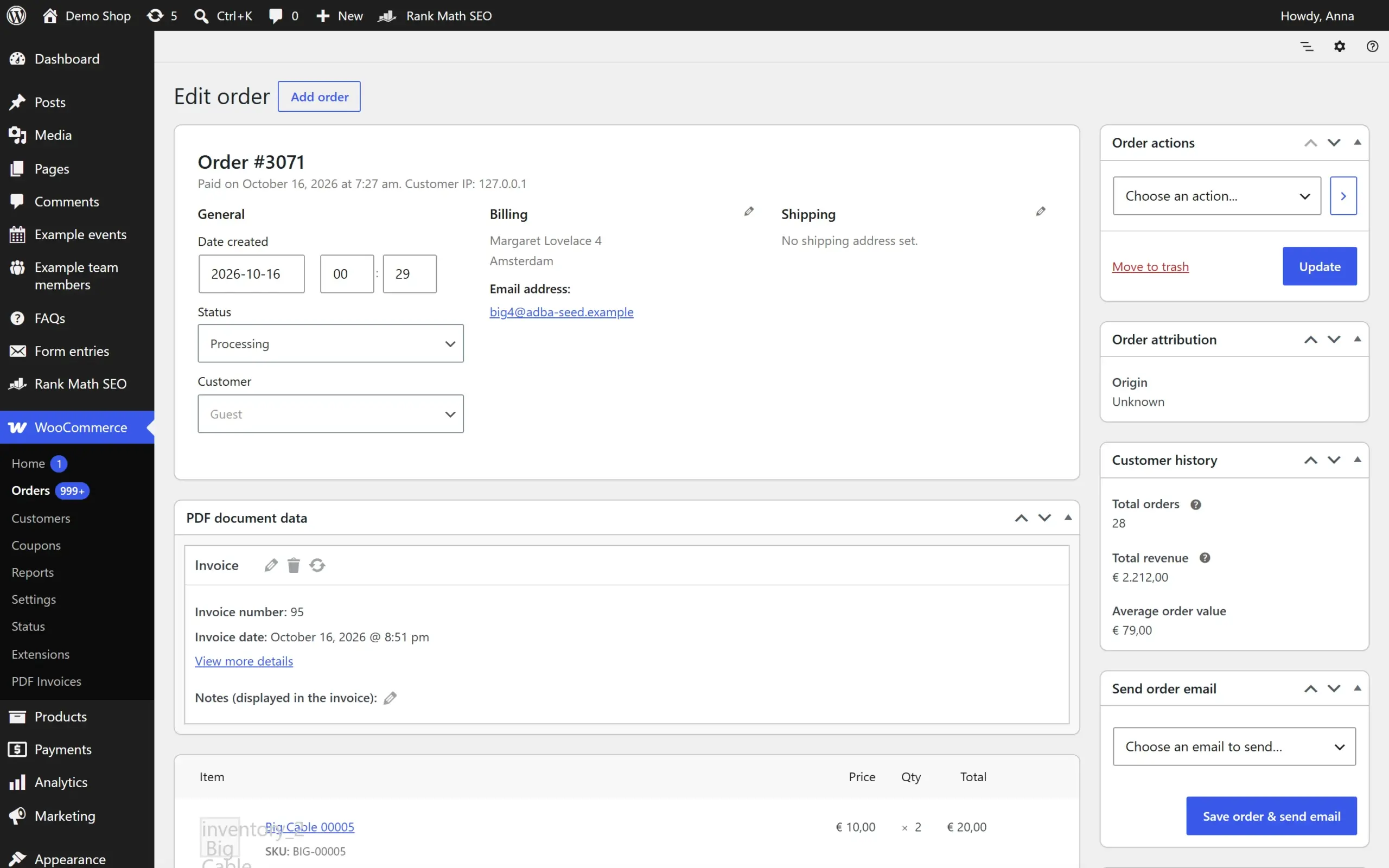
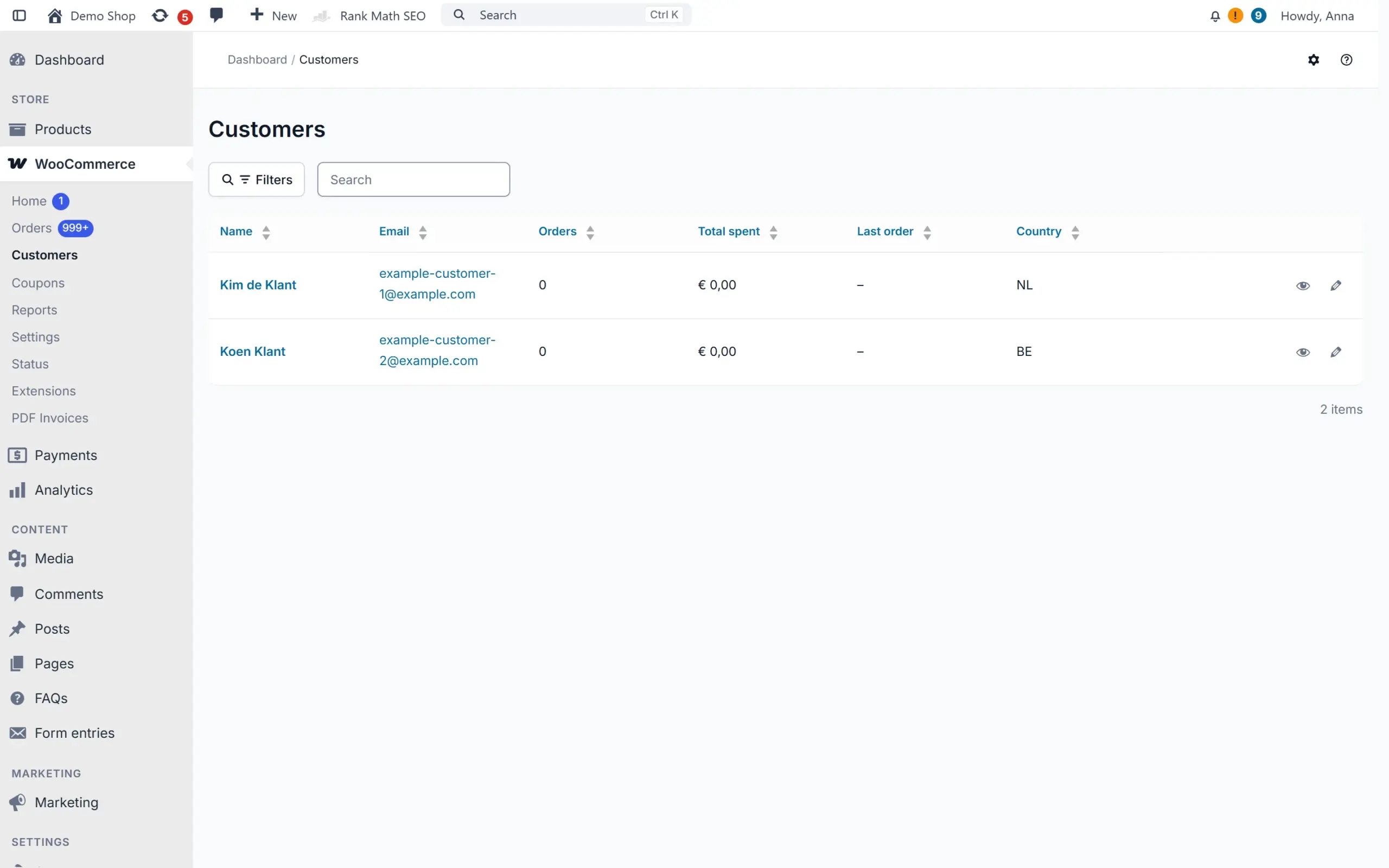
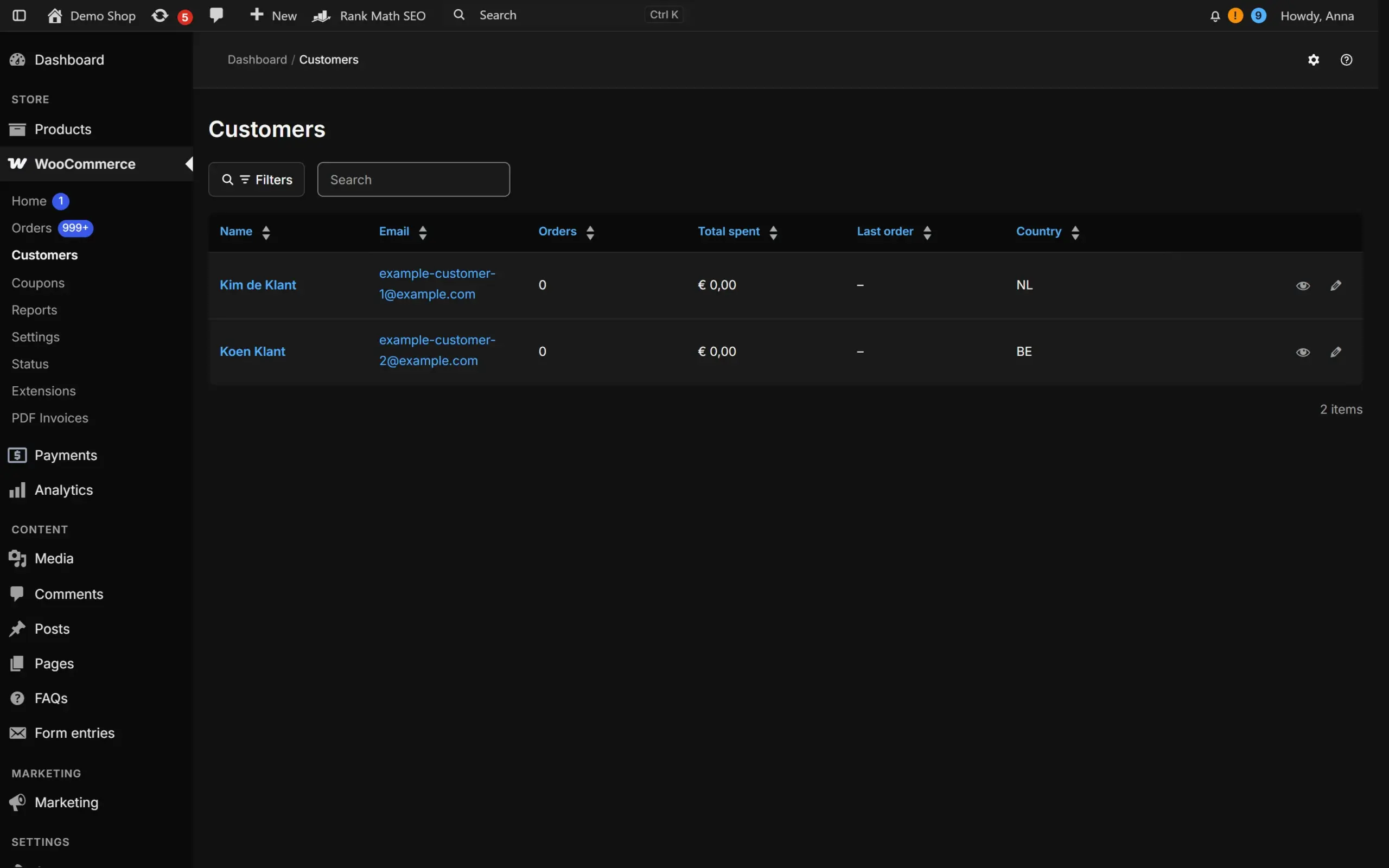
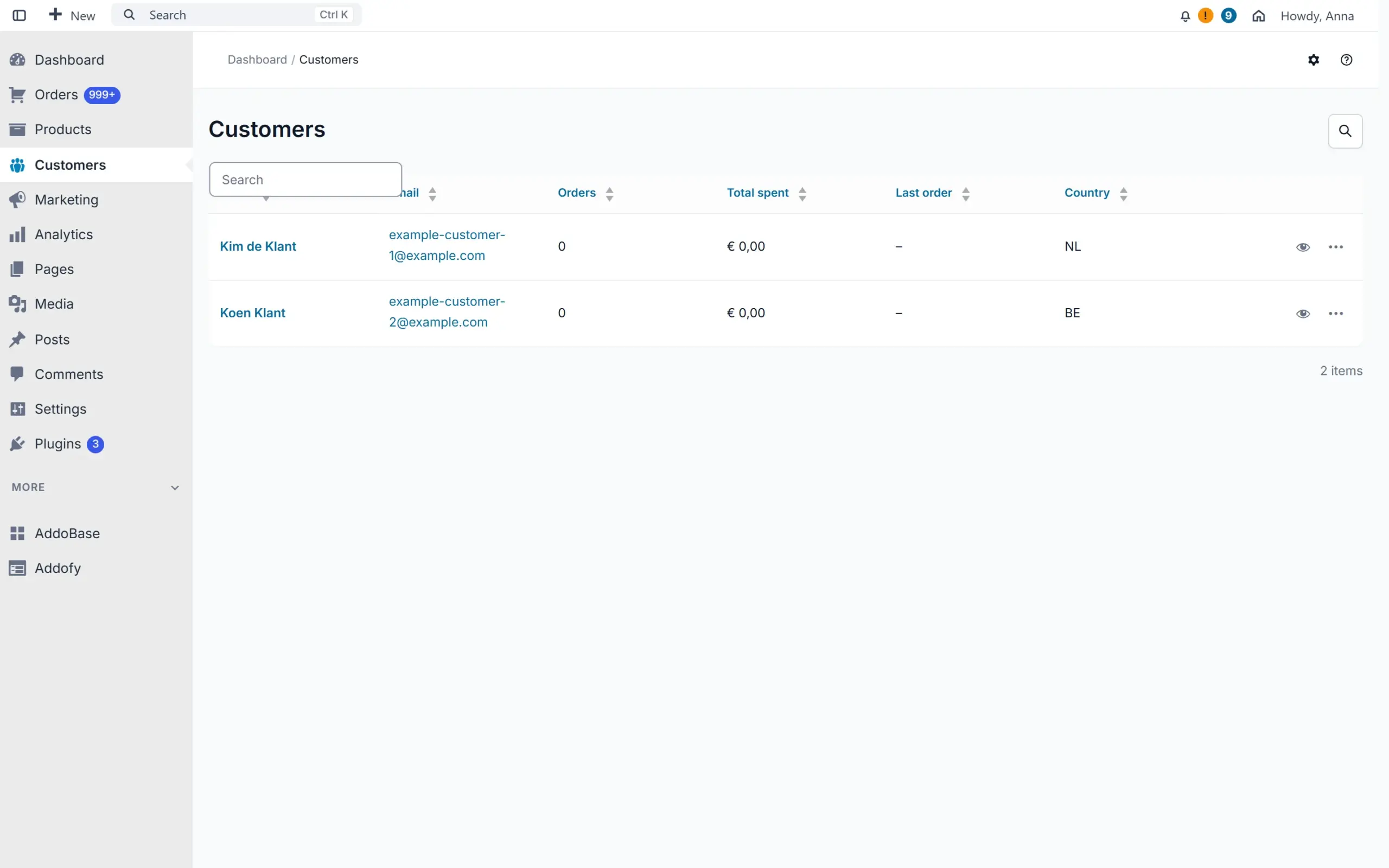
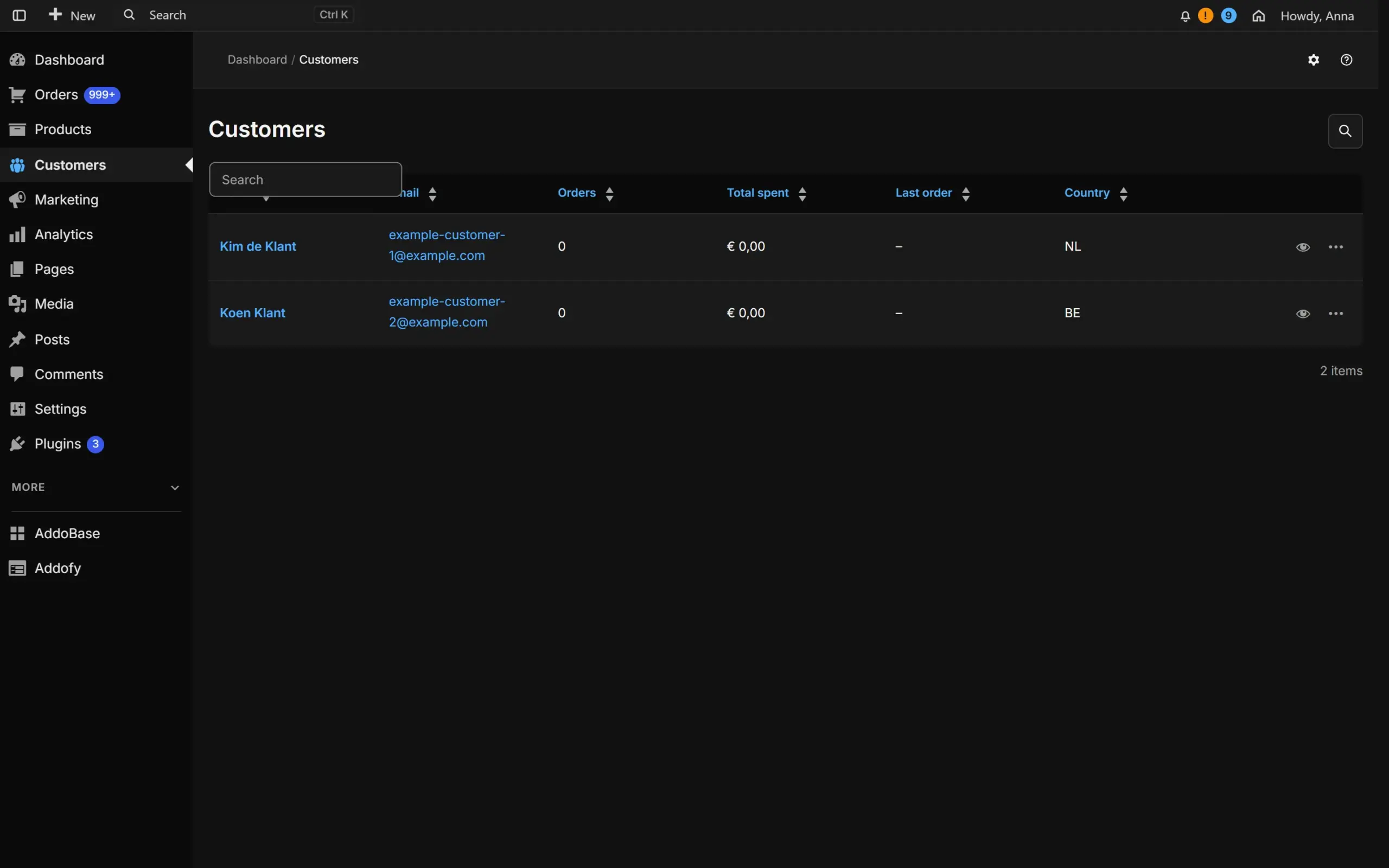
Drag the line to compare. On the left is WordPress as it ships, on the right the same screen with Addofy, on the same site with the same data. The buttons above the screen switch Addofy between its advanced and its simple view.

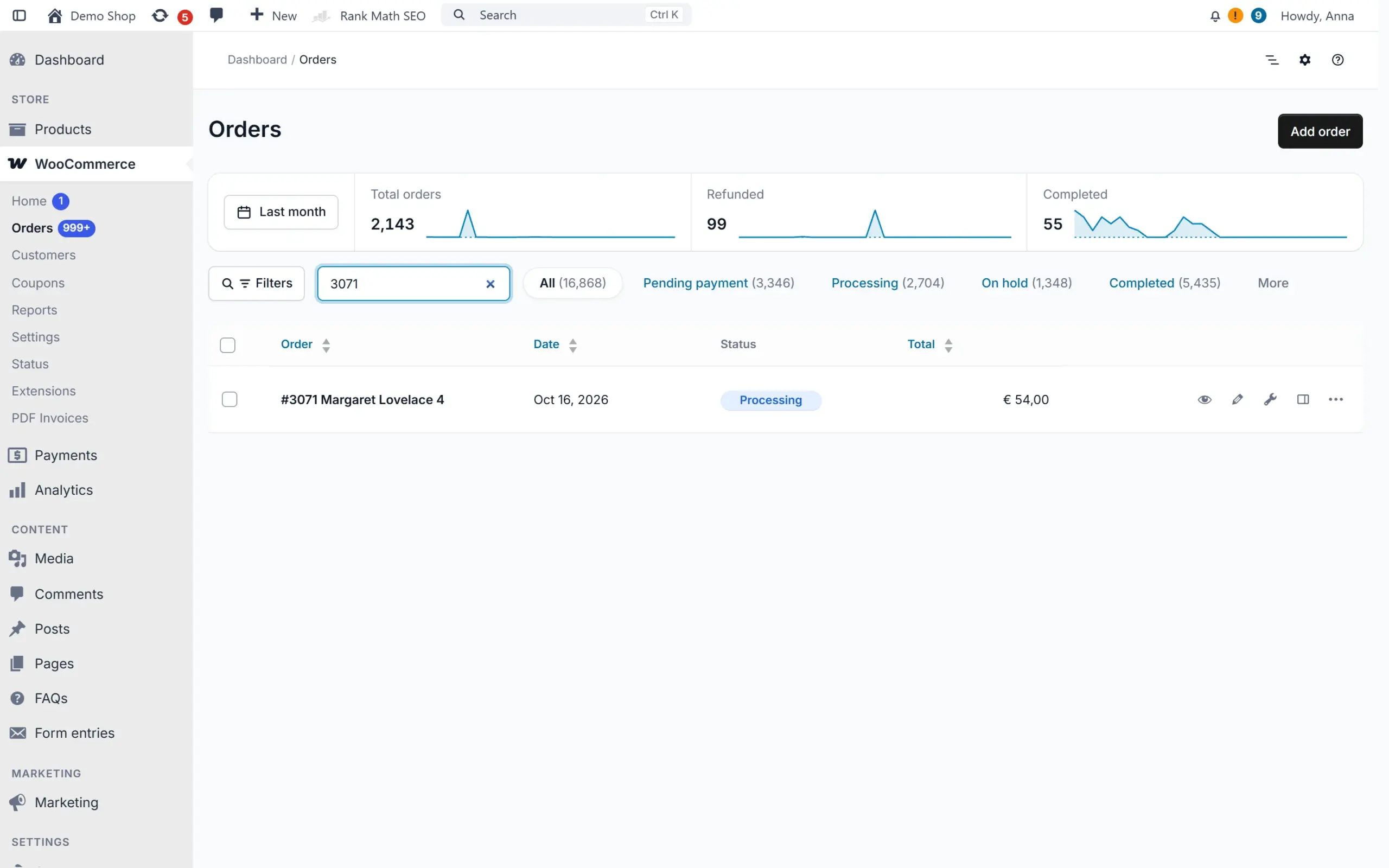
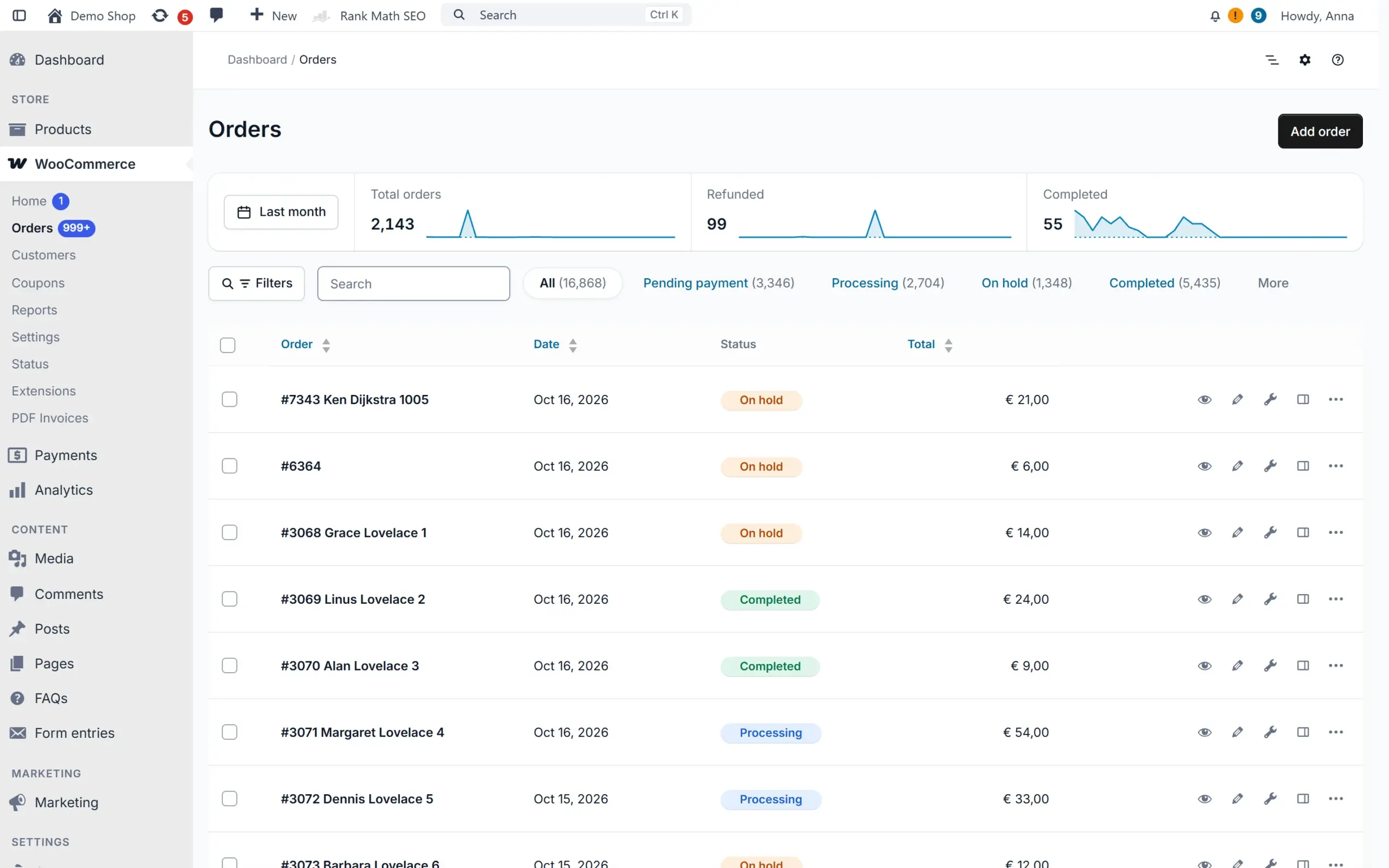
WooCommerce order list with Addofy: order trends, status badges and a clean layoutWooCommerce order list with Addofy: order trends, status badges and a clean layout (dark mode)WooCommerce order list in the simple view of AddofyWooCommerce order list in the simple view of Addofy (dark mode)
WooCommerce order list in the standard WordPress admin
Order list
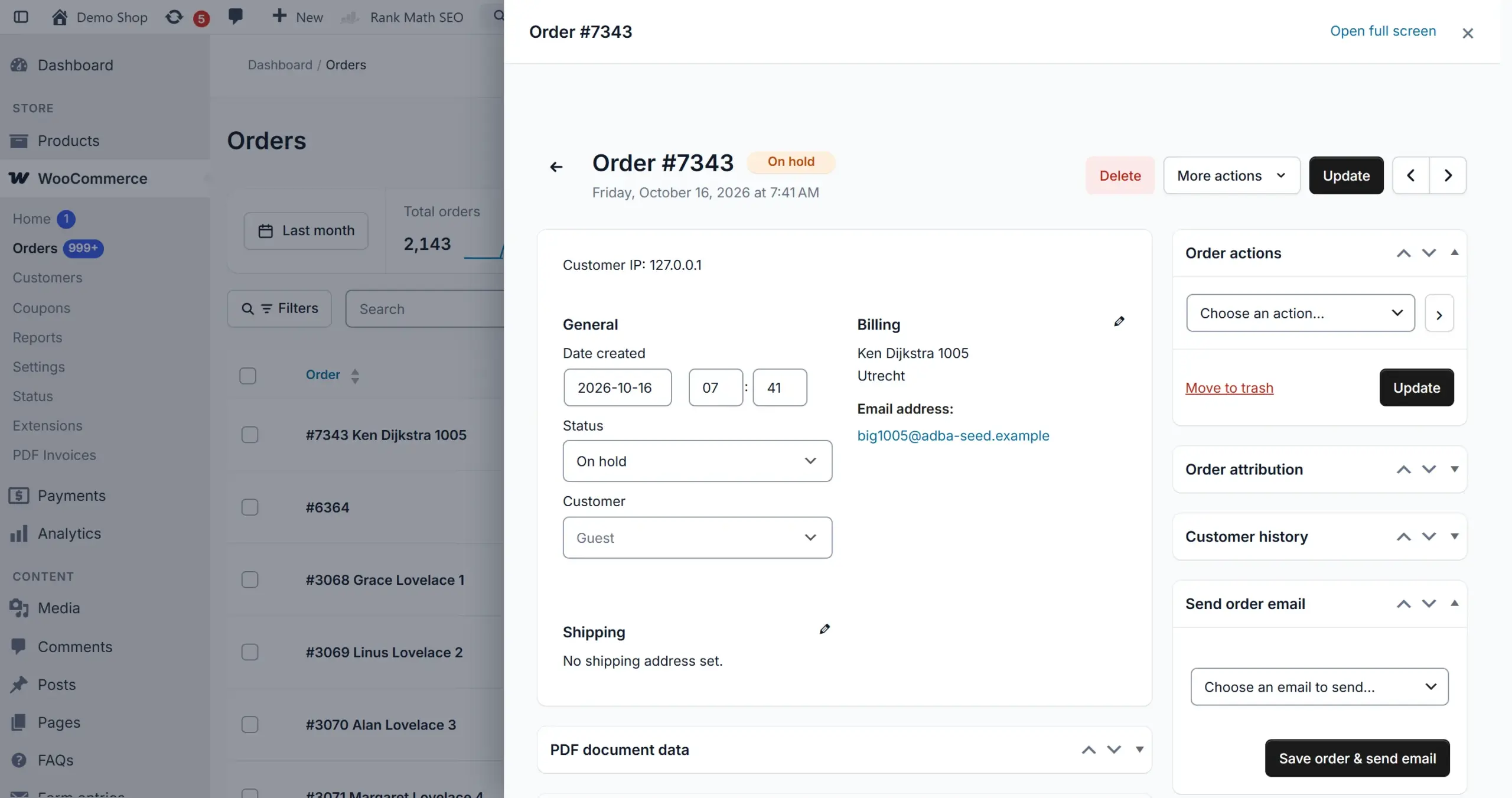
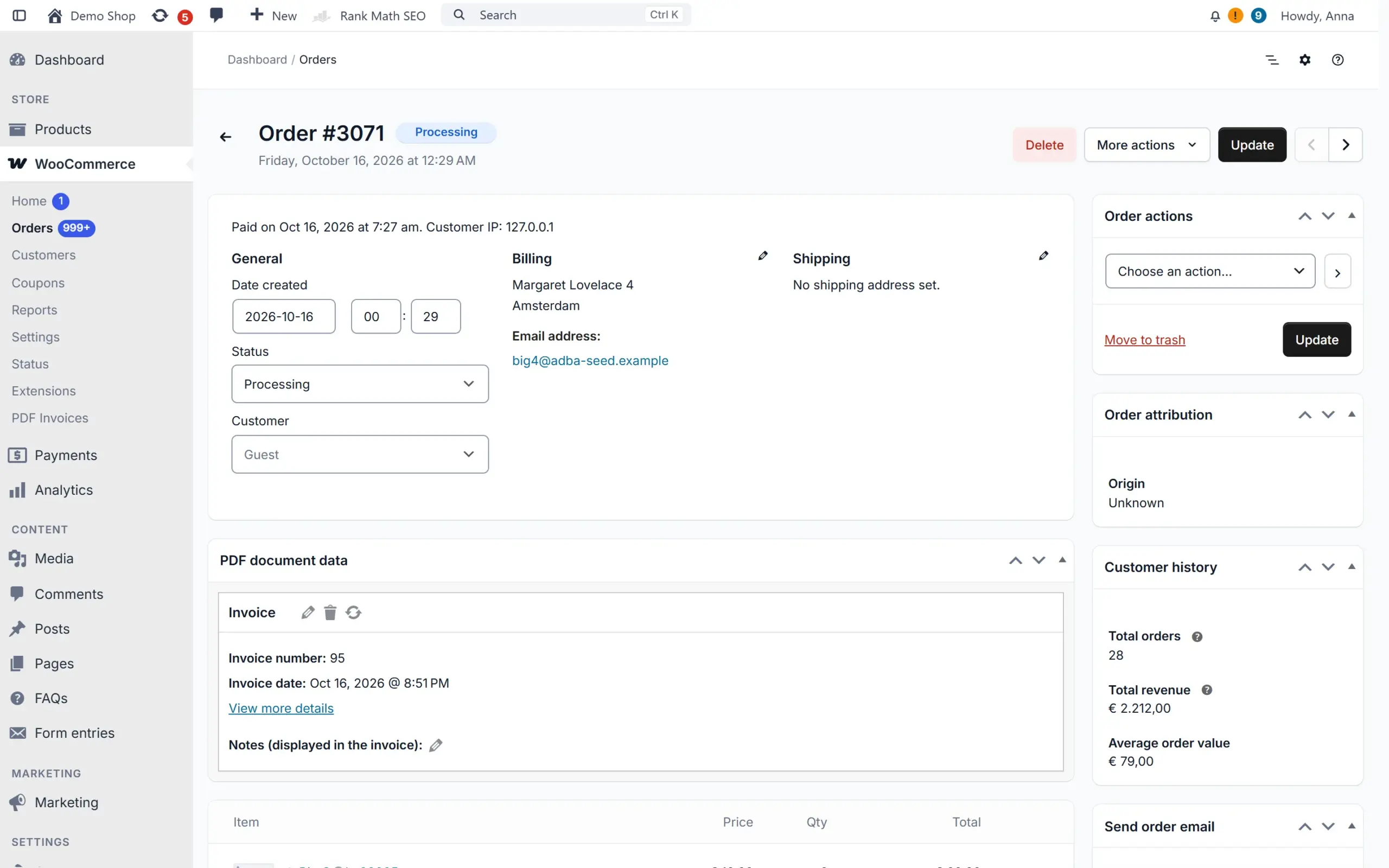
WooCommerce edit order screen with AddofyWooCommerce edit order screen with Addofy (dark mode)WooCommerce edit order screen in the simple view of AddofyWooCommerce edit order screen in the simple view of Addofy (dark mode)
WooCommerce edit order screen in the standard WordPress admin
Edit order
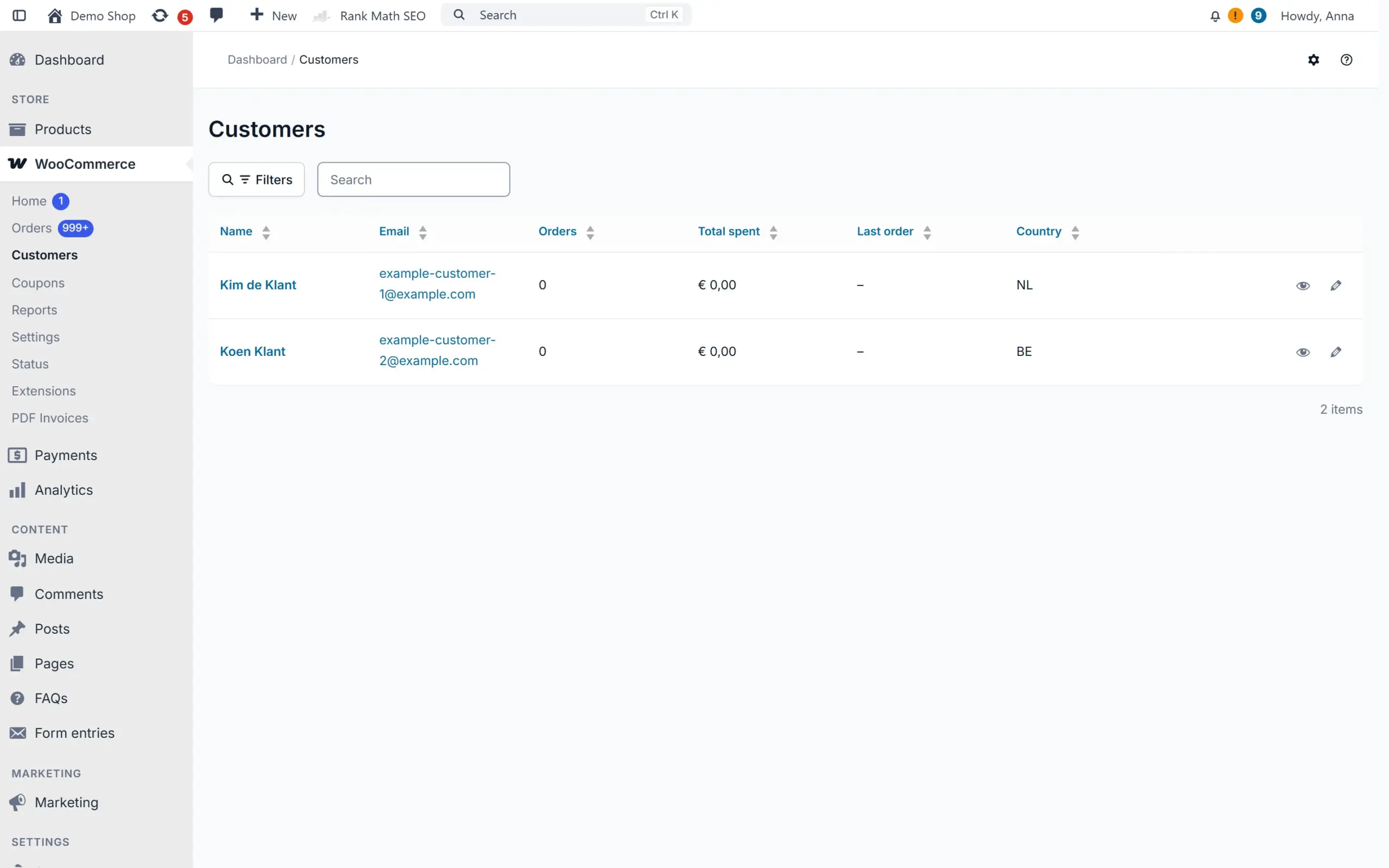
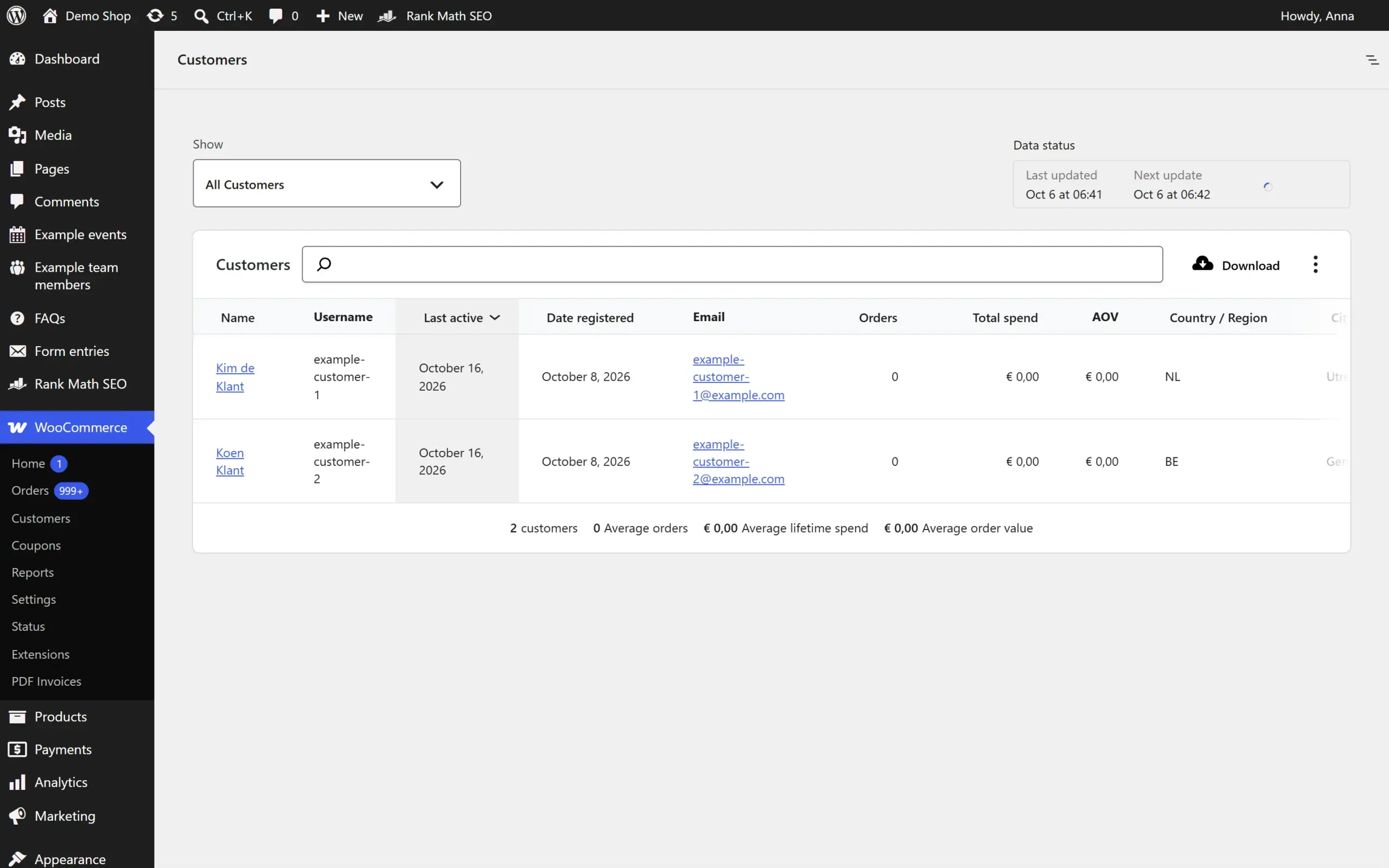
Customer overview with Addofy: orders, total spent and last order per customerCustomer overview with Addofy: orders, total spent and last order per customer (dark mode)Customer overview in the simple view of AddofyCustomer overview in the simple view of Addofy (dark mode)
WooCommerce customers report in the standard WordPress admin
Customers
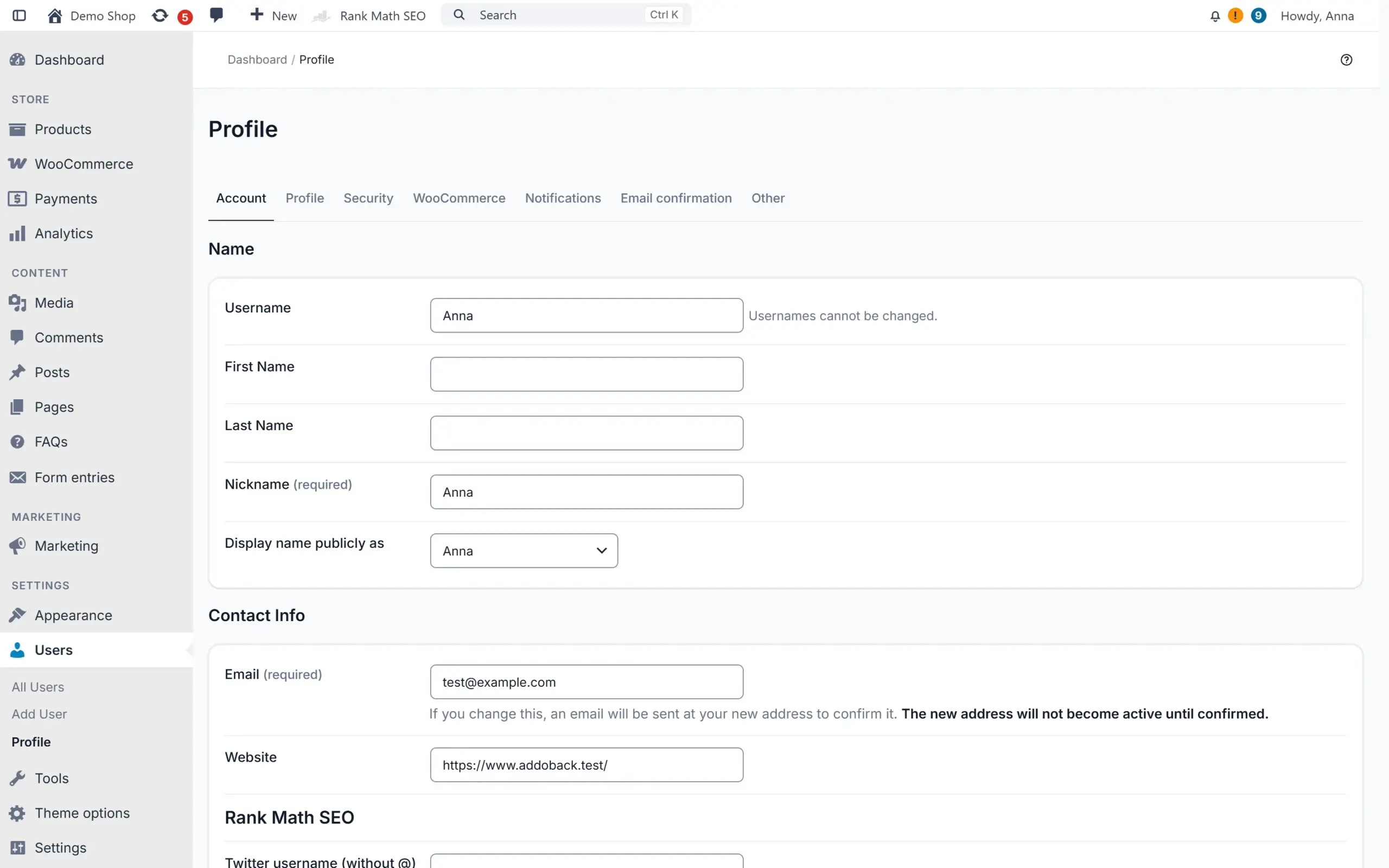
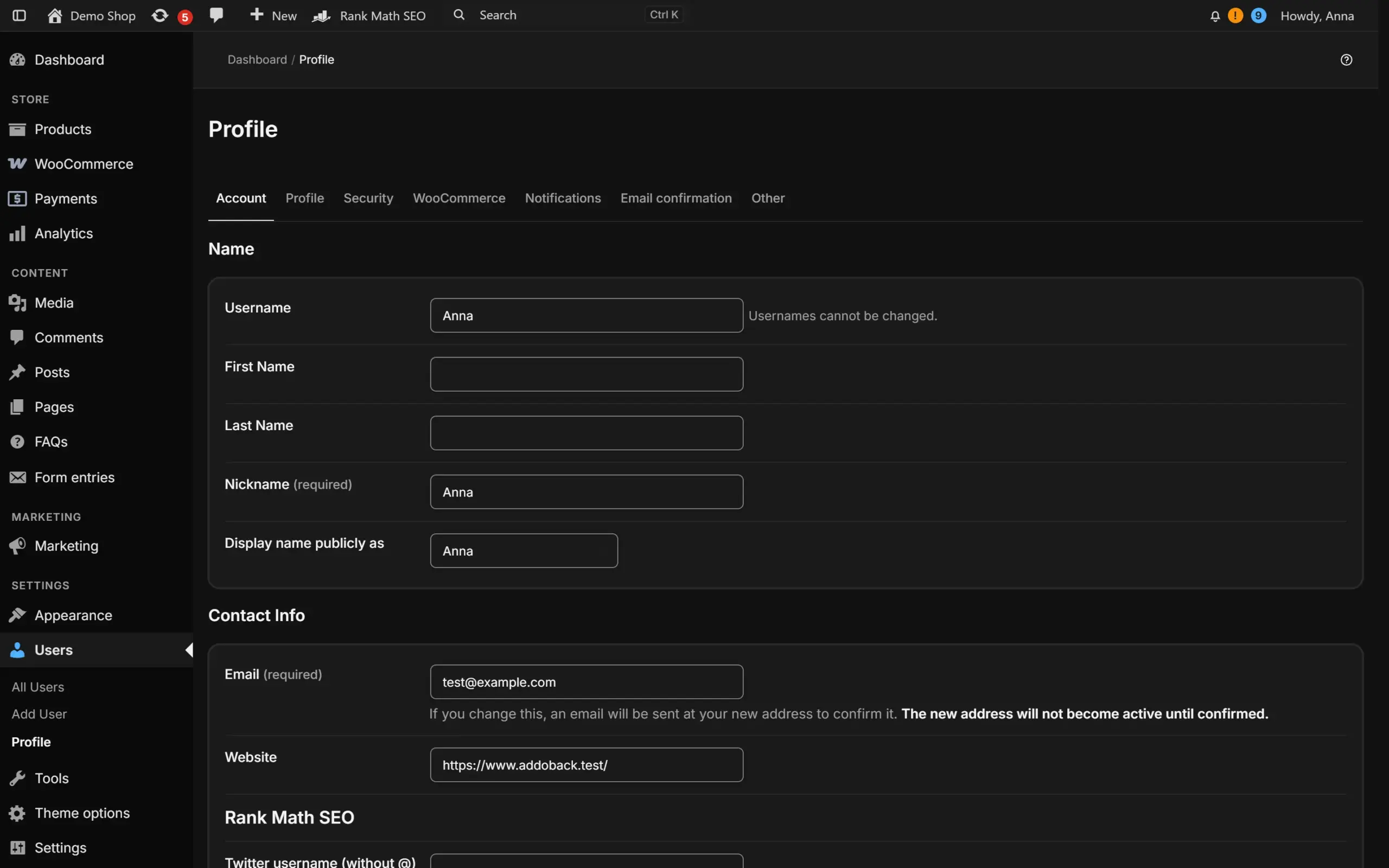
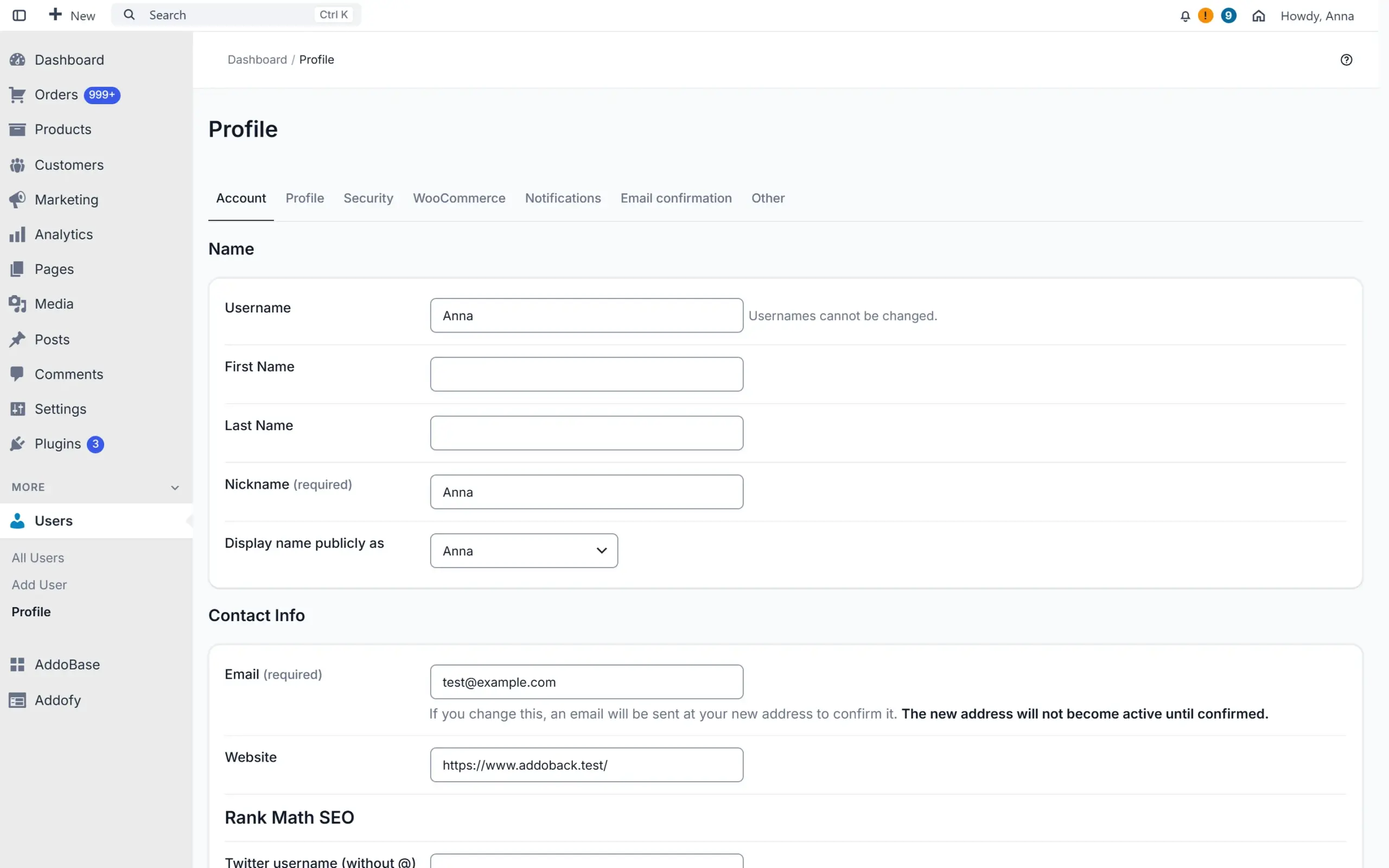
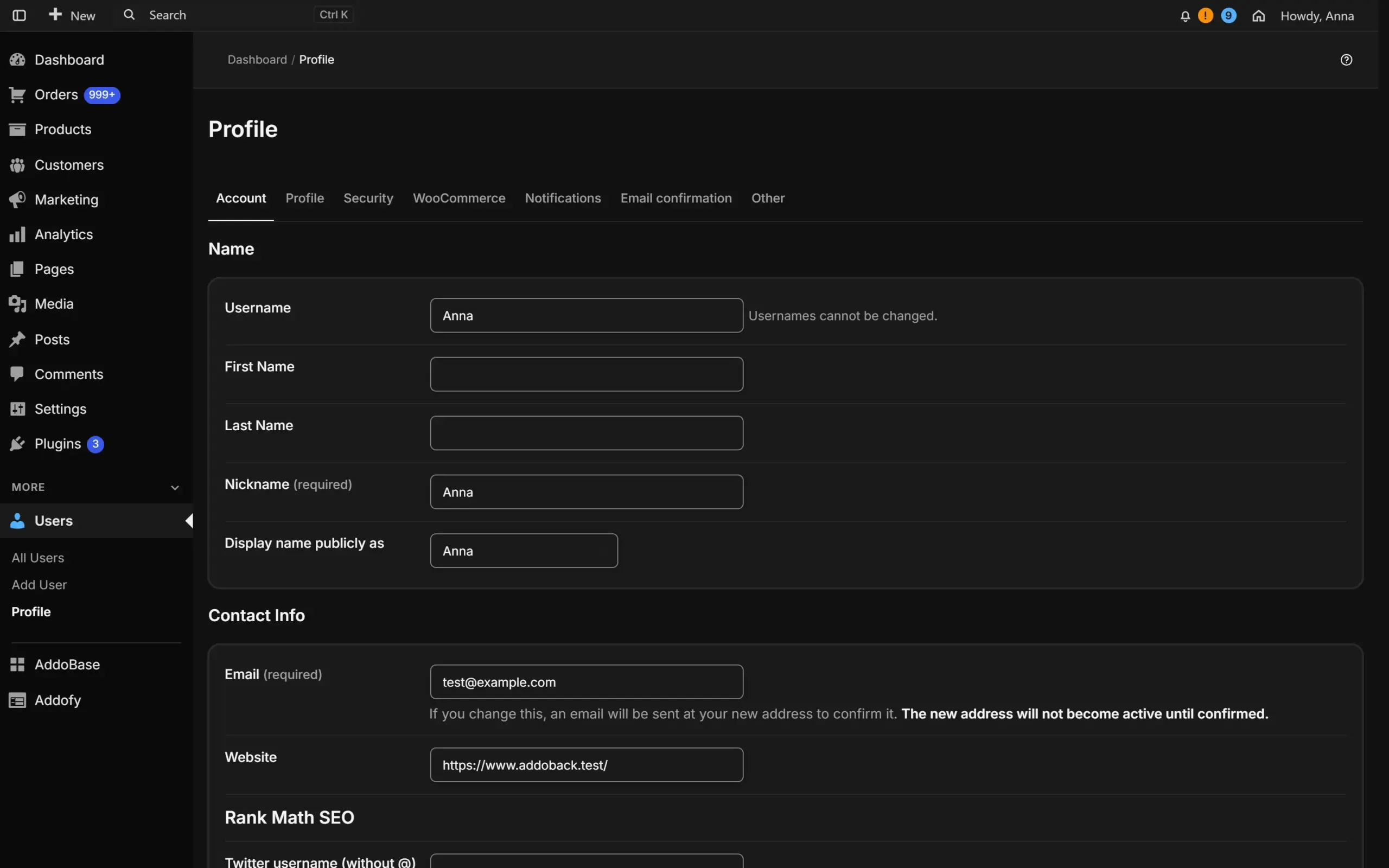
User profile with Addofy, split into tabsUser profile with Addofy, split into tabs (dark mode)User profile in the simple view of AddofyUser profile in the simple view of Addofy (dark mode)
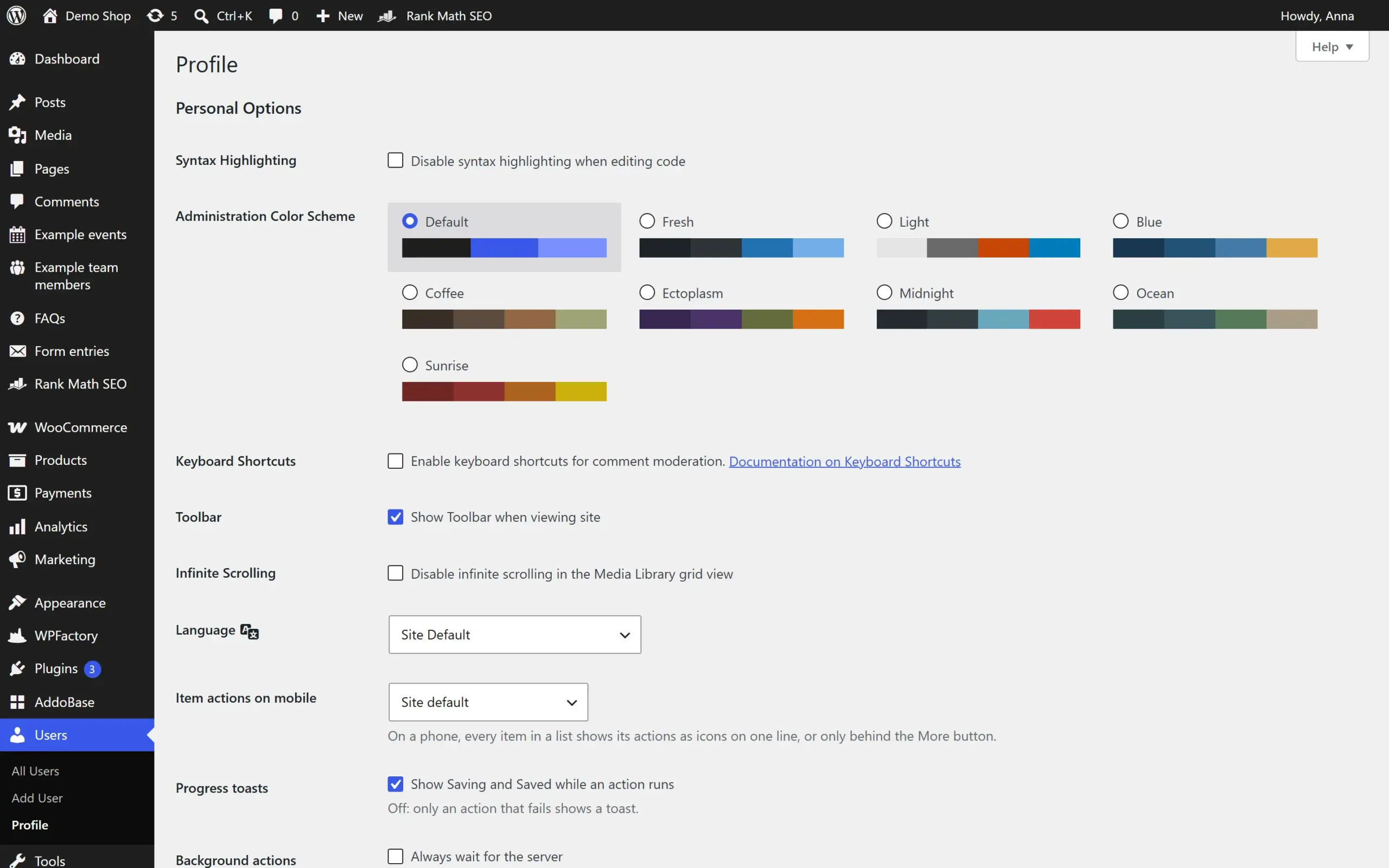
User profile screen in the standard WordPress admin
User profile
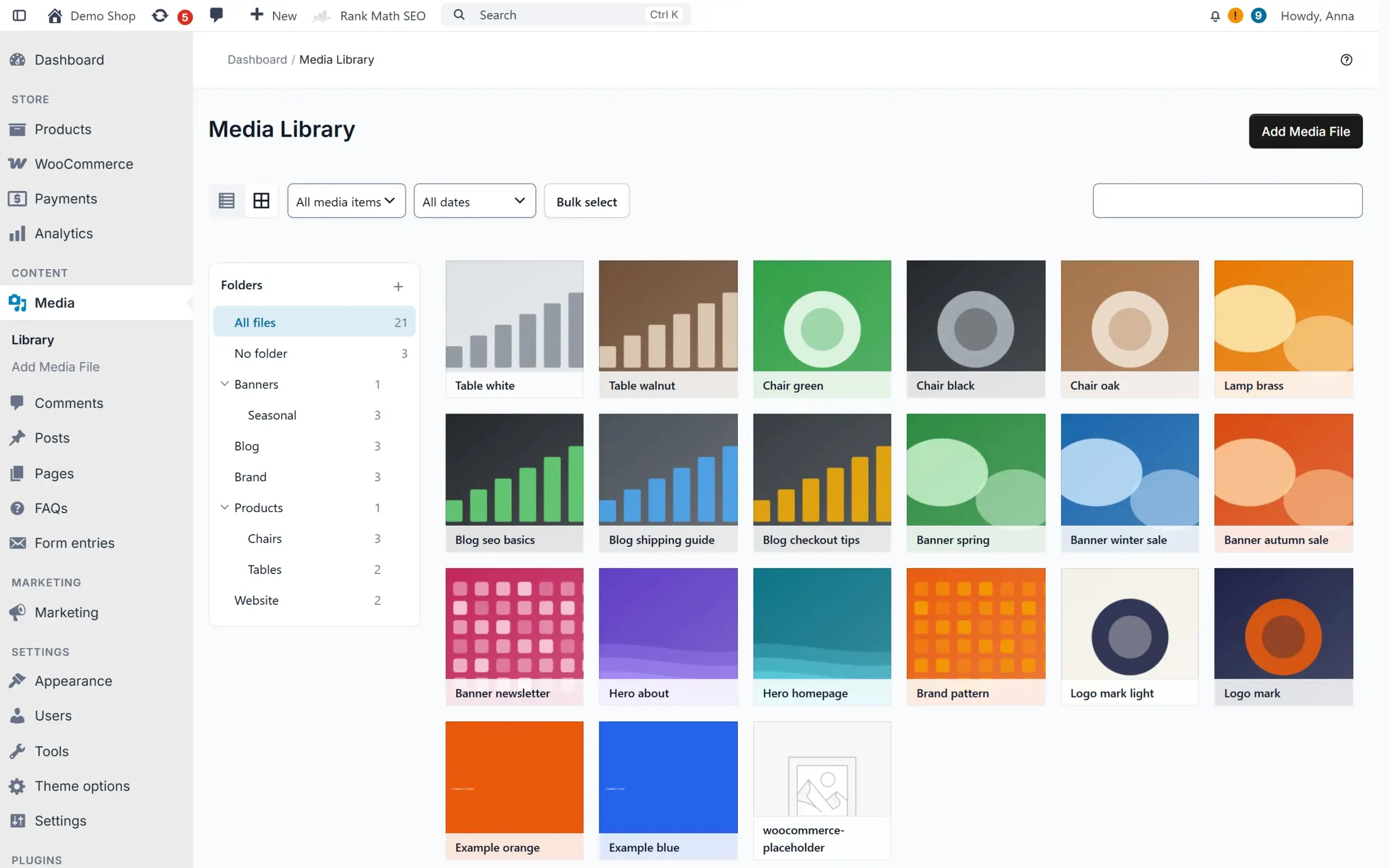
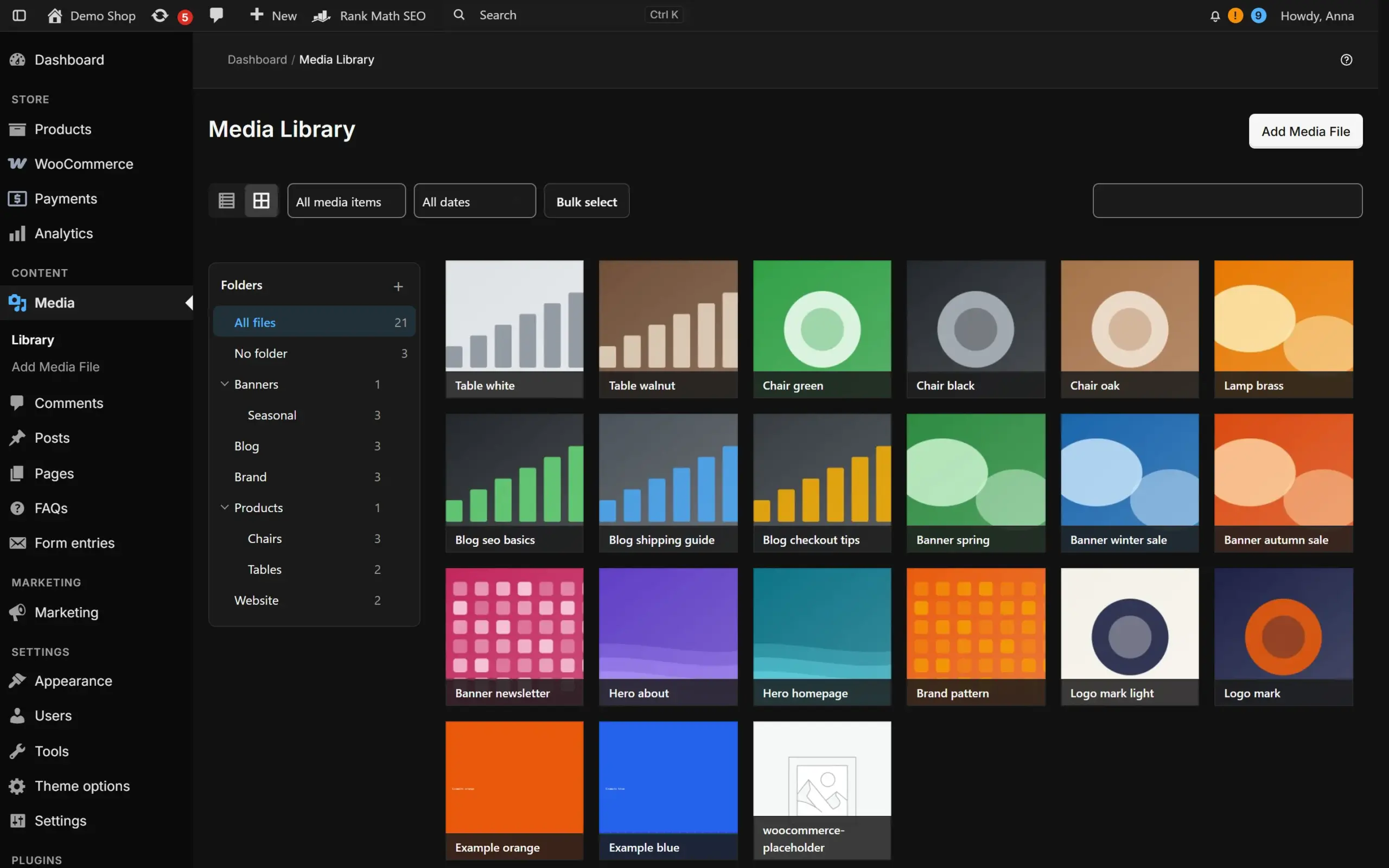
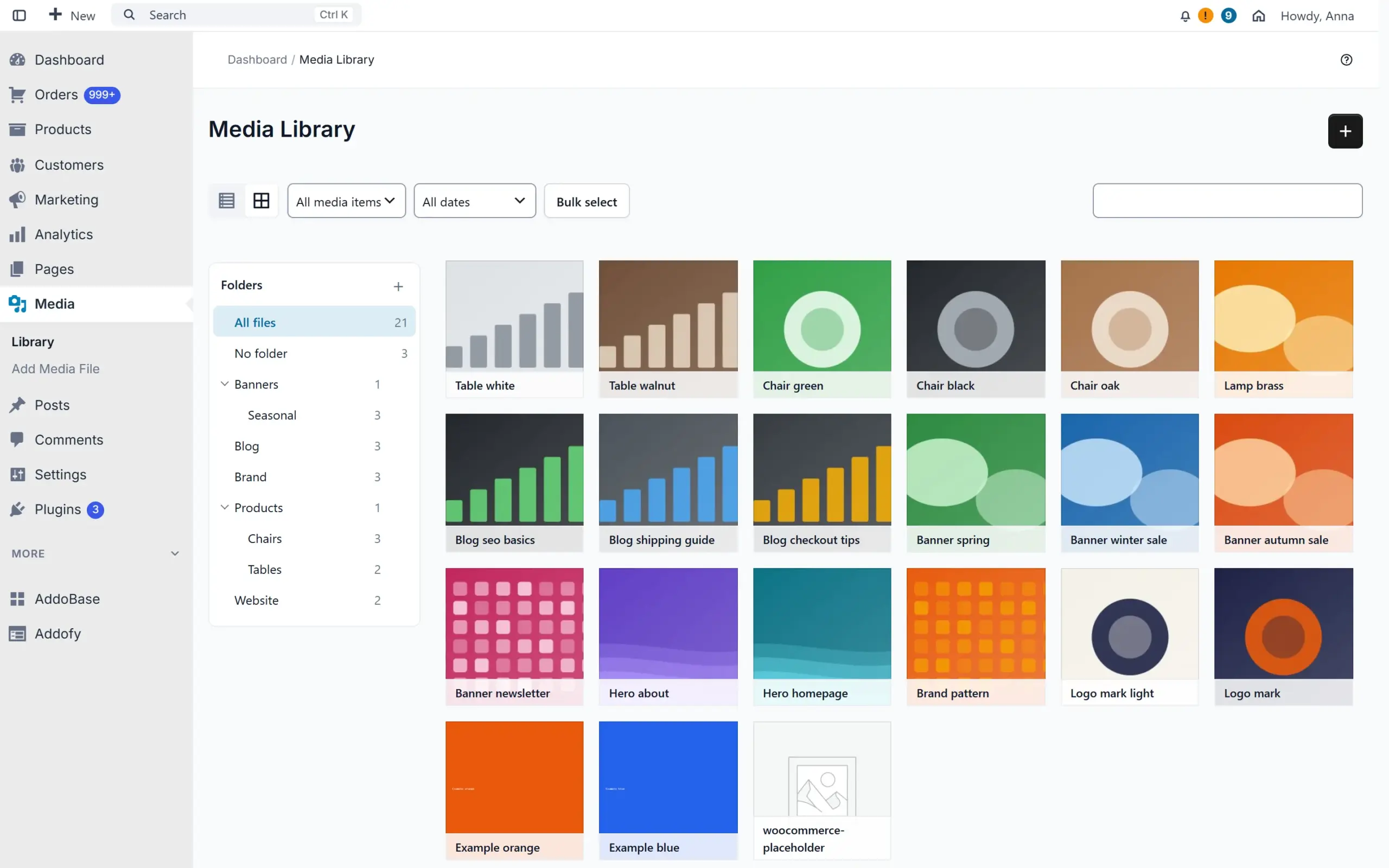
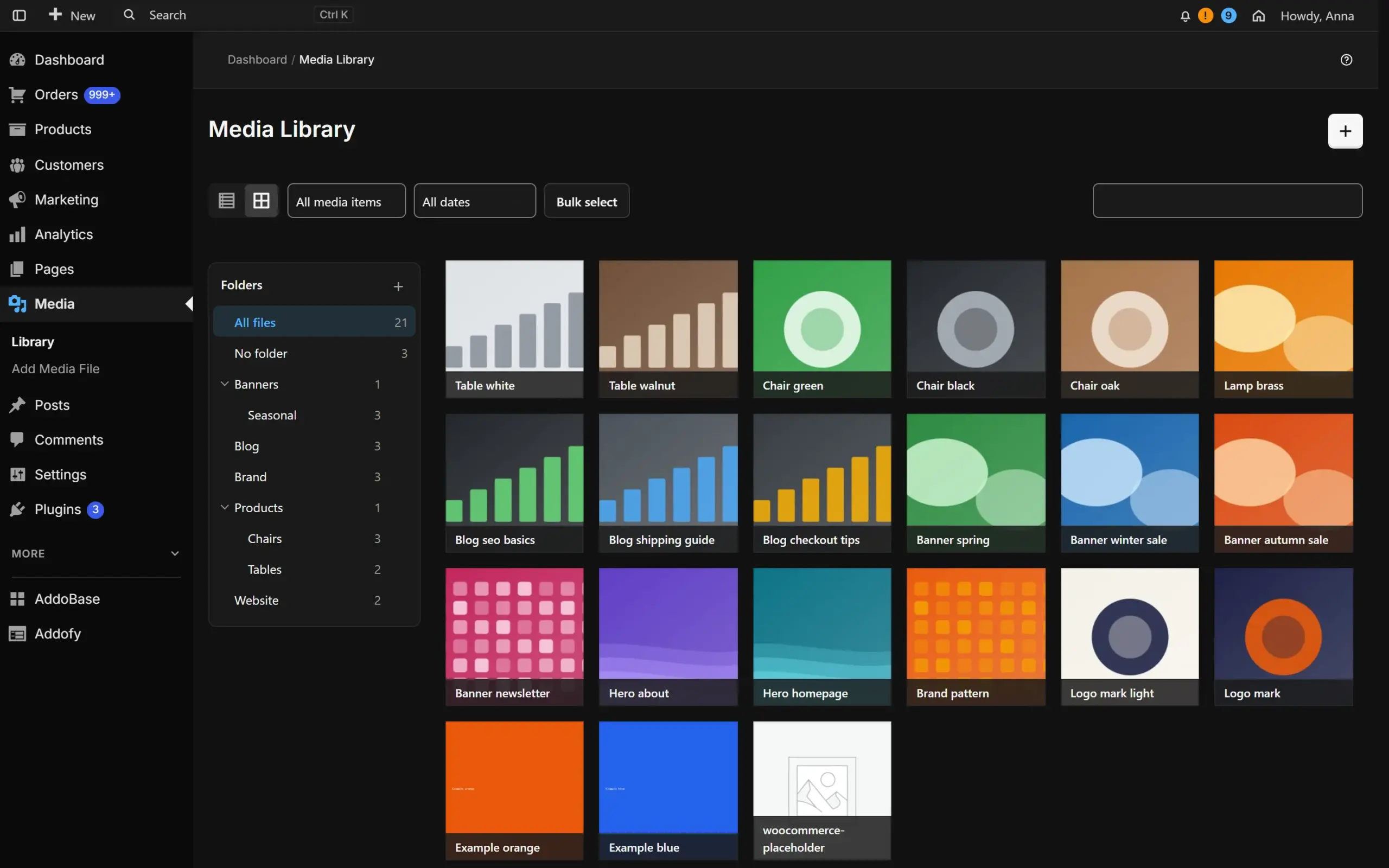
Media library with AddofyMedia library with Addofy (dark mode)Media library in the simple view of AddofyMedia library in the simple view of Addofy (dark mode)
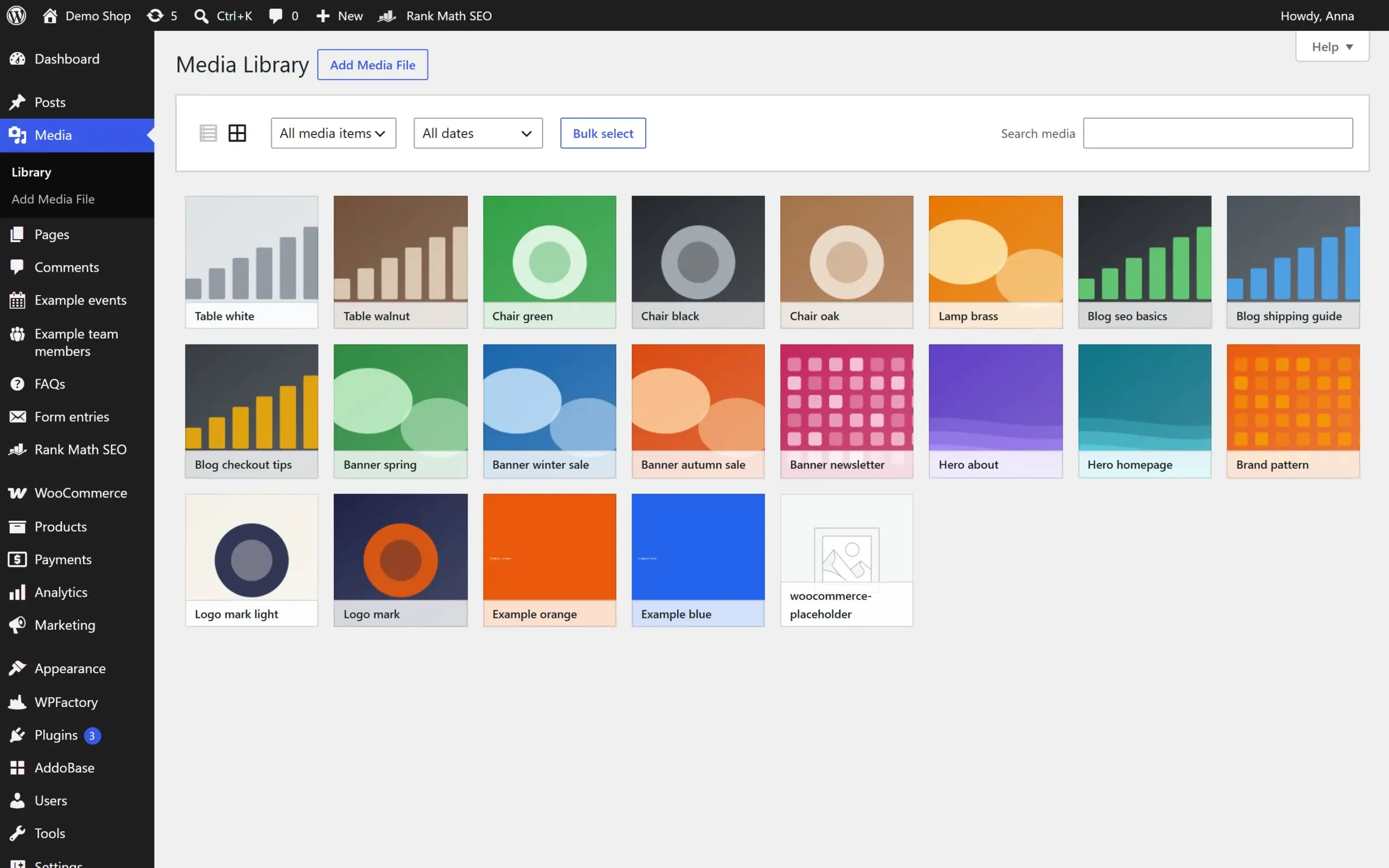
Media library in the standard WordPress admin
Media library
How it works

Three steps

  1. Install AddoBase

    AddoBase is the free connector for AddoCore plugins.

  2. Connect your account and pick Addofy

    One click in AddoBase. 14 days free on one site.

  3. Work in a calmer admin

    Addofy tidies up wp-admin. You choose what to show.

What you get

What Addofy does

One design system for every screen

Fonts, buttons, cards, tables and notices in one style, with light, dark and auto themes and three densities. Media, plugins, menus, users and settings follow the same look, and module settings open in a side panel.
Find anything with Ctrl/Cmd + K

Global search and a command palette for orders, products, customers, content, settings pages and every Addofy setting by name, with keyboard shortcuts. Partial SKU search included.

Show each role only what it needs

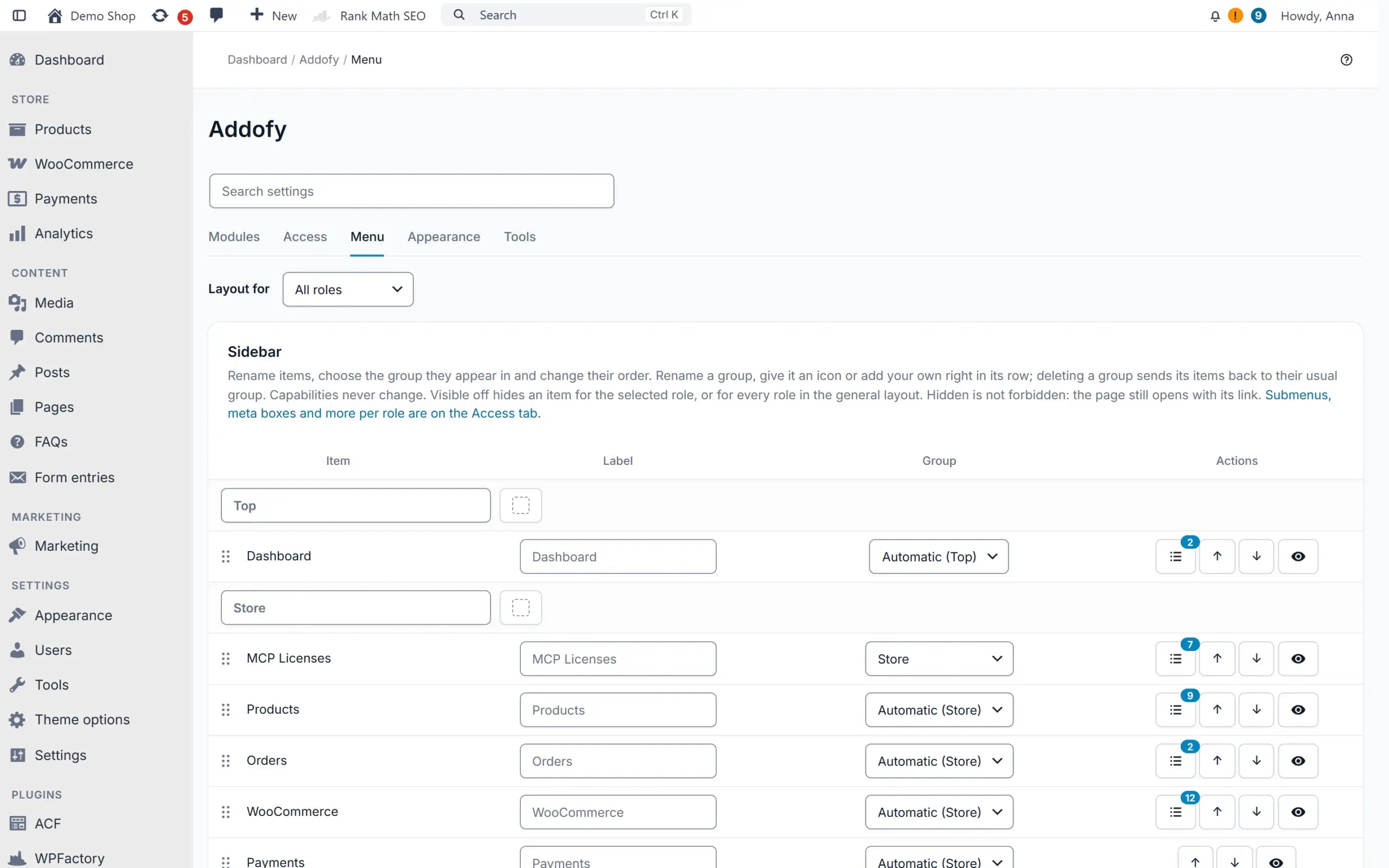
Hide menu items, meta boxes, list columns, notices, admin bar items and dashboard widgets of any active plugin. Capabilities never change, and you can preview the admin as another role.

Addofy setup guide

WooCommerce screens that work faster

A two-column product editor with a sticky save bar, an order screen with a notes timeline and order trends, and a customer overview that includes guests. Block a customer from new orders, also when they order as a guest (experimental).

Less clicking in list tables

Saved views, a floating bulk action bar that shows progress per row, status badges and clickable order rows. Wide lists keep the select box and title in view, and quick search finds as you type. Sort the media library into folders and drag files in, with undo (experimental).

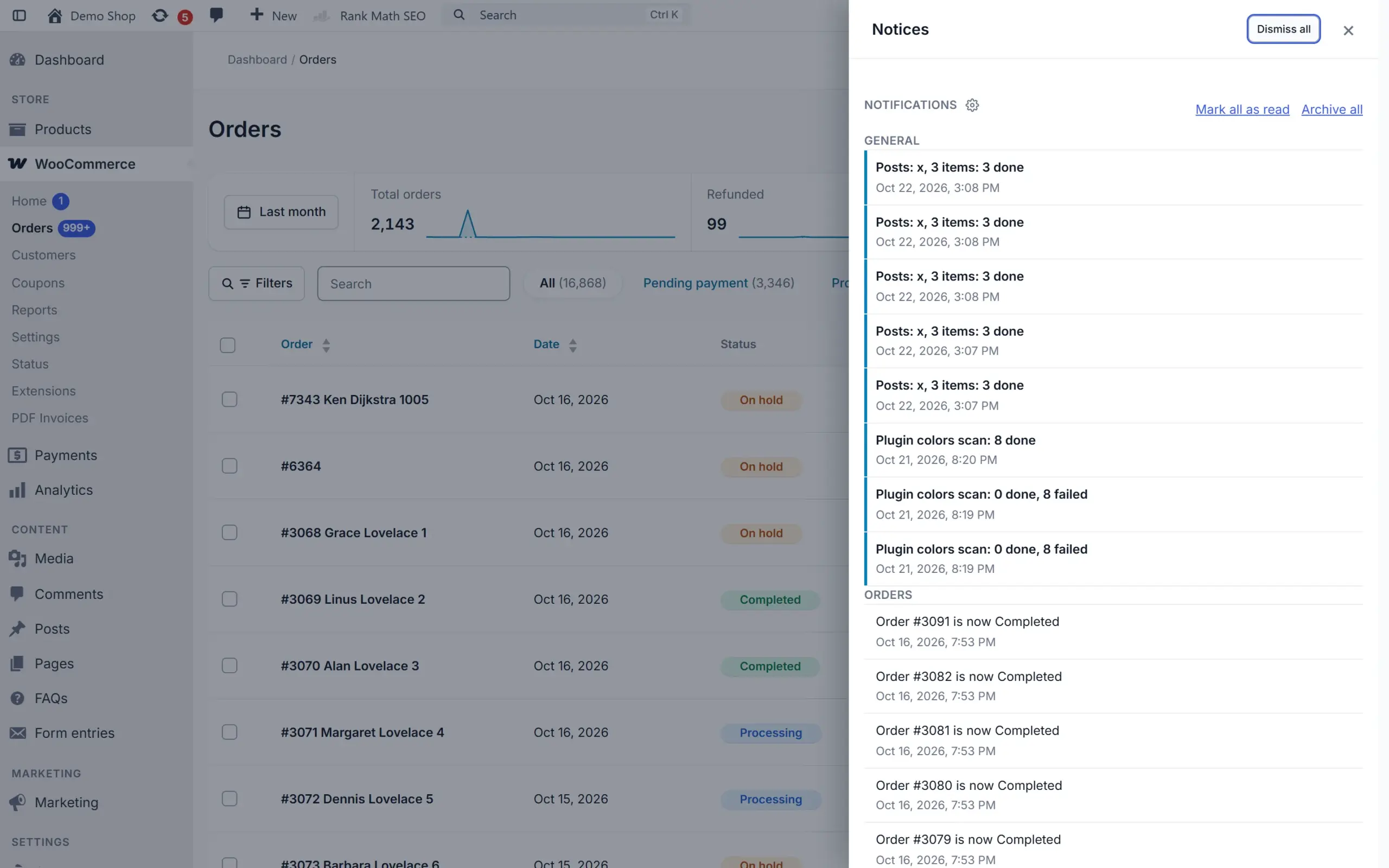
A quieter notice center

Notices move to one panel. Mute a kind of notice for yourself or for whole roles, and subscribe to notifications by e-mail or in the browser.

Built to be safe

For agencies and busy shops

Never breaks your admin

Hooks only, no overridden templates. Exclude a single screen to make it native again, or switch everything off at once with safe mode in wp-config.php or WP-CLI.

Addofy setup guide

Copy your setup to the next site

Export your settings and visibility rules, or pages, posts and products with their images, then import them on another site. You see every change before it is applied, and an import can be undone for a week.

Multisite ready

Set network defaults and lock them on every site. All orders and all products of every site in one list, plus a site switcher in the top bar.

Lightweight by design

Assets load only on screens where a module is active. Visitors of your website get nothing; logged-in users with the admin bar get one search item. API requests from WooCommerce and linked shops load only what they need.

Works with the plugins you use

Compatibility adapters for ACF, Rank Math, Yoast SEO, WPML and WooCommerce. WooCommerce is optional: its modules wait until it is active.

Your settings stay when a license ends

Without an active license the site falls back to the normal WordPress admin. Settings, rules, views and notes come back when you renew.

Trials and licenses
Pricing

Pick the number of sites

Try Addofy free for 14 days on 1 site, without payment details. Buy during the trial and it simply stays on.

Recommended

Addofy

14-day free trial on 1 site

From € 60,50 /yr per site excl. VAT: € 50,00

or € 6,05 per month

  • Calm admin in light and dark
  • Search and command palette
  • Visibility per role
  • WooCommerce and multisite modules
  • Updates through AddoBase

AddoBase

Free, needed to run Addofy

Free

  • Connects your site to AddoCore
  • Switches Addofy on per site
  • Delivers updates
  • WordPress 6.5+ and PHP 8.1+

All plans

Sites Per year Per month Lifetime, once
1 site € 60,50 € 6,05 € 180,29
5 sites € 181,50 € 18,15 € 482,79
25 sites € 544,50 € 54,45 € 1.329,79
Unlimited sites € 1.210,00 € 121,00 € 3.023,79

Prices include VAT. Use the VAT switch at the top for prices without VAT.

Lifetime: pay once, updates until this plugin's end of life (announced at least 6 months ahead), 12 months of basic support. Extra support years can be added.

  • Every module, in light and dark
  • Updates while your license is active
  • Move the license to another site any time
  • Your settings stay when a license ends

Actively developed: version 2.36.1, last update 02/11/2026

Licenses for 1 site, 5 sites, 25 sites or unlimited sites. Local development sites (.test, .local, .localhost) need no license.

Roadmap

What we are building

Addofy gets new features every week. This is what is live, what is being built and tested now, and what comes next.

In progress Being built right now

  1. Simple view, but minimal

    A short task list instead of a trimmed admin: profiles for shops and editors, icon buttons in the page bar and a Today widget.

  2. Content import and export

    Move pages, posts and products between sites with a preview of what is new, updated or skipped.

  3. Zip uploads into the media library

    Unpack a zip straight into the media library and its folders, even a large one with video.

  4. See who is working on an order

    When someone else has an order open, you see who it is and it opens read-only for you, so no one overwrites the other.

  5. Quick actions on right click

    Right-click a row in a list to edit, preview, duplicate, change the status or move it to the Trash.

Planned Coming up

  1. Menu and admin bar stay put

    When you switch pages only the content reloads, so the menu keeps its place and nothing jumps.

  2. Faster edit screens and popups

    Folded plugin boxes load when you open them, Addofy files come from the browser cache and simple edits open without loading a full page.

  3. Work through lists with the keyboard

    Move between rows, select, open and edit without the mouse. Press ? to see every shortcut.

  4. What is new after an update

    A short card with the main changes after each update, and Addofy never asks you more than one thing at a time.

  5. A sound for new orders

    Hear a short sound when an order comes in, and keep the screen on while the order list is open.

  6. Profit and customer insights

    One honest profit figure on Today and in Order trends, and see who your best customers are and who is about to leave.

  7. Export a list as you see it

    Export the filtered list of orders, products or customers to CSV or Excel, or copy a store summary to paste into an AI chat.

  8. Shipping labels and Mollie in the order screen

    Create a Sendcloud, MyParcel or PostNL label and see the Mollie payment without leaving the order.

  9. Meta boxes in the block editor, under control

    See how many meta boxes a post has, show them as a sidebar, and turn on Spotlight automatically in focus.

  10. Add reviews and preview products in a popup

    Add product reviews with stars from the admin, and preview a product in a popup you can open full screen.

  11. Addofy in the Customizer and on theme screens

    The Addofy admin bar in the Customizer and site editor, dark mode for theme screens, and your preferences on your profile page.

  12. Index advice in the query advisor

    Add, change or undo database indexes from the query advisor, with a temporary backup.

  13. Bulk actions grouped per plugin

    A long list of bulk actions split into sections, so you see which plugin added what.

  14. Let AI assistants work with Addofy

    Addofy actions become available to AI assistants through MCP, with the same rights as the user.

  15. Share your setup between sites

    Save your modules, menu and palette to your AddoCore account and apply them to another site, with undo.

  16. Accessible to everyone (WCAG 2.2 AA)

    Every screen works by keyboard, with visible focus, large enough targets and enough contrast in every palette.

  17. More hooks for developers

    A stable module API and new filters for order actions, notices, customer notes and term order.

  18. Dashboard with widgets

    Revenue today, orders to process, low stock and recent activity, a KPI strip above the order list and pinned items.

  19. Activity log and stock history

    Who changed what and when, and every stock change per product with its source.

  20. Edit price and stock in the list

    Change prices and stock straight from the product list, and apply attribute sets in one go.

  21. More role presets and your own branding

    Preferences per user and your own logo, accent colour and login page.

Shipped Already live

  1. Version 2.36

    Shipped: Media folders, and block a customer from ordering

    Sort the media library into folders and drag files in with Undo (experimental). Block a customer from new orders with an internal reason, also as a guest (experimental), and remove notifications you no longer need.

  2. Version 2.36

    Shipped: See the progress of every action

    A small message shows what is happening while you save or create something, and turns into Saved or Failed when it is done.

  3. Version 2.36

    Shipped: A WooCommerce step in the quick setup

    Set up the store parts of Addofy in one go when WooCommerce is active.

  4. Version 2.35

    Shipped: A calmer product screen you can arrange

    Price and stock fields side by side, empty cards folded away and a short checklist before you publish. Drag the cards into your own order, per user or per role.

Show 38 more shipped
  1. Version 2.35

    Shipped: Row actions where you want them

    Show the actions under the title on hover, always or never, and let plugins put a label before or after the title.

  2. Version 2.35

    Shipped: Simple view with better defaults

    Only technical boxes are hidden. The rest stays folded, one click away.

  3. Version 2.35

    Shipped: Long lists that stay fast

    A product list with 100 rows loads almost as quickly as one with 10.

  4. Version 2.34

    Shipped: As fast as a bare WordPress admin

    Addofy no longer slows any screen down compared to a bare WordPress and WooCommerce admin. Quick search finds order numbers and amounts, Quick Edit opens in a popup and you can hide sidebar items right from the Menu tab.

  5. Version 2.33

    Shipped: Lists that fit the screen

    Wide lists keep the select box and title in view while you scroll sideways. Quick search sits above the table and finds as you type, filters that do not fit move under a More button, and the simple view keeps your columns.

  6. Version 2.32

    Shipped: Addofy Light, and a steadier save bar

    A free version of Addofy for WordPress.org is built from the same code. On a phone the save bar stays inside the screen, and notifications leave smoothly. A setting keeps the native save button on settings screens.

  7. Version 2.31

    Shipped: The admin bar on your site looks like the admin

    On the public site the admin bar uses your theme colors, the same icons and account menu, and a bell with your unread notifications. Large notice lists open at once.

  8. Version 2.31

    Shipped: An admin bar that fits, and plugin colors that follow

    Admin bar items that do not fit move into a More menu, so nothing overlaps on a tablet. Plugin colors (experimental) makes the screens of other plugins follow light, dark and your palette.

  9. Version 2.30

    Shipped: Settings in a panel and a settings search

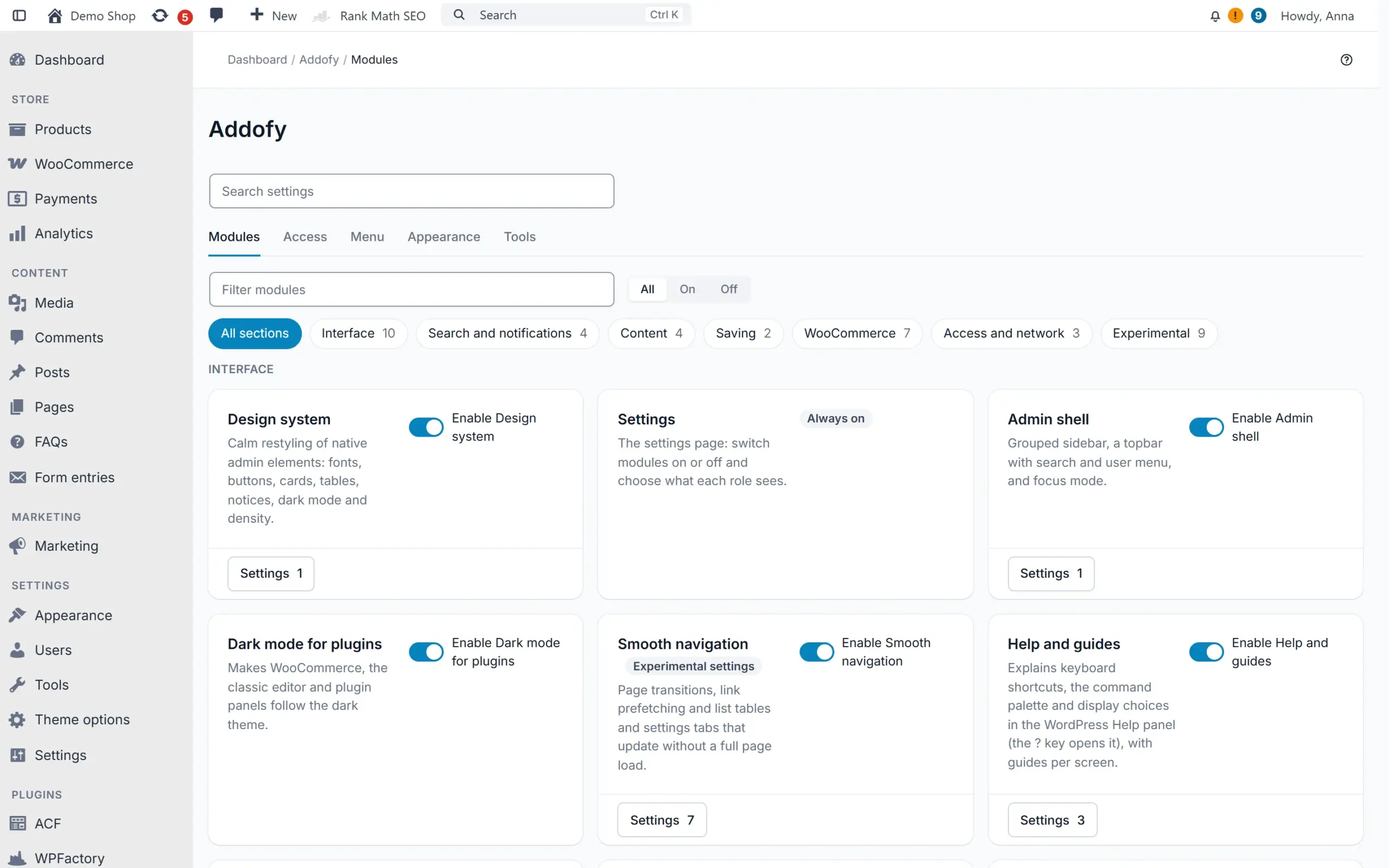
    The Modules tab is a calm grid of switches, and each module opens its settings in a panel. Search settings finds any setting by name, also from the global search and the command palette.

  10. Version 2.29

    Shipped: See which queries slow down your admin

    Tools > Query advisor (experimental) counts the database queries per admin screen and per plugin. It suggests changes that each show the gain, the risk and whether you can undo them, and a new scan sits next to the previous one.

  11. Version 2.28

    Shipped: Leave the page while a save finishes

    Save without reloading checks required fields, a SKU that is already used and ACF rules before anything is sent. On PHP-FPM or LiteSpeed you can move on at once, and a save that fails later becomes a notification with your changes kept.

  12. Version 2.27

    Shipped: Choose which actions run in the background

    Per kind of action you choose whether it waits for the server, runs in the browser or runs as a task on the server. Bulk work on 50 items or more runs on the server by default, so you can close the page and follow it behind the bell.

  13. Version 2.25

    Shipped: Every palette in light and dark

    You pick one palette and each user sees the variant of their own theme, and with Auto it follows the operating system. Vibrant and Graphite now have a light version too.

  14. Version 2.22 and 2.23

    Shipped: Faster search on large shops, styled error pages

    The global search finds orders on a large shop in about 64 ms instead of 1.75 s, and Tools shows whether an object cache such as Redis is in use. WordPress error pages in the admin follow the Addofy style in light and dark.

  15. Version 2.21

    Shipped: Bulk actions that show their progress

    Bulk actions run in batches with a bar like 12 of 340 and a Stop button, and each row changes once the server saved it. When the server did not carry out an action, the rows come back with the reason and Try again.

  16. Version 2.20

    Shipped: Lighter on API calls and syncs

    API calls that are not for Addofy, such as WooCommerce, the block editor and syncs from linked shops, only load what they need: Addofy adds about 10 ms instead of 50 ms to each of them. Alerts now also fire for orders that arrive over the API.

  17. Version 2.19

    Shipped: A new folder name and a quicker start

    The plugin folder is now called addofy. Upload the new zip and Addofy moves over from the old folder by itself, with your license, settings and data intact. With AddoBase 1.2.0 the quick start opens as soon as you switch Addofy on.

  18. Version 2.18

    Shipped: A calmer admin in the first minute

    A welcome step with three presets (Shop manager, Content editor, Keep everything), Undo all and a short tour of search, light and dark mode and role settings.

  19. Version 2.17

    Shipped: Unit price and a smoother save

    A unit price field in order lines that works out the line total, and Save without reloading turns a new product, post, page or order straight into the saved item.

  20. Version 2.15 and 2.16

    Shipped: Mobile, round two

    Item actions as icons on the phone, filters in a side panel, order, customer and coupon screens in reading order, and a product editor and WooCommerce settings that fit a narrow screen.

  21. Version 2.14

    Shipped: Menu overview, theme colours everywhere, smaller download

    Manage menu groups and submenus in one overview. Dark mode and your own palettes reach the block editor and the remaining WooCommerce screens, and the plugin zip is about a fifth smaller.

  22. Version 2.13

    Shipped: Calmer panels and account menu

    Screen options, Help and the guide open as cards in the page, with a close button. The account menu no longer switches views by itself.

  23. Version 2.12

    Shipped: Dark palettes and your own colours

    Dark mode keeps the Classic look by default. Switch to Vibrant or the calmer Graphite under Preferences, with a live preview, and register palettes of your own.

  24. Version 2.11

    Shipped: Menu editor, palette, views and columns

    Your own menu groups and submenus, a menu per role, palette commands with steps, shared saved views and column order per user.

  25. Version 2.10

    Shipped: Quality of life

    Ctrl/Cmd + S to save, back to your list as you left it, copy buttons, a customer card on hover, a quick order note and a start page per user.

  26. Version 2.9

    Shipped: Guides and tours

    A short explanation on the first visit of every screen, a tour along its parts and a Guides tab in Help. Switch them off per user.

  27. Version 2.8

    Shipped: Mobile complete

    Lists as cards on the phone, bottom sheets, long press to select, a bottom action bar and order lines as cards.

  28. Version 2.7

    Shipped: Comfort: three densities

    Comfortable, compact and dense now change the whole admin, plus an Automatic setting that makes lists compact.

  29. Version 2.6

    Shipped: Simple view and focus mode

    A simple view you adjust per item, a default view per role and a focus mode without distractions.

  30. Version 2.5

    Shipped: Faster: actions in the background

    Status changes, trash and bulk actions apply at once with Undo, Quick Edit closes immediately and pages open faster.

  31. Version 2.4

    Shipped: Dark mode on every screen

    WooCommerce Home and Analytics, the block editor, the Customizer and plugin screens follow dark mode.

  32. Version 2.3

    Shipped: Action column on every list

    Icon buttons at the end of each row for products, orders, pages, users, comments and terms.

  33. Version 2.2

    Shipped: Multisite

    Network defaults you can lock, all orders and products of every site in one list and a site switcher.

  34. Version 2.0

    Shipped: Runs on AddoBase

    Licenses and updates through the free AddoBase plugin. Your settings stay when a license ends.

  35. Version 1.5

    Shipped: Order trends and alerts

    Order trends above the order list, a new order header, a filter bar and alerts.

  36. Version 1.3

    Shipped: Open for developers

    Over 70 hooks and a documented JavaScript API, so other plugins can add their own parts.

  37. Version 1.1

    Shipped: Quick start

    A setup wizard with presets that gets a new site ready in a few steps.

  38. Version 1.0

    Shipped: First release

    One design system in light and dark, a grouped sidebar, search and command palette, visibility per role and new product, order and customer screens.

Compare

Addofy or the standard wp-admin

Addofy changes how wp-admin looks and works. Your content and plugins stay the same.

Standard wp-adminAddofy
LookEach plugin brings its own styleOne calm design on every screen, light or dark
Finding thingsSeparate menus and search per screenOne search box for orders, products, customers and settings (Ctrl/Cmd + K)
What each person seesEveryone sees the full menuYou choose per role what each person sees
NoticesNotices across the top of every screenAll notices in one panel
List tablesOpen each item to work on itLess clicking in list tables
If you stopNot applicableYour settings stay when a license ends

In practice: Office Shapers runs its WordPress admin on Addofy, set up differently for each person. Read how they use it

Technical details

Product type WordPress plugin
Requires AddoBase (free), WordPress 6.5 or newer, PHP 8.1 or newer
Current version 2.36.1
Tested up to WordPress 7.1
License Subscription, or a one-time lifetime license per site
Support Subscription: as long as it runs. Lifetime: 12 months included, then per year.
Free trial 14 days on 1 site, no payment details needed
Sites 1 Site, 5 sites, 25 sites, Unlimited

Start free with Addofy Light

Addofy Light is the free version of this plugin. Install it on any site, no license and no account needed.

Features that are Pro only show as locked, so you see what an upgrade adds. When you buy Pro, install it next to Light and Light switches itself off.

Download Addofy Light, free Version 2.36.1, WordPress plugin zip

Changelog

2.36.1

  • Changed: maintenance release without changes to the plugin code (updated product information).

2.36.0

  • Added: Media folders module (Experimental): a folder tree in the media library (grid and list) and in the media window. Drag files into a folder with undo, uploads land in the open folder, and a bulk action works without JavaScript.
  • Added: Block customers module (Experimental): block a customer from new orders on the customer screen, with an internal reason. Checkout is refused on the account and on the email address, also for guests, in the classic and the block checkout.
  • Added: a WooCommerce step in the quick start for the shop modules, the customer view and the shop manager view.
  • Added: saving through REST, admin-ajax or a form shows its progress in one toast, which turns into the result when it is done.
  • Added: notifications can be removed and are grouped in sections, and events of add-ons are on by default for the roles they are meant for.
  • Added: Tools > Content can export and import data of other plugins, and keeps the media folder of each file.
  • Changed: progress toasts cost no extra file on page load, and the Back to top button on long lists no longer slows the page down.
  • Fixed: the media library keeps its filters in view, as in WordPress, with quick search in the filter row.
  • Fixed: the color scan runs at most once a day, never twice at once, and a finished scan is no longer undone.
  • Fixed: preview tags in the admin presets keep their own height, and the shop modules section is translated into Dutch.
  • Developers: new JS helpers adba.sortable() and adba.task(), toast update(), the function adba_alerts_browser(), and for blocking customers adba_is_order_blocked() with the hooks adba_order_block_is_blocked, adba_order_block_changed and adba_order_block_prevented.

2.35.2

  • Fixed: Addofy Light passes Plugin Check without warnings.

2.35.1

  • Fixed: all admin markup Addofy prints is escaped when it is printed, as WordPress.org asks.
  • Fixed: the page bar and menu scripts are printed as separate script tags.
  • Fixed: style files are written through the WordPress filesystem API.
  • Changed: every REST route checks the user's rights in the route itself.

2.35.0

  • Added: a calmer product screen. Empty cards fold with a summary, fields sit compact in two columns, a Layout button sits next to the title and a new product opens with only the core cards.
  • Added: on the product screen, product type as buttons, a stock switch, one Organisation card with category search, a compact Publish box and a Ready to publish checklist that stays in view and leads to the missing field.
  • Added: Product cards module (Experimental): drag the product cards in your own order, plugin fields get their own part and each role can get a default order.
  • Added: choose how row actions show under the title: on hover when the action column is out of view, always on hover, always visible or never.
  • Added: add-ons with settings show as a card in a new Addons section of the Modules tab, and their settings open in the panel.
  • Added: hide order statuses from the status quick action, for example statuses a connected system sets.
  • Changed: the simple view hides only technical boxes and folds the rest, and it shows more columns and menu items by default.
  • Changed: lists, the admin bar and the phone action bar measure their layout less often, so large lists react faster.
  • Fixed: opening or closing a popup no longer jumps the page to the top.
  • Fixed: saving with the floating bar no longer says the save did not finish while it is still on its way, and a new application password no longer shows the bar.
  • Fixed: the copied table head of a wide list no longer stays over the title after scrolling up fast, and no 1px gap shows above it on WooCommerce screens.
  • Fixed: View as no longer switches when the browser prefetches the link, and the Menu tab hides items from the actions column without sideways scrolling.
  • Developers: new filters adba_row_action_buttons, adba_row_title_parts and adba_order_status_choices, the interface AddonSettingsInterface and adba_module_url() with open=.

2.34.0

  • Added: hide sidebar items right from the Menu tab, for one role or for every role. It uses the same rules as the Access tab.
  • Added: quick search recognises order numbers, IDs, amounts and e-mail addresses and puts an exact match on top.
  • Added: Quick Edit and Bulk Edit open in a popup, bulk actions show their progress in a toast, and actions of other plugins get their own dropdown.
  • Added: row actions show under the title when the action column is out of view. View opens in a new tab, except on customer and order lists.
  • Added: one choice for what a row click does (nothing, open the item, open it in the panel), and the Modules tab is grouped more logically.
  • Added: a toast that stays while you are offline, on every screen. Nothing can be clicked until the connection is back.
  • Changed: Addofy is as fast as a bare WordPress and WooCommerce admin. The WooCommerce header loads once the page is ready, dark styles never hold up a light screen and lists start without extra layout work.
  • Changed: lists load with pulsing cells instead of a sweeping band, also on the first load.
  • Fixed: on sites with many plugins, saving the Access tab no longer hides items in the simple view by accident.
  • Fixed: dark mode for ACF screens, the drag handles of WooCommerce tables and the WooCommerce header icons.
  • Fixed: the block editor fills the side panel and saving there no longer asks to leave the page.
  • Fixed: trash views, counts and bulk actions stay correct without a reload, and the bulk bar and filter dropdowns stay above the table head.
  • Fixed: the product data panels show as separate cards, the product edit screen has its breadcrumb and Vibrant light shows white text on purple buttons.
  • Fixed: a round of small fixes for wide lists, the quick search, the simple view filter bar, toasts, application passwords and the phone layout.
  • Developers: new filter adba_row_view_action, JS events listtable:views and listtable:quicksearch, and the token --adba-on-segmented. Store::all_prefs() (deprecated since 1.6.0) is removed.

2.33.0

  • Added: wide lists keep the select box and title column in view while you scroll sideways, with scroll arrows, a fixed select column and a card view preference for phones.
  • Added: quick search above the list table as a user preference. It prepares results while you type, animates the rows and keeps the search term in the filter bar.
  • Added: the filter bar keeps filters on one line and puts what does not fit under a More dropdown. Status views do the same.
  • Added: the simple view keeps its columns as in Advanced and saves them per view from Screen Options. Quick search and the status select stay beside the open filters.
  • Added: list screens show skeleton rows until the list table has its final layout.
  • Added: each guide gets its own subtab in the Guides tab of Help, with arrows when they do not all fit. Guides can be turned off or on for your own profile.
  • Added: changes in the product attributes panel get their own Save attributes bar. Product search results show the stock status and quantity.
  • Added: choose the order of the order statuses in the dropdowns (default, A to Z, most used first). A panel opened from the page bar scrolls smoothly into view.
  • Fixed: settings screens save with their own button and never show the floating save bar.
  • Fixed: lists with many columns scroll sideways instead of squeezing, the head sticks under the page bar and the pinned columns stay in place.
  • Fixed: the first item of a submenu can change place like the others. Search stays in the active WPML language.
  • Fixed: Dashify Pro is switched off before Dashify, and changes that schedule background work run it right away.
  • Fixed: a round of small fixes for the quick search, the Rank Math bulk edit buttons, the guide tour bubble and the order line fields.

2.32.2

  • Added: clicks made while a page is still loading are kept and repeated once the scripts are ready, so nothing gets lost on a slow admin screen.
  • Added: Plugin colors can scan all plugins as a background task. The notification panel shows how far it is.
  • Added: the thickbox and order preview popups show a skeleton while they load, the head of long lists stays sticky, and early clicks on the order preview are kept.
  • Added: the block editor follows the view: it is left alone in Advanced, and in Simple and Focus it gets the spotlight and distraction free layout.
  • Fixed: the WordPress plugin table styles apply on every screen that uses the table, for example the Polylang modules.
  • Fixed: Plugin colors also map grays with a hue, near-black ink, dark lines and faint transparent veils to the matching Addofy color.
  • Fixed: dark mode covers the remaining WordPress design system and notice variables.
  • Fixed: scanning one plugin runs in the foreground, shows what the background scan is doing and leaves room above the list.
  • Fixed: a round of small fixes for the save bar, the users list, notifications and plugin screens.

2.32.1

  • Added: Addofy Light has a full-width Pro panel in theme colors, a dashboard widget that shows what Pro adds, and module settings that open in a side panel or inline on the Modules cards.
  • Added: Addofy Light has a shorter plugin name for WordPress.org.
  • Added: Save bar has a setting to keep the native save button on settings screens.
  • Fixed: the native save button stays visible at the end of settings forms.
  • Fixed: request input in the drawer frame and the quick start is sanitized and unslashed.

2.32.0

  • Added: Addofy Light, the free version for WordPress.org, is built from the same code. Licensed sites see no change.
  • Fixed: on a phone the save bar always stays inside the screen. The text gives way, the buttons keep their size.
  • Fixed: in focus and Simple view the block editor header, with Save and the sidebar toggle, no longer sits under the page bar.
  • Fixed: the ticks of the Simple view for columns, meta boxes and dashboard widgets also apply to users who saved their own Screen Options.
  • Fixed: archiving or dismissing notifications fades and slides up smoothly, one item at a time, also with Archive all and Dismiss all.
  • Fixed: on a site with several languages the site profile no longer depends on the language of your admin.
  • Developers: `wp adba prefs`, `wp adba notices` and `wp adba guides` take the user as an argument, for example `wp adba guides reset `, because WP-CLI keeps the global `--user` flag for itself.

2.31.5

  • Added: the admin bar fits its width. From tablet size up, items that would run into the notification bell move into a More menu at the end of the bar.
  • Added: the Yoast SEO item in the admin bar looks like the notification button: a line icon in the bar color and the same counter, in light and dark.
  • Added: Plugin colors (experimental, off by default). Addofy reads the stylesheets of your other plugins in the background and swaps their fixed colors for Addofy colors, so their screens follow light, dark and your palette. Per plugin on or off under Tools.
  • Fixed: switching a screen to Native view asks first. It is the last item of the account menu and one stray tap switched the screen to plain WordPress for everyone.
  • Fixed: a save on a screen where Addofy runs only partly no longer wipes your other preferences.
  • Fixed: Settings > Modules only shows modules and settings for plugins that are active, such as WooCommerce. Their stored settings stay.
  • Fixed: short save messages such as "Profile updated." and "New user created." show as a toast; a link in them becomes the toast button.
  • Fixed: notices that move to the notification panel never show in the page first, also after the page title in a settings form and, in the Simple view, the save messages.
  • Fixed: the page keeps scrolling while Help or Screen Options is open, so a long Help or guide tab can be read to the end. The cross and Esc close it.
  • Fixed: settings that list what Addofy found on a screen (meta box tabs, product meta boxes) explain when nothing is found yet and link to the screen to open and to the scan tool.
  • Fixed: list screens between tablet and wide screen keep room for the title. Lists with column priorities drop their least important columns there.
  • Fixed: the admin color scheme picker in the profile stays readable in dark mode.
  • Developers: adba.adminbar.overflowKeep (JS filter) and the event adminbar:overflow; adba_colorscan_plugins, adba_colorscan_token, adba_colorscan_css and adba_colorscan_done; wp adba colors scan|list|enable|disable|clear. Settings fields accept 'condition', 'empty_text' and 'empty_links'. The developer docs explain the fixed code prefix adba.

2.31.4

  • Fixed: going to the next or previous step of the quick start keeps your place on the page instead of jumping to the top.
  • Fixed: the quick start shows only the quick start. Guide cards, notices from other plugins and Screen Options are hidden there.

2.31.3

  • Fixed: on phones the page bar under the admin bar follows the admin bar grid. The back arrow sits under the menu button and the Screen Options, Help and WooCommerce header buttons are 52px wide, the last one under the account button.
  • Fixed: list screens on phones no longer jump while they load. The status select no longer pushes the list down when it appears, notices that move into the notification panel never flash in the page first (also on slow pages), and the WooCommerce padding that came and went is gone.
  • Fixed: More in the bottom navigation opens the menu again (WordPress closed it in the same tap).
  • Fixed: the On and Off filter on the Modules tab works with All sections too.

2.31.2

  • Fixed: the move from the old addoback folder never switches off, empties or removes that folder when it is under version control (Git, SVN or Mercurial, also in a folder above it), a symlink or junction, or points outside the plugins folder. A notice explains why and asks you to clean it up by hand; your settings stay.
  • Developers: the adba_settings_tabs docs name the built-in tab id preferences (was prefs).

2.31.1

  • Fixed: the loading bar under the admin bar only shows while you wait for something (opening a page without reloading, a save, an action). Counters, notifications and other things that load in the background no longer show it.
  • Developers: adba.api() no longer shows the bar by default; pass progress: true for a request the user waits for.

2.31.0

  • Added: the admin bar on the public site looks like the one in the admin: the colors of your theme, the same icons, account menu and site switcher, and a bell with your unread notifications. One small stylesheet, only while the bar shows; the theme is never touched. Filter adba_frontend_admin_bar turns it off.
  • Changed: the notice panel opens at once on screens with hundreds of plugin notices. Each group shows its first five notices with Show more for the rest; the counters keep the full number (filter adba_notices_per_section).
  • Changed: Mark all as read and Archive all change the notifications one by one, and the counter counts down with them. When the request fails they come back with a message.
  • Added: archived notifications are removed after 360 days. Each user can set the number of days in the profile; 0 keeps them forever. The site retention now only applies to notifications in the list.

2.30.1

  • Fixed: counters in the menu, the phone bar, the notice center and the alerts panel show 999+ above 999 instead of a number that no longer fits.
  • Fixed: Edit in panel in the list table row actions has a line icon like its neighbours.
  • Fixed: long dropdowns stay inside their settings card on phones.

2.30.0

  • Changed: the Modules tab is a calm grid with only the switches. The Settings button on a module opens its settings in a panel (or as a page of its own without JavaScript). The page is about a third as long.
  • Added: Search settings at the top of the Addofy settings finds any setting by name and opens it, marked. The settings are also a source in the global search and the command palette.
  • Changed: Preferences is now Appearance, with one table per role for the view, the simple view profile and the start page instead of 21 separate rows. Notice center, search, guides and phone actions moved to the panel of their module.
  • Changed: Visibility is now Access, with the shared views at the bottom (the Views tab and its old links lead there). Excluded screens and data on removal fold away under Advanced settings on Tools.
  • Fixed: the navigation bar for phones no longer shows inside a panel, and the Access tab no longer scrolls sideways on a phone.
  • Developers: filters adba_settings_panel_keys, adba_settings_index and adba_settings_merged_tabs, a priority key in settings_schema(), search type setting. Stored settings, constants, export, import and WP-CLI are unchanged.

2.29.0

  • Added (experimental): Tools > Query advisor. A scan opens the main admin screens as you and counts the database queries per screen: total, time, repeated and slow queries, and how many each plugin ran. When the server cannot load its own pages, measure the screens you open yourself for ten minutes.
  • Added: suggestions based on the scan, each with gain, risk and whether it can be undone. Switch on a slower Heartbeat outside edit screens, turn off HPOS compatibility mode or hide dashboard widgets of heavy plugins, and switch them off again at any time. Expired transients and the product lookup table are one click. Advice for the object cache, autoloaded options, slow counting and heavy plugins; an index on post meta is shown as SQL to run yourself.
  • Added: scan again to see the queries and page time per screen next to the previous scan.
  • Developers: action adba_register_query_rules, filters adba_query_rules and adba_query_scan_screens, JS event queries:scan:done, WP-CLI wp adba queries scan|results|list|apply|revert.

2.28.0

  • Added: with the experimental Save without reloading, a save is checked first: required fields, a product name, a SKU that is already used, ACF validation and rules of other plugins. The first field that needs attention opens and nothing is sent.
  • Added: on servers with PHP-FPM or LiteSpeed the server confirms a save at once and finishes it in the background, so you can go to another page right away. Links clicked before that wait a moment with "Saving, one moment".
  • Added: a save that fails after you left the page becomes a notification; Open shows the item with your changes filled in again. Saves that worked after you left are reported too (folded within a minute), which you can switch off in your profile.
  • Added: a save that would overwrite a newer version saved by someone else is stopped with "Load latest". Opening an item that is still being saved waits with "Still saving your last changes" and loads the saved values.
  • Developers: JS filter adba.save.preflight, filters adba_save_preflight, adba_background_save_early and adba_background_save_limit.

2.27.0

  • Added: Addofy > Modules > Background actions. Choose per kind of action (status changes, Trash and restore, Quick Edit, bulk actions, bulk edit, saving, exports and imports) whether it waits for the server, runs in the background in the browser, or runs as a task on the server.
  • Added: bulk actions and bulk edit on 50 items or more run as a task on the server (Action Scheduler) by default. You can keep working or close the page; the task shows its progress behind the bell with Stop, ends with a message, and items that failed can be retried. The last 50 tasks are listed in Addofy > Tools.
  • Added: bulk edit of fewer items now runs in batches in the background too, with the list updating afterwards.
  • Added: exports and imports of Tools > Move content can run on the server, so closing the page does not stop them.
  • Added: "Always wait for the server" in the profile, for users who prefer to see every action finish.
  • Added: changes still on their way when a page closes are offered again on the next page.
  • Changed: new notifications appear at the top of the open notice panel without reloading, come in every 5 seconds while your own background work runs, and ride along with the WordPress Heartbeat on edit screens.
  • Developers: filters adba_background_mode, adba_bulk_server_threshold and adba_background_handler, actions adba_background_task_started, adba_background_task_done and adba_background_task_failed, constant ADBA_BACKGROUND_ACTIONS, adba.background and the events background:busy and background:ended.

2.26.0

  • Added: Tools > Move content. Export pages, posts, products (simple and variable) or categories and tags as one file: a zip with the images, or a small JSON file with links to them. Filter on status, category and date; the form shows how many items and how large the file will be.
  • Added: import that file on another site with a preview first: per item New, Update or Skip, found on path, slug or SKU, with what would change and warnings. Importing again updates instead of making duplicates. Parents, categories, images, attributes, variations and linked products are linked to the items of the new site.
  • Added: Undo this import, for a week: changed items get their previous content back, new items go to the trash and new categories, attributes and media are removed.
  • Added: fetch content straight from another site with Addofy, without a file, with a read-only key made there. Keys can be removed at any time.
  • Added: Export as bulk action and row action in the lists of pages, posts and products, a Content card in Addofy > Tools and wp adba content export, import, undo and list.
  • Developers: filters adba_transfer_types, adba_transfer_export_item, adba_transfer_import_item and adba_transfer_meta_exclude, actions adba_transfer_exported and adba_transfer_imported.

2.25.0

  • Added: every color palette has a light and a dark variant. Preferences has one palette choice; each user sees the variant of their theme, and with Auto it switches with the operating system without a reload.
  • Added: Vibrant light (light gray with orange accents, a purple primary button that turns yellow on hover and purple link hover) and Graphite light (orange only, a near-black primary button).
  • Added: palette cards show the variant you see now with a half light, half dark mark; Preview shows light and dark side by side. A palette without a light variant gets one derived by Addofy, or Classic light when that would move too many colors.
  • Changed: a site that had Vibrant or Graphite as dark palette keeps it in dark and now gets its light variant in light. Classic light looks exactly as before.
  • Fixed: importing settings now keeps the palette choice; exports from older versions are converted.
  • Developers: adba_register_palette() registers a dark and a light palette in one call (dark and light keys), palettes take a family argument, new token --adba-hover-fill, constant ADBA_PALETTE and body class adba-palette-family-{family}. wp adba palette works per family.

2.24.0

  • Added: the simple view has a profile. Shop puts orders, products and customers first; Editorial puts posts, pages and media first; Automatic (the default) picks per user and adds posts or comments when the site uses them. Choose it in the account menu, per role in Preferences or in the quick start.
  • Added: the simple view sidebar is one short list of at most six items without group headings, with Orders and Customers as main items in the Shop profile and More folded until you open it.
  • Added: on lists in the simple view, New, Filters, Search and More are square icon buttons. Search opens the search popup instead of the list search field; an active search shows next to the title with a cross to clear it.
  • Added: a View site icon in the top bar, a shorter New menu per profile and only one accent button per screen in the simple view.
  • Added: the simple view shows General and Inventory on products, Attributes and Variations on variable products only, and folds Shipping, Linked products and Advanced under More options. Gallery and Brand start folded.
  • Added: dashboard widget Today with what needs doing: orders to process and on hold, low stock, comments to moderate and drafts. It replaces At a glance and Activity in the simple view.
  • Added: the Visibility tab sets the simple view per profile and previews a profile for one hour.
  • Developers: filters adba_simple_profiles, adba_simple_profile_auto and adba_today_items; adba_simple_mode gets the profile id as second argument.

2.23.0

  • Added: WordPress error pages in the admin, like "Sorry, you are not allowed to access this page" and "The link you followed has expired", follow the Addofy style in light and dark. The message, the status and the back link stay as WordPress made them.
  • Added: after Addofy is activated, Dashify is switched off once, with a notice and a link to switch it on again. Switch it on again and Addofy leaves it on.
  • Added: the update screens show the AddoCore icon for Addofy.
  • Developers: filters adba_deactivate_conflicting_plugins, adba_style_die_pages and adba_die_page_classes.

2.22.0

  • Added: Tools shows whether a persistent object cache such as Redis is in use, the drop-in is there but not in use, or the drop-in is missing, with a link to the Redis settings. Also on the command line: wp adba cache status.
  • Improved: the global search finds orders without HPOS in tens of milliseconds instead of more than a second on large shops (1.75 s to 64 ms at 17,000 orders).
  • Improved: the count of a saved view that is slow to compute (a search over many orders) stays cached for 30 minutes instead of 5, and the search no longer checks the WooCommerce tables on every request.
  • Developers: filter adba_cache_ttl sets how long an Addofy cache entry lives, per cache group.

2.21.0

  • Fixed: a bulk or row action in the background only shows as done once the server confirmed it. Before, any answer counted as success, so a request the server did not carry out (an expired session, an action it ignored) looked done until the page was reloaded. A failure puts the rows back with the reason and Try again.
  • Added: bulk actions show their progress. Items go in batches of 10, each row changes on its own from the top once the server saved it, and the bar shows how far it is, like 12 of 340, with a Stop button. What is done stays done.
  • Added: while items leave the list, the total, the number of pages and the status counts go down with them. A page that empties shows the progress and fills again from the next page at the end.
  • Added: Delete permanently runs in the background too, on posts, pages, products, comments, media and orders.
  • Developers: filter adba_bulk_batch_size, events bulk:start, bulk:item, bulk:done and bulk:error, and adba_async_bulk_actions now gets the screen.

2.20.2

  • Fixed: the Filters button is back on every list. A rule meant for the media grid hid it everywhere since 2.15.0.
  • Fixed: in dark mode the sidebar of a media item in the library is dark, with readable labels and fields.
  • Changed: the media library list shows the Filters button with the list and grid switch next to it, as one segmented control that stays readable in dark mode. In the grid the toolbar is a calm row like the filters of the other lists, and on phones the switch stands next to the Filters button. Without JavaScript the native filters and switch stay.

2.20.1

  • Fixed: typing a group name on the Menu tab no longer lags. The save bar rewrote its text on every key and the sidebar preview rebuilt the whole menu; now each key takes about 1 ms instead of 100 ms, and the preview follows after a short pause. After Add group the cursor stays in the new name.
  • Fixed: the icon picker of a menu group opens fully visible, also at the bottom of the table, instead of being cut off by it. Near the bottom of the screen it opens above the button.
  • Fixed: in Dutch and other long languages the account menu text no longer runs out of its buttons. All rows share one label column that fits the longest label, and the View buttons are as wide as their words.
  • Changed: Empty Trash and Empty Spam sit in the bar above the list, next to the Filters button, on posts, pages, comments, product reviews and HPOS orders. Without JavaScript the button stays at its usual place.
  • Fixed: quick start step 2 spreads the preset cards over the full width, with even spacing above and below.

2.20.0

  • Changed: REST requests that are not for Addofy (WooCommerce, the block editor, syncs from linked sites) boot only what has to run there: alerts, the manual term order and the cache header setting, plus modules from extensions. The other modules are not even loaded. On a WooCommerce order request this cuts the time Addofy adds from about 50 ms to about 10 ms and its memory from 4.4 MB to 0.2 MB, with the same number of queries. Addofy's own routes, batch requests and the REST index still load everything. The filter adba_rest_lean_boot turns this off; adba_rest_modules picks which built-in modules still load.
  • Fixed: alerts now also fire for changes made over the REST API, such as an order that a linked shop syncs in through wc/v3. Addofy starts after init on those requests, so its events were never connected there.

2.19.1

  • Fixed: Meta box tabs now also work on the order screen with HPOS (WooCommerce > Orders > Edit). That screen draws its boxes without the do_meta_boxes action, so plugin boxes set to Always in tabs stayed below each other there. The product screen and the old order screen are unchanged.

2.19.0

  • Changed: the plugin folder is now addofy (main file addofy.php) and Addofy registers with AddoBase as addofy. Your license, settings and data stay as they are.
  • Added: moving from the old addoback folder. Upload and activate the new zip: on the next admin page Addofy switches the old folder off without running its uninstall or deactivation code, keeps the data mode on keep during the move, and shows a notice with Remove old folder. That button deletes the old folder and puts the data mode back. Use it rather than Delete on the Plugins screen. The filter adba_legacy_folder points to an old folder in another place.
  • Added: with AddoBase 1.2.0, switching Addofy on in AddoBase opens the quick start right away (plugin header AddoBase Setup).
  • Changed: the quick start is at admin.php?page=addofy-setup. The old address addoback-setup still works and forwards there.

2.18.0

  • Added: the quick start has a step "How should your admin feel?" with three presets (Shop manager, Content editor, Keep everything), each with a small preview. A preset only sets the default view per role and which items are hidden for which roles, so everything stays editable in Preferences and Visibility. Undo all (in the step, in Tools and with wp adba setup apply --undo-preset) puts back what the presets changed. The filter adba_admin_presets adds or changes presets, and wp adba setup apply --admin-preset= applies one without a browser.
  • Added: a short tour of three stops after setup: search, light and dark mode, and where you choose what each role sees.
  • Fixed: the one-time redirect to the quick start now also happens on a site where Addofy only starts after AddoBase and the license, where the 30 second activation redirect had already expired.

2.17.0

  • Added: while you edit an order line there is a Unit price field next to the quantity. Changing it works out the subtotal and total of the line (the discount stays), and the reminder on Recalculate shows that the tax follows after it. Turn it off in the Order screen module; the filter adba_order_unit_price_enabled does the same in code.
  • Changed: with Save without reloading, the first save of a new product, post, page or order turns the screen into the saved item: address, title, menu marker, Create becomes Update, the order header with previous and next, and the customer boxes of an order. The event ajaxsave:created tells your own script. Another save updates the same item. If anything is missing the browser goes to the edit screen of the saved item.

2.16.0

  • Added: the product data tabs (General, Inventory, Shipping, ...) are an icon column on the left with the fields on the right, on every width. Hover or focus an icon to see its name. The filter adba_product_tab_icons sets the icon of a tab that a plugin adds.
  • Added: on a phone the permalink has "Permalink:" and the Edit button on the first line and the link with its copy button on the second; a long link is cut at the start.
  • Changed: the Visual and Code tabs of the classic editor are a small segmented control, and the word count and last edited row is hidden on phones.
  • Fixed: WooCommerce screens (settings, status, product and order lists) are as wide as the other admin screens; WooCommerce's extra padding is gone.
  • Fixed: after switching a WooCommerce settings tab the tab menu stays, and it is in the first paint, so the tabs no longer jump into a menu.

2.15.1

  • Added: on a phone the order screen has a Back button next to previous and next; the arrow and the copy button leave the title.
  • Added: on a phone the order screen reads top to bottom: order data and addresses, items, notes, then the side column. The filter adba_order_mobile_order sets the boxes that come first.
  • Added: long meta of an order item (variations, plugin data) runs the full width of the item and shows at most two lines per value on phones and tablets. Tap a cut-off value to read all of it.
  • Added: the title button Edit user on the customer screen has a pencil icon.
  • Added: coupons have the page bar with the breadcrumb Marketing, Coupons and the coupon code, and the fields of Coupon data take the full width of the tab on phones and tablets.
  • Changed: the quick order note at the top of the order screen is off until you turn on Quick order note in Screen Options. The module setting of the same name is gone; anyone who used the note turns it on once.

2.15.0

  • Added: on a phone the card of a list item shows its actions as icons on one line, as many as fit, with More at the end. Choose Icons or Only More for the site in Preferences and for yourself in your profile. In Only More the whole line opens the menu. The filter adba_mobile_item_actions chooses which actions are icons.
  • Added: the More menu slides in and out, ignores swipes, pull to refresh and long press while it is open, and shows actions that only have an icon as a row of icon buttons at the top.
  • Added: a swipe on an order shows the action it will run on the strip the card leaves free, and the phone buzzes once past the threshold.
  • Added: a round Back to top button next to the action bar of long lists, and (experimental) Load automatically while scrolling under Load more.
  • Added: the new Filter panel module shows the search box and filters of a list as a panel from the right, always on phones and on a wide screen when there are many filters or they do not fit on one line. It also covers the media library, list and grid view. Filter adba_filters_panel: auto, always or never per screen.
  • Added: the new Change role from the list module adds Change role to every user in the users list, with a popup of the roles.
  • Added: a setting can depend on a toggle of the same module (schema key depends).
  • Fixed: an empty list is centered in the card on phones, the drag handle of categories and the Menu tab is a full-height strip at the right of the card, the EU VAT filter shows once in the users list, the WooCommerce address tables of a user no longer scroll sideways on phones, the sticky table header stays one line and words no longer break in the middle in narrow columns, and the sidebar has the same width on every screen and density.

2.14.3

  • Fixed: on a phone, More in the account menu is an accordion that starts closed, with Visit site and Visit store inside.
  • Fixed: the back arrow in the page bar returns to the previous admin screen, else to the parent page, never always to the dashboard. The JS event nav:back lets an extension set another target.
  • Fixed: the WooCommerce app banner (Android) no longer pushes the page bar down; it is a regular notice in the notice panel, or under the bar when the notice center is off.
  • Fixed: the search popup has room right of its scrollbar, an opened submenu scrolls into view in the sidebar, the admin bar stays fixed on phones on every screen, and pull to refresh only starts at the top of the page, outside scrolling panels and the sidebar.
  • Fixed: no full-width save bar where the save bar for unsaved changes exists, and none on the dashboard (Quick Draft keeps its button in the widget).
  • Added: the row label in the role tables of the settings ticks or clears the whole row.
  • Added: on a phone the guide tour moves a part that is fixed at the bottom into view for its step.

2.14.2

  • Changed: the plugin zip is about a fifth smaller. The Inter font is shipped once instead of three times, and the Dutch translation ships as a .l10n.php file (smaller and faster to load on WordPress 6.5+) instead of .po, .mo and .pot files. The developer docs and the .pot file are published next to the zip.

2.14.1

  • Fixed: in dark mode the order screen is one whole: the rows inside the cards (headers, totals, add item bar, notes) no longer come out blacker than the card, and editing an order line (quantity, cost, tax, meta) uses the palette instead of white fields.
  • Fixed: the empty block inspector, the classic Reports (range tabs, legends, chart boxes), the WooCommerce Admin select control, pagination arrows, marketing icons and footer follow the dark palette.
  • Added: space around the block editor canvas on posts, pages and patterns (16px, 12px on a phone). Full width blocks still reach the edge of the canvas. The filter adba_editor_padding sets another length or turns it off with an empty string.
  • Added: dev/theme-scan.mjs and dev/theme-scan.js find fixed colours that the dark palette does not cover; the baseline is kept in the project context.

2.14.0

  • Changed: Settings > Menu is one overview. Groups are edited right in their row of the Sidebar table (name, icon, delete), and a row at the bottom adds a group that shows in the table and the sidebar preview at once. The separate Groups card is gone.
  • Changed: the submenu of an item opens from a Submenu button next to Move up and Move down, in a side panel that keeps its place after saving. The separate Submenus card is gone; without JavaScript the button links to the panel as a card.
  • Added: the JS event menu:group { id, label, icon } reports a change of a group row.

2.13.0

  • Changed: Screen Options, Help and the guide card open as a card in the page content with a close cross (also Esc) instead of hanging under the page bar, and the page scrolls on as usual. The guide card opens and closes smoothly in height and opacity; with reduced motion it is direct.
  • Added: the class adba-inline-panel gives a panel of an extension the same card style, cross and smooth open and close, and the JS event pagebar:panel { id, open } reports each panel that a page bar button controls.
  • Fixed: the description in Screen Options runs over the full width (also on the dashboard), with the checkboxes in columns below.
  • Changed: in Settings > Tools the Guides card sits between Quick start and Export and import.

2.12.2

  • Fixed: Exit focus on an edit screen that only shows focus because of Edit screens in focus now switches that setting off instead of jumping to an old view, and leaving focus forgets the view before it. The account menu shows your saved view there.
  • Fixed: the guides and Edit screens in focus toggles save without a page load, the guide tour never lets a key or click reach the account menu behind it, and Native view asks for confirmation (the old check never matched).
  • Fixed: menu items in Appearance > Menus open on a touch screen; dragging starts after a short press.
  • Added: a list picture that does not load shows the WooCommerce placeholder (filter adba_image_placeholder, event img:fallback).

2.12.1

  • Fixed: column order grips and column width handles now sit correctly in list table heads that are not sticky.

2.12.0

  • Added: color palettes. Dark mode stays Classic by default; under Preferences the site can switch to Vibrant (gray with orange, purple and yellow on hover) or the calm Graphite, with a live preview per palette. Plugins and themes add their own palette with five colors through the adba_register_palettes action or adba_register_palette(); Addofy derives every color and fixes contrast where it falls short. TinyMCE, the block editor canvas, menu icons and WooCommerce charts follow the chosen palette.
  • Fixed: dark mode readability of WooCommerce's row id, order item SKU and Delete note.
  • Added: the filters adba_palette_tokens and adba_active_palette, the constants ADBA_PALETTE_DARK and ADBA_PALETTE_LIGHT, and wp adba palette list, set and check. The palette choice travels with export and import.

2.11.0

  • Added: Menu tab. Rename sidebar groups, give them an icon or add your own; rename, reorder and move submenu items to another parent (as a copy that keeps the original link and capability); a layout per role; every change shows in the sidebar right away and Cancel brings the menu back.
  • Added: command palette. Commands that ask for an order, product, customer, choice or text and run in the background, with Set order status, Add order note and Adjust stock built in; commands for the screen you are on come first, the last eight under Recent; short forms find commands.
  • Added: saved views. Share a view with a role or everyone, a views menu with item counts (counted when it opens, kept for five minutes), drag to order, a default view per list, and a Views tab for the shared views.
  • Added: column order per user by dragging the column head or with Column order in Screen Options (works without JavaScript), with defaults per role. The checkbox stays first and the actions column last.
  • Added (experimental): module Column widths (drag the edge of a column head) and module Product cards (media on top, pricing, inventory, shipping and variants as cards, variations with price, stock and SKU in their heading).
  • Added: the filters adba_menu_role_layout, adba_view_share_capability, adba_view_count, adba_column_order, adba_column_widths and adba_product_cards; adba_menu_groups takes an icon and adba_commands takes params, endpoint, screens and context; the JavaScript filter adba.paletteCommands and the events palette:run, view:apply and view:save.

2.10.0

  • Added: module Quality of life. A start page after login per user (dashboard, orders, products or a saved view) with a default per role, back to the list as you left it (filters, sorting, page and scroll position), copy buttons next to order numbers, SKUs, e-mail addresses, phone numbers, addresses, permalinks and coupon codes, addresses that open a map, and character counters for excerpts and the SEO fields of Yoast and Rank Math.
  • Added: save bar extras. Ctrl+S (Cmd+S) saves the form you are in, leaving with unsaved changes asks first, Saving and Saved show the status, and View or Preview opens the item on the site.
  • Added: lists. A click on a row opens it on every list, Shift and click selects a range, Select all results runs trash, restore and order statuses over every page, and the order list shows a customer hover card.
  • Added: a quick note field in the order header, the product data tab is remembered, a long press on a date shows the exact date on touch screens, and a Safe mode pill in the admin bar.
  • Added: the login screen and the session expired dialog in the Addofy style.
  • Added: the filters adba_start_pages, adba_copy_targets and adba_char_counters, adba.copy() and the JavaScript events qol:copy and customercard:loaded.

2.9.0

  • Added: guides. Every screen with an Addofy part explains it the first time you open it: a short card with a tour along the parts, a speech bubble button in the page bar to open it again, and a Guides tab in Help. A guide that changes shows again, marked New.
  • Added: guides on or off in the account menu, "On the first visit" or "Only on request" in Preferences, a switch in the quick start, Show all guides again under Tools and wp adba guides reset.
  • Added: the filter adba_guides and the interface ProvidesGuides for guides of your own, the filter adba_guide_mode and the JavaScript events guide:open and guide:done.

2.8.0

  • Added: phones get a calm admin bar in every view: menu, new, search, notices and account; everything else is in the account menu, with update and comment counts in the notices badge.
  • Added: every core list is a tidy card on phones (orders, products, customers, posts, pages, users, comments, reviews, media, terms, plugins, coupons, network lists), with a sort button, short dates, no empty fields and one button for all row actions; plugin lists show their first three columns. On tablets lists stay tables and drop the columns that do not fit.
  • Added: touch features: the primary action (save or add) at the bottom within reach of the thumb, a long press for bulk mode, the right keyboard for prices and phone numbers, product data tabs as chips, order items as cards, popups as bottom sheets, safe areas and a browser bar in the theme color.
  • Added: Experimental settings: pull to refresh, swipe an order to change its status, Load more under lists and a navigation bar at the bottom.
  • Added: filters adba_mobile_adminbar_keep, adba_column_priority, adba_input_modes and adba_mobile_nav_items, and the JavaScript event listtable:appended.

2.7.0

  • Added: comfort goes further. Compact and dense now change the page bar, sidebar, tables, boxes, forms, settings cards, tabs, notes and dialogs, not only the row and control height. A new Automatic choice uses compact on lists and comfortable on edit and settings screens. Preferences and the quick start show a live preview strip.
  • Added: the density sizes are public CSS tokens, and the filter adba_density_auto_screens decides which screens Automatic makes compact.

2.6.0

  • Added: the simple view is a profile you can adjust. The Visibility tab has a Simple view column per item, Restore defaults, and export, import and WP-CLI carry it along. A default view per role in Preferences and in the setup wizard.
  • Added: the simple view hides what is not needed day to day: other notices go to the panel, promotions are muted, no WordPress footer or WooCommerce setup tasks, Screen Options and Help in the account menu, extra title buttons under More, fewer bulk actions, column lists for posts, pages, users and comments, folded order trends, and Linked products and Advanced behind More options on products. A counter shows how many items are hidden, with a way back to the advanced view.
  • Added: focus is a quiet top bar with Exit focus, no sidebar (the menu button opens it over the page), one-column edit screens and a back arrow with the title. A per-user switch opens edit screens in focus.

2.5.0

  • Added: status changes, trash, restore and bulk actions on products and orders run in the background. The row changes at once, a toast offers Undo and a failure puts the row back.
  • Added: Quick Edit closes at once on Save, a new order note shows immediately and the featured star flips without waiting.
  • Added: Experimental section on the Modules tab, with Save without reloading for products and orders and an optional instant back button.
  • Changed: scripts load with defer from the head, Inter is preloaded, order trends and the customer card load when they come into view, and the admin prerenders status and pagination links.
  • Changed: the Visibility scan runs once a day per screen instead of on every visit.

2.4.1

  • Fixed: dark mode now reaches the remaining light spots: dashboard and WooCommerce Home, popup backdrops, loading veils, shipping zones, local pickup, email preview, logs, Extensions, feedback popup, coupon tabs, product attributes, editors, Analytics cards, charts, date picker and tables.
  • Fixed: the block editor frame (posts, pages, Widgets), the Customizer, the code editor, Fonts, Connectors, menu locations, file editors and personal data requests follow dark mode. The editor canvas keeps the theme's own colors.
  • Fixed: PDF Invoices, Rank Math, EU VAT and AddoBase screens follow dark mode.

2.4.0

  • Added: coupons open in the edit panel. Media library actions as icon buttons in the action column (setting per list).
  • Added: plugins, media, WooCommerce logs, scheduled actions and download directories get the same Filters button, bulk bar and pagination as the other lists. Actions for the selection (users: Change role to) join the bulk bar, filters of other plugins wait behind Filters.
  • Fixed: the WooCommerce activity panel and the Home and Analytics header sit under the page bar, Screen Options and Help open one at a time and stay under the bar, and the page behind an open panel, popup or slideout no longer scrolls.
  • Fixed: Payments, Site visibility and Blueprint settings show their content after a normal click and follow dark mode. WooCommerce settings no longer scroll past their content; the open sidebar scrolls on its own.
  • Fixed: product attribute terms no longer offer Edit in panel; shipping zone and class actions are icon buttons.

2.3.5

  • Changed: style polish. Equal Filter and Cancel buttons, Select2 as high as a normal select, padding in text areas, WooCommerce settings and System status buttons in the theme style.
  • Changed: smoother search popup (focus ring, tab switch), popups with full-width headers, scrollbars in panels, space above pagination, Quick Edit that folds away.
  • Fixed: notices and the user profile no longer shift or flash while the page loads.

2.3.4

  • Fixed: with WooCommerce 11.2 the header buttons fell outside the screen on WooCommerce pages. The header is now positioned by Addofy itself instead of relying on how WooCommerce positions it. The Finish setup panel no longer covers the header.

2.3.1

  • Changed: the plugin is now called Addofy. Settings, data, license and the plugin folder stay the same.

2.3.0

  • Added: action column as the last column of the product and order list. Products: View, Edit, Quick Edit and Edit in panel as icon buttons, the rest under More actions. Orders: Preview, Edit, Quick actions and Edit in panel as icon buttons, the status buttons and Trash under More actions.
  • Added: setting per list in the List tables module to switch the action column off.
  • Added: filter adba_row_action_icons to give a row action of a plugin its own icon.

2.2.0

  • Added: full multisite support. Addofy works per site and when network activated, and the network admin gets the same look, menu groups and dark mode.
  • Added: network settings with a default per key and a lock to enforce a key on every site.
  • Added: All orders and All products of every site in one sortable, filterable list, for super admins in the network admin and for site managers under Orders and Products (only their own sites).
  • Added: search across all sites in the palette and on the search page, with the site of every result.
  • Added: site switcher with a colour dot per site in the top bar and "Go to" commands in the palette.
  • Added: wp adba network index and wp adba settings export/import --network.
  • Changed: saved views and notification counters are kept per site on multisite.

2.1.0

  • Added: WordPress screens in the Addofy style, in light and dark: dashboard, media and the media window, plugins, themes and updates, menus, comments, users, terms, settings, privacy, site health, import and export, Thickbox, pointers and the colour and date pickers.
  • Added: badges in one style for order statuses, post states, stock and search results.
  • Added: mute a kind of notice for yourself or for roles from the notice panel, with a "Muted" list to undo it.
  • Added: scan unvisited screens on the Visibility tab, so every plugin item can be hidden without visiting each screen first.
  • Added: the customer card on the order screen loads in the background behind a skeleton; WooCommerce placeholders look the same.
  • Added: guest customers in the customer overview and search, notes on guest customers, and partial SKU search.
  • Added: WP-CLI commands for screens, the registry, user preferences, muted notices and a doctor check.
  • Added: an administrator can switch Addofy back on from the admin bar on a screen that was set to native.
  • Changed: previous and next on the order screen follow the order list you came from (filters and sort order).
  • Changed: previous and next on edit screens skip drafts; the order search stays fast on large shops.
  • Changed: the Customizer and the site editor always stay native.
  • Changed: modules that another module needs show which modules depend on them.
  • Fixed: the menu headings in the sidebar are announced correctly by screen readers.
  • Fixed: the frontend search no longer switched to dark on its own in some browsers, and its texts are translated.
  • Fixed: Rank Math meta box panels are readable in dark mode.
  • Fixed: data removal on uninstall now also removes the notice and preference data.

2.0.0

  • Changed: Addofy is now licensed and updated through the free AddoBase plugin and your AddoCore account. Install AddoBase first; it switches Addofy on per site.
  • Changed: without an active license the site uses the normal WordPress admin. Settings and data are kept.
  • Added: on local development sites (.test, .local, .lokaal, .localhost, localhost) Addofy runs without a license, as long as AddoBase is active.
  • Added: Dutch translations for the order navigation and customer order list.

1.5.0

  • Added: order trends above the order list (total, refunded and completed per day, with a range picker).
  • Added: order header with status, long date, Delete, More actions, Update and previous/next.
  • Added: filter bar that shows the search box and filters in place of the status views.
  • Added: notifications users subscribe to, in the notice panel, by e-mail (right away or daily) and as browser notifications.
  • Added: sort the product list by menu order; Edit in panel button in the order list.
  • Changed: dates follow the language of the user's profile; text areas grow with their content; pagination only under the table; larger status views.
  • Fixed: the placeholder of the classic title field lines up with the typed text.

1.0.0

  • Added: design system with light, dark and auto themes and two densities.
  • Added: admin shell with grouped sidebar, topbar, notice center and focus mode.
  • Added: global search, command palette and keyboard shortcuts.
  • Added: visibility per role for menus, meta boxes, columns, notices, admin bar items and dashboard widgets, with role preview.
  • Added: saved views and a floating bulk action bar for list tables.
  • Added: product editor, order screen, customer overview and WooCommerce settings modules.
  • Added: compatibility adapters for ACF, Rank Math, Yoast SEO, WPML and WooCommerce.
  • Added: settings export and import, WP-CLI commands, safe mode and debug metrics per screen.
  • Added: complete Dutch (nl_NL) translation.
  • Fixed: data removal on uninstall and deactivate now follows the setting of each site on multisite.
  • Fixed: text, placeholder and input border contrast meets WCAG AA in light and dark mode.

More for your WordPress site

Browse WordPress plugins