VAT
Your cart

Your cart is empty.

WordPress plugin

Addofy

A calmer WordPress and WooCommerce admin, set up the way each person likes to work.

€ 60,50 /yr excl. VAT: € 50,00
Payment period

Billed yearly. Updates and support while it runs.

Log in to try it free for 14 days No payment details needed. Covers 1 site. Stops by itself.

WordPress menu by Pixel Creatures

A calm admin for WordPress and WooCommerce

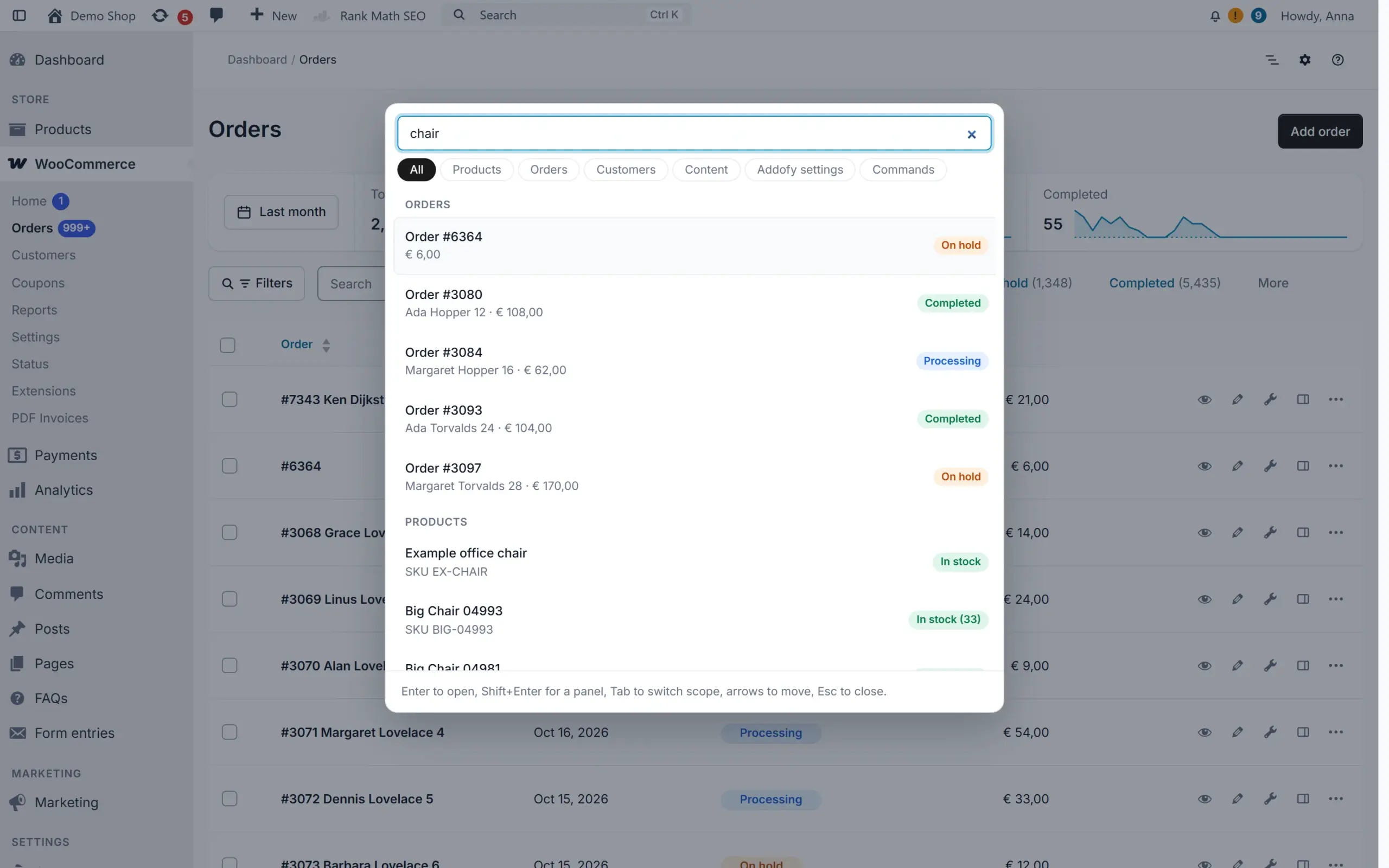
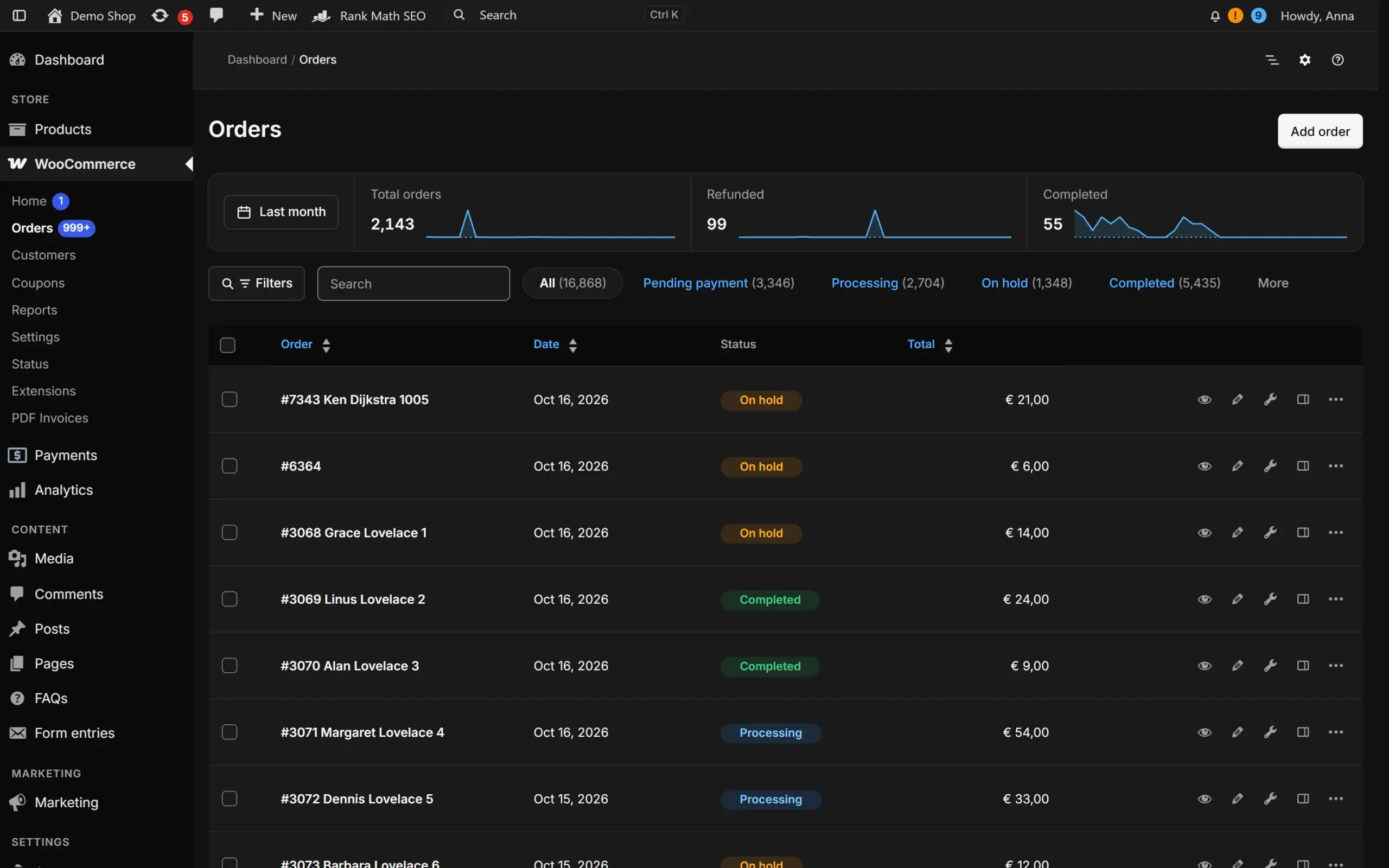
Addofy restyles the whole WordPress backend into one quiet, well organised admin. Orders, products, customers and settings get the same clean look, in light or dark, and one search box finds all of them.

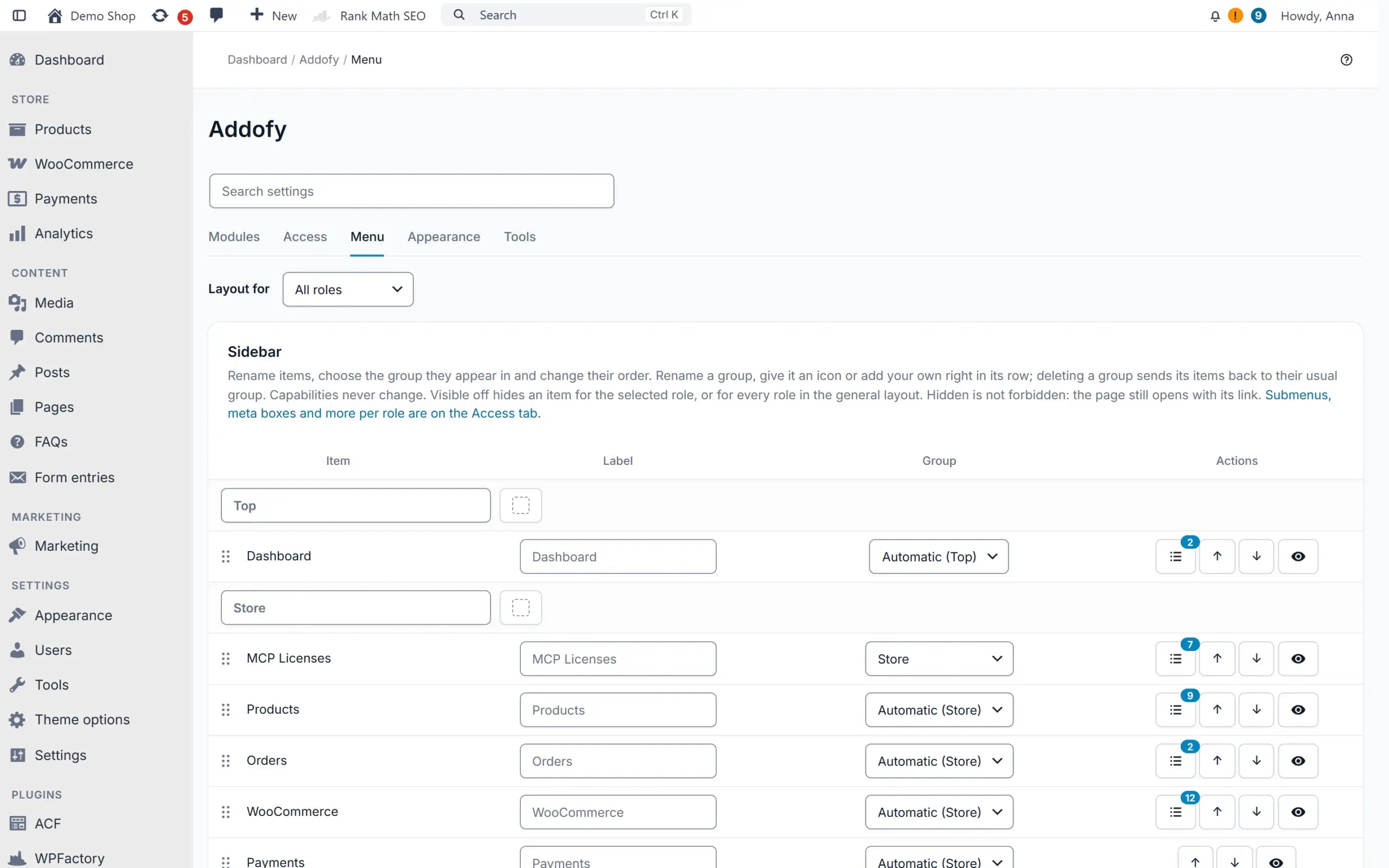
You decide per role what each person sees. Hide the menu items, meta boxes, columns and notices that a shop manager or editor never needs, without changing what they are allowed to do.

Addofy works through WordPress and WooCommerce hooks only. No core files or WooCommerce templates are overridden and forms are never moved, so your other plugins keep working. Without JavaScript, or on a screen you exclude, the admin is simply native WordPress. Addofy runs as an add-on of the free AddoBase plugin.

Before and after

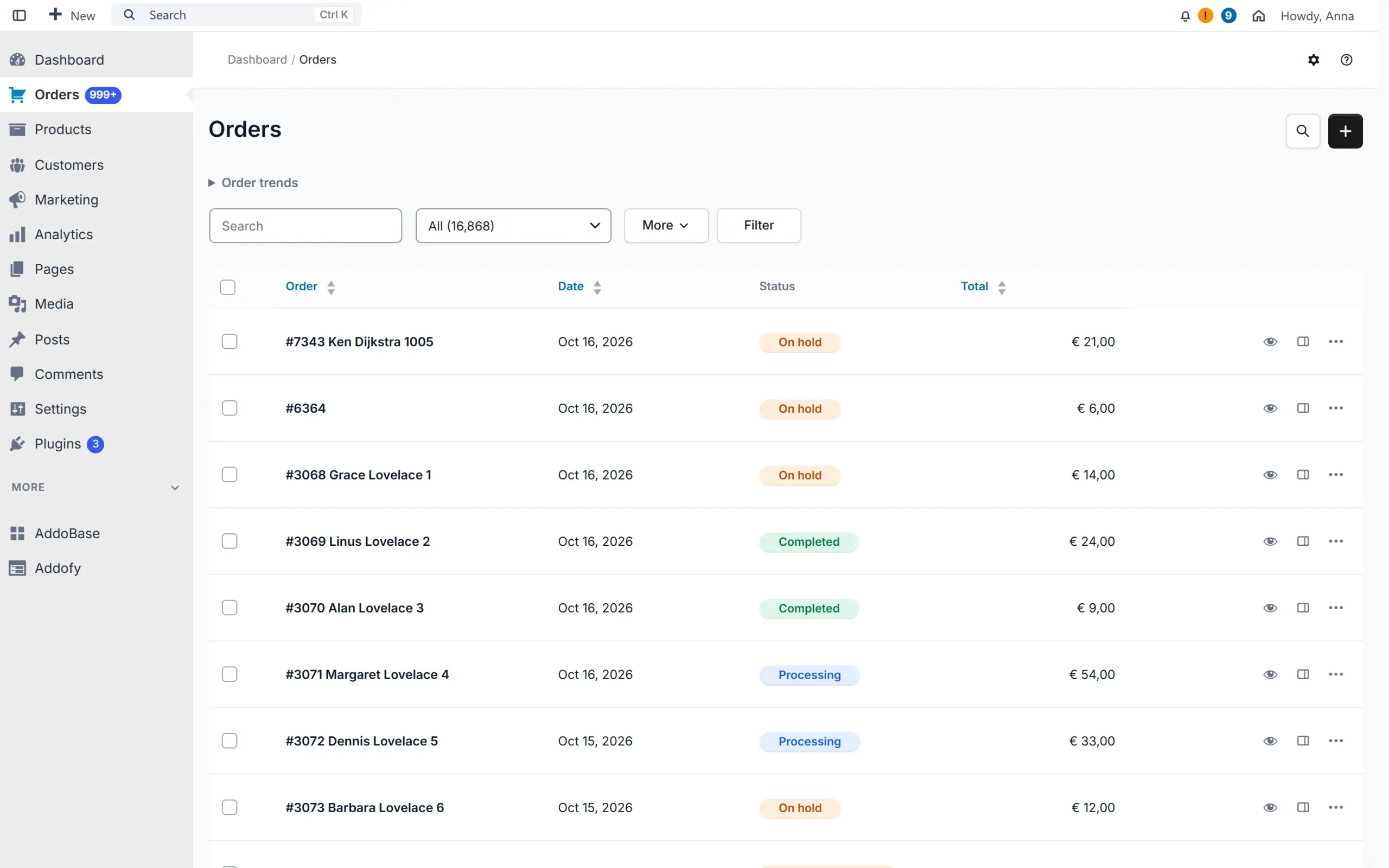
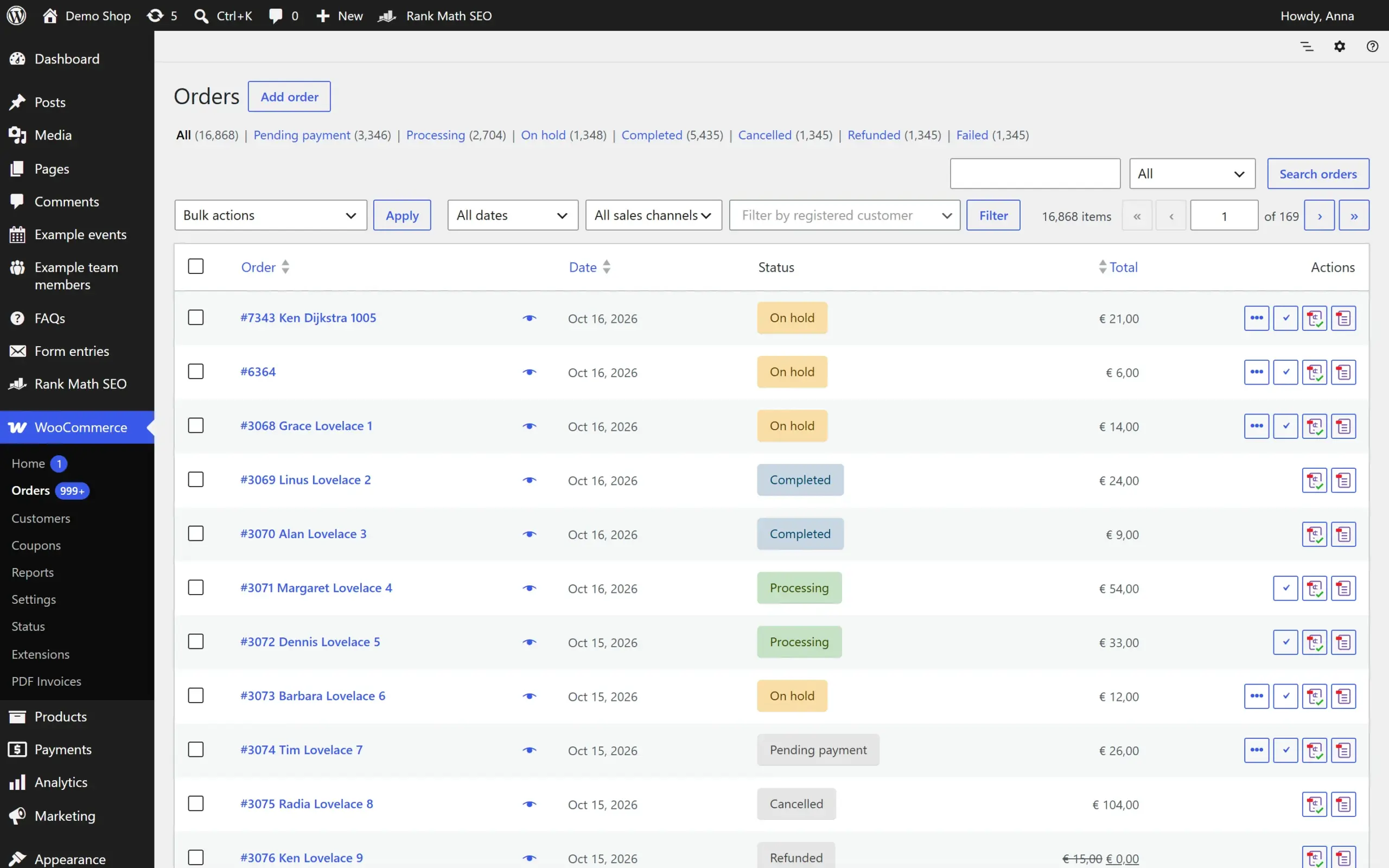
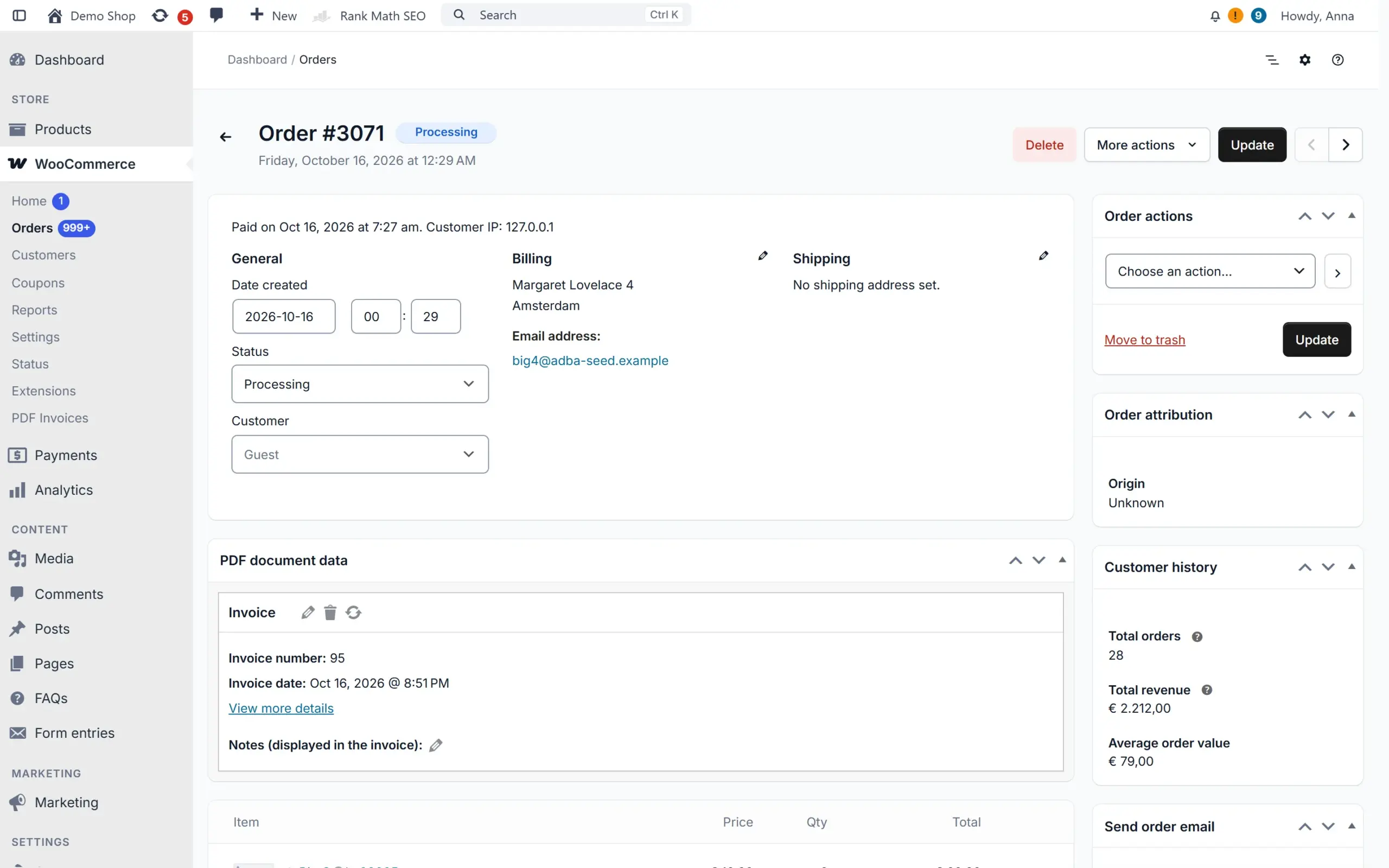
Your wp-admin, without and with Addofy

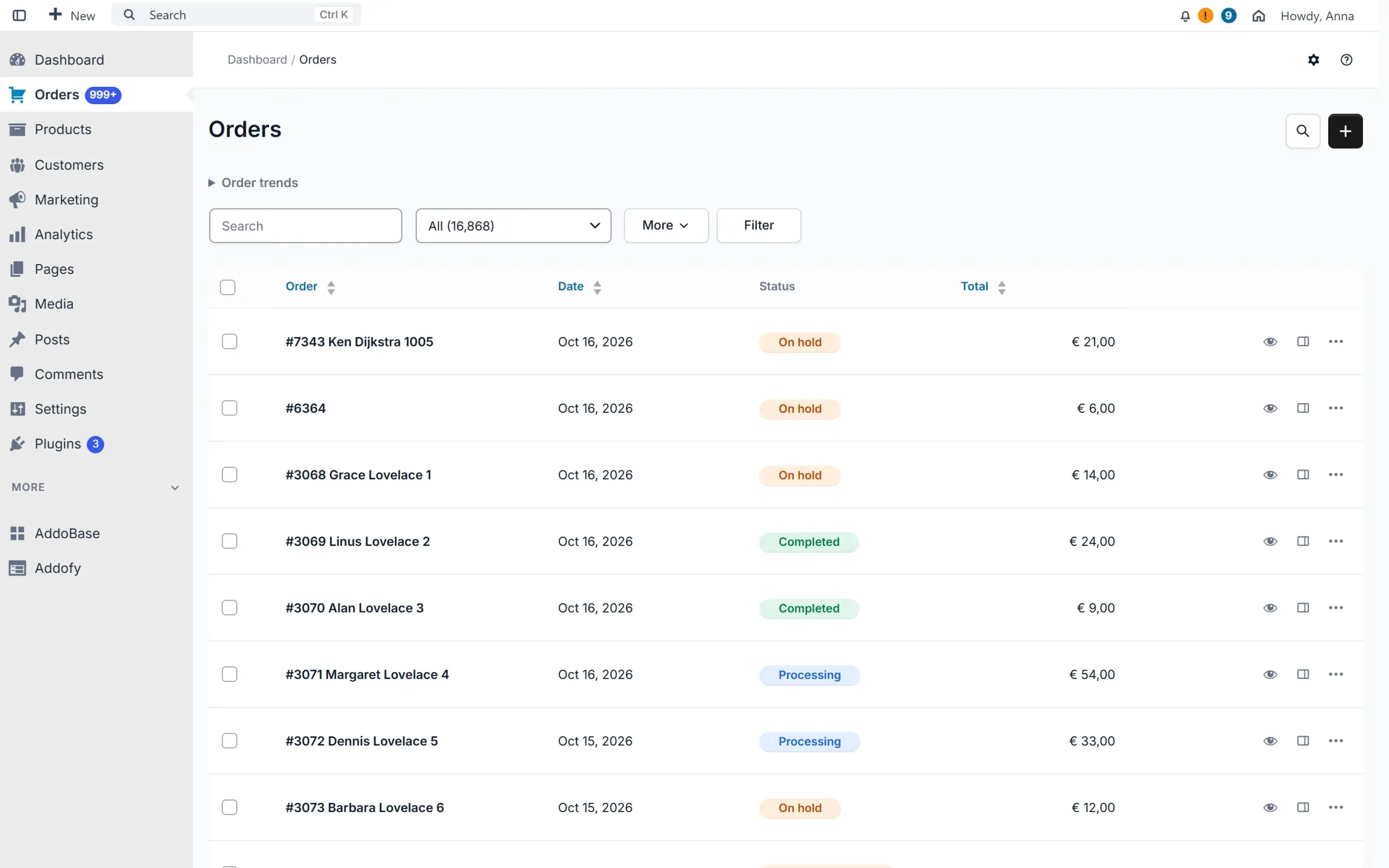
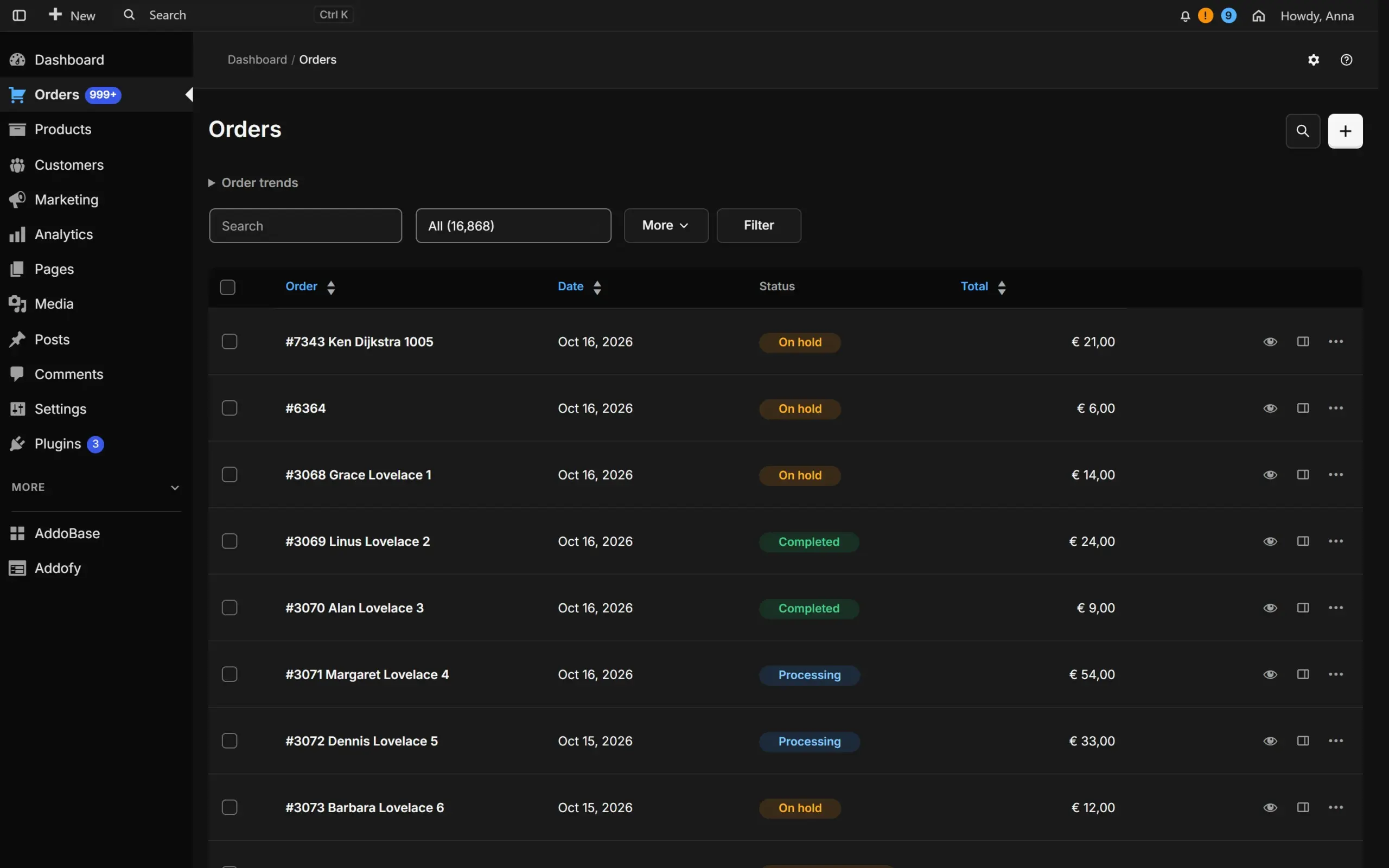
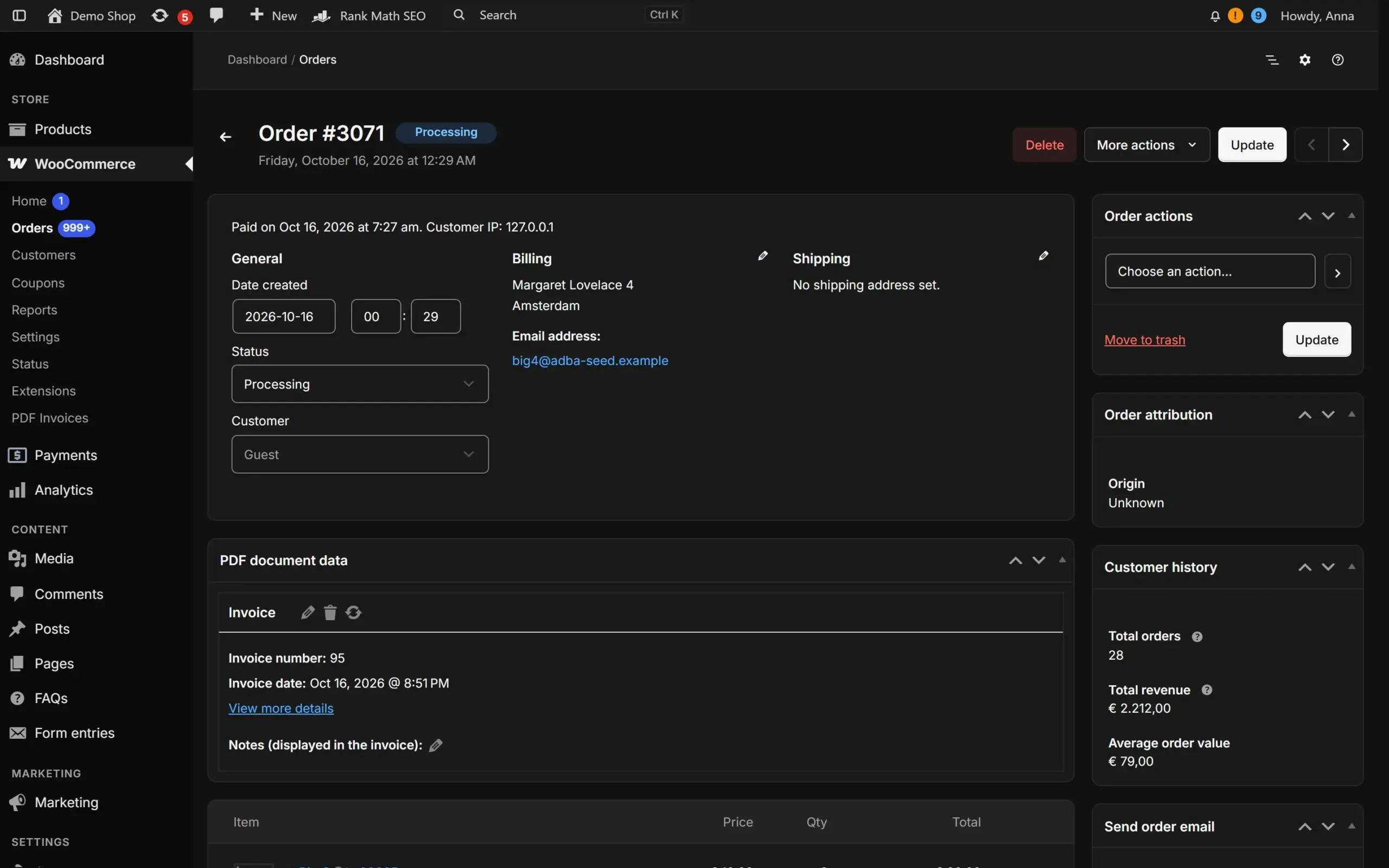
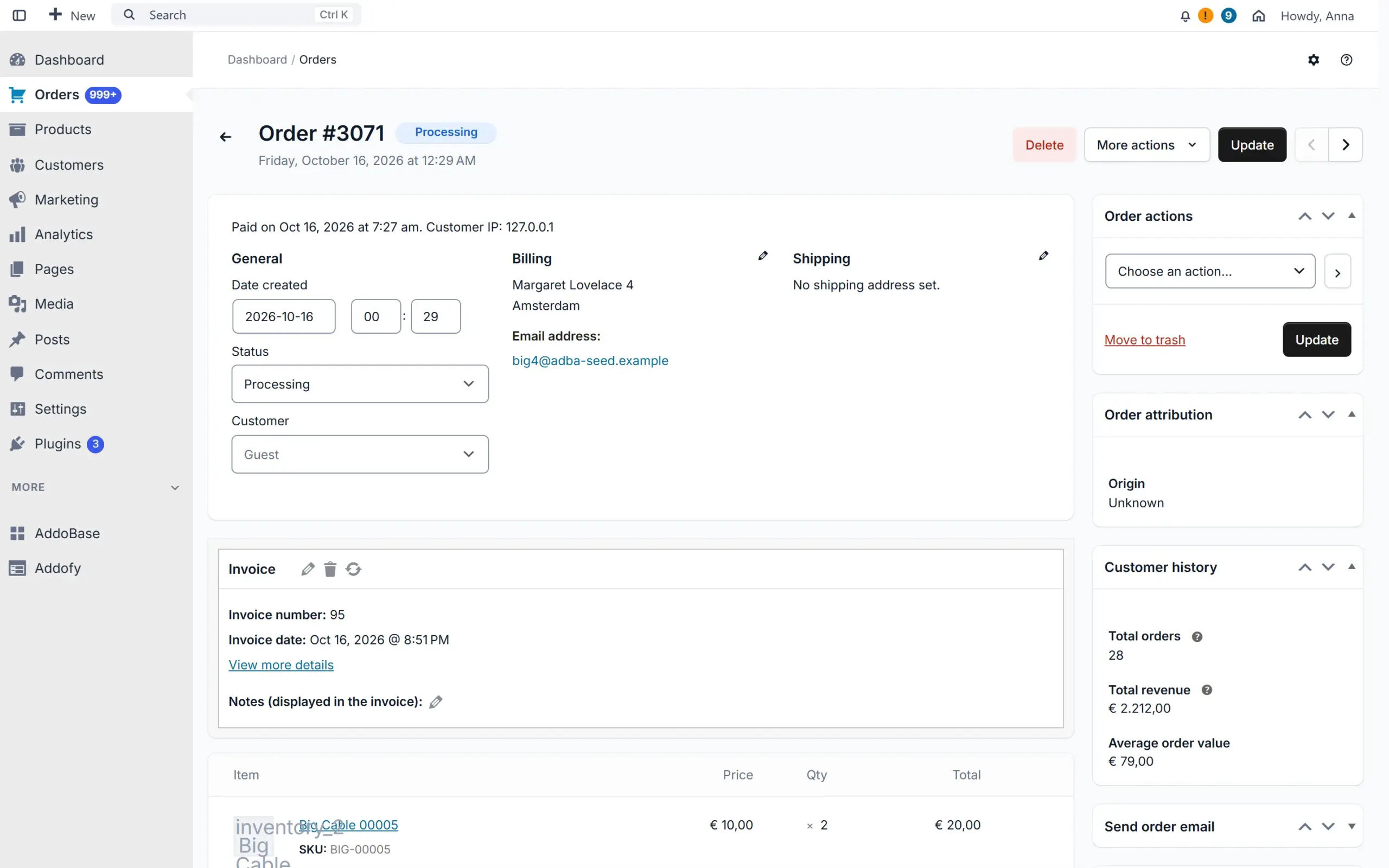
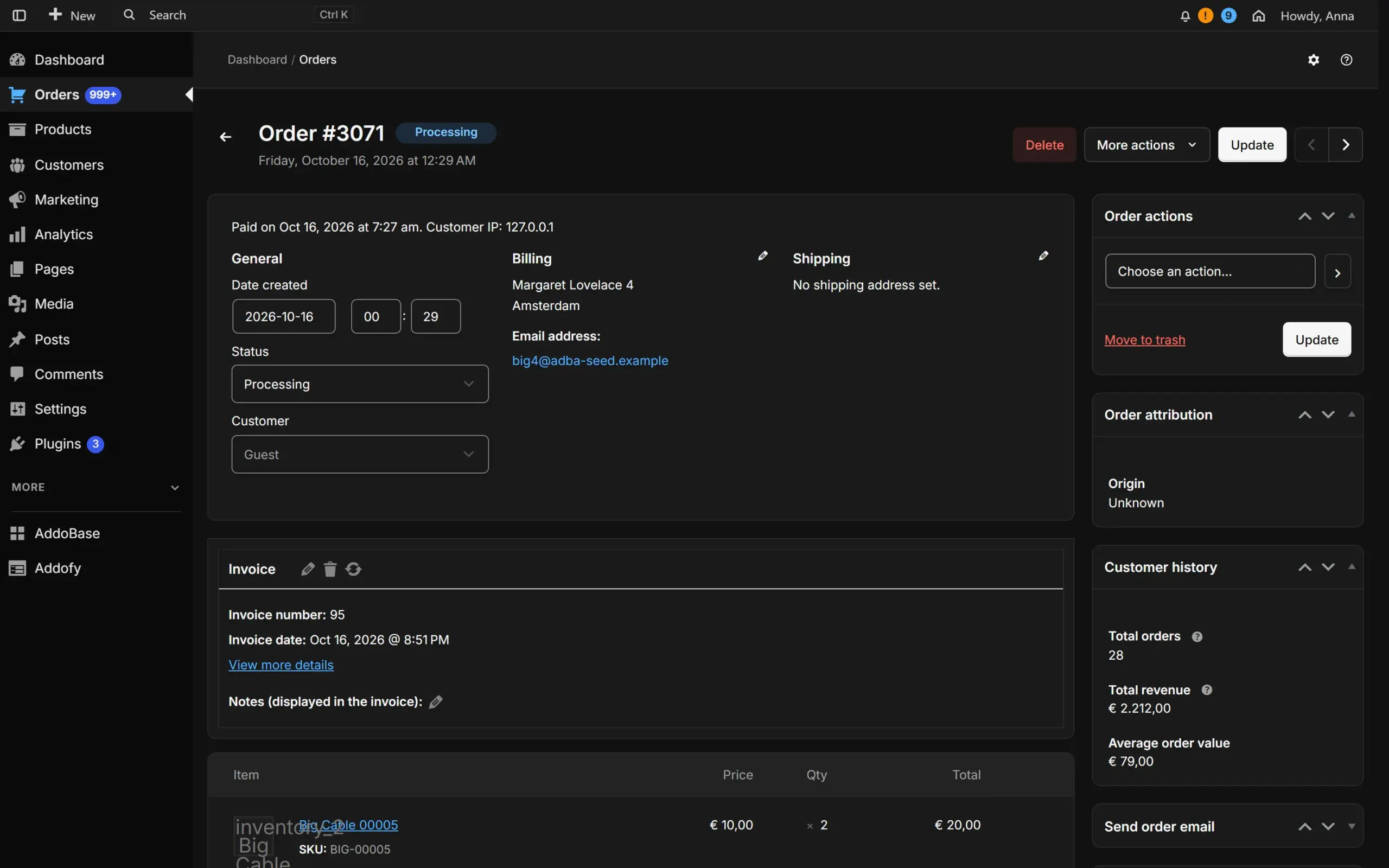
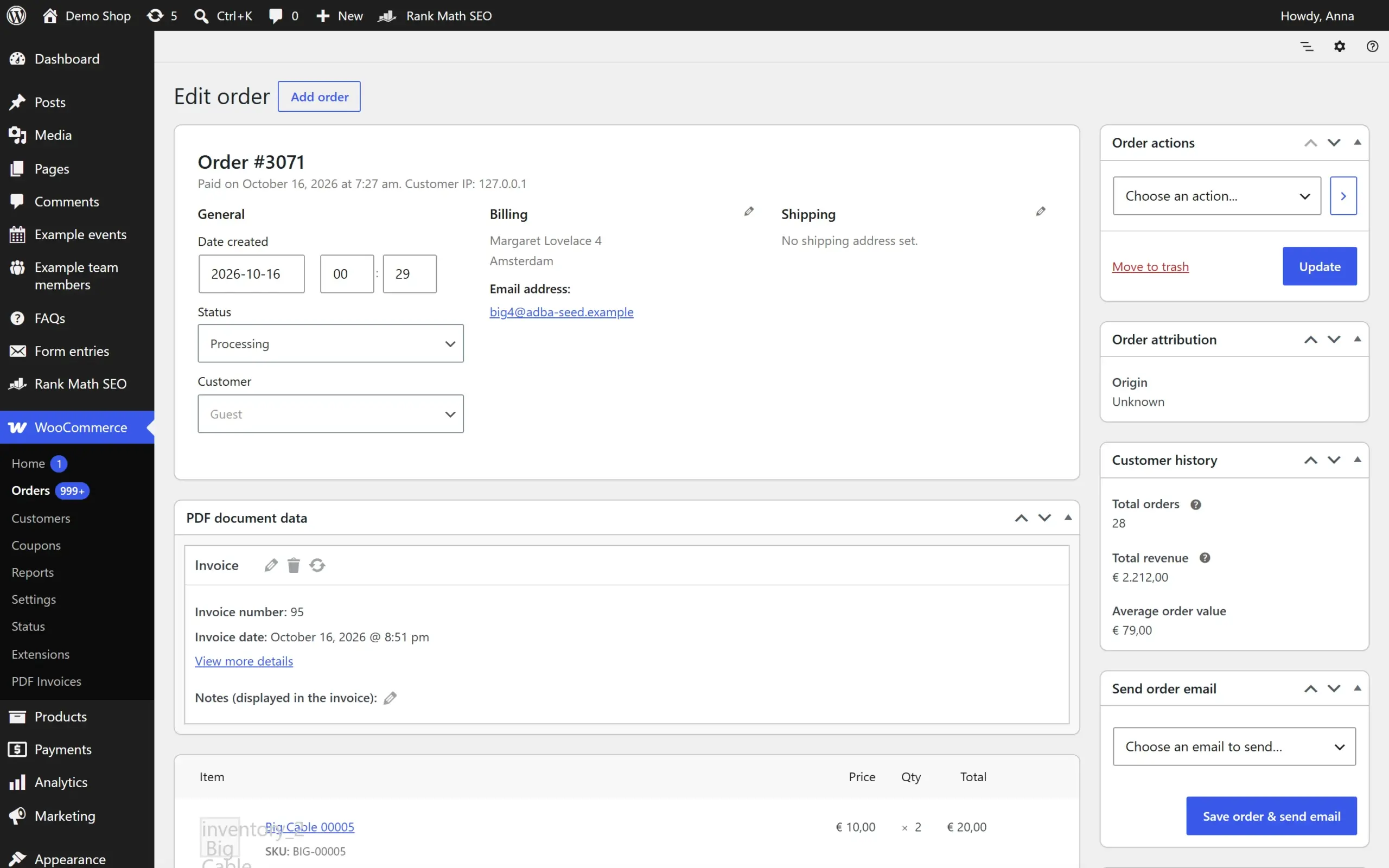
Drag the line to compare. On the left is WordPress as it ships, on the right the same screen with Addofy, on the same site with the same data. The buttons above the screen switch Addofy between its advanced and its simple view.

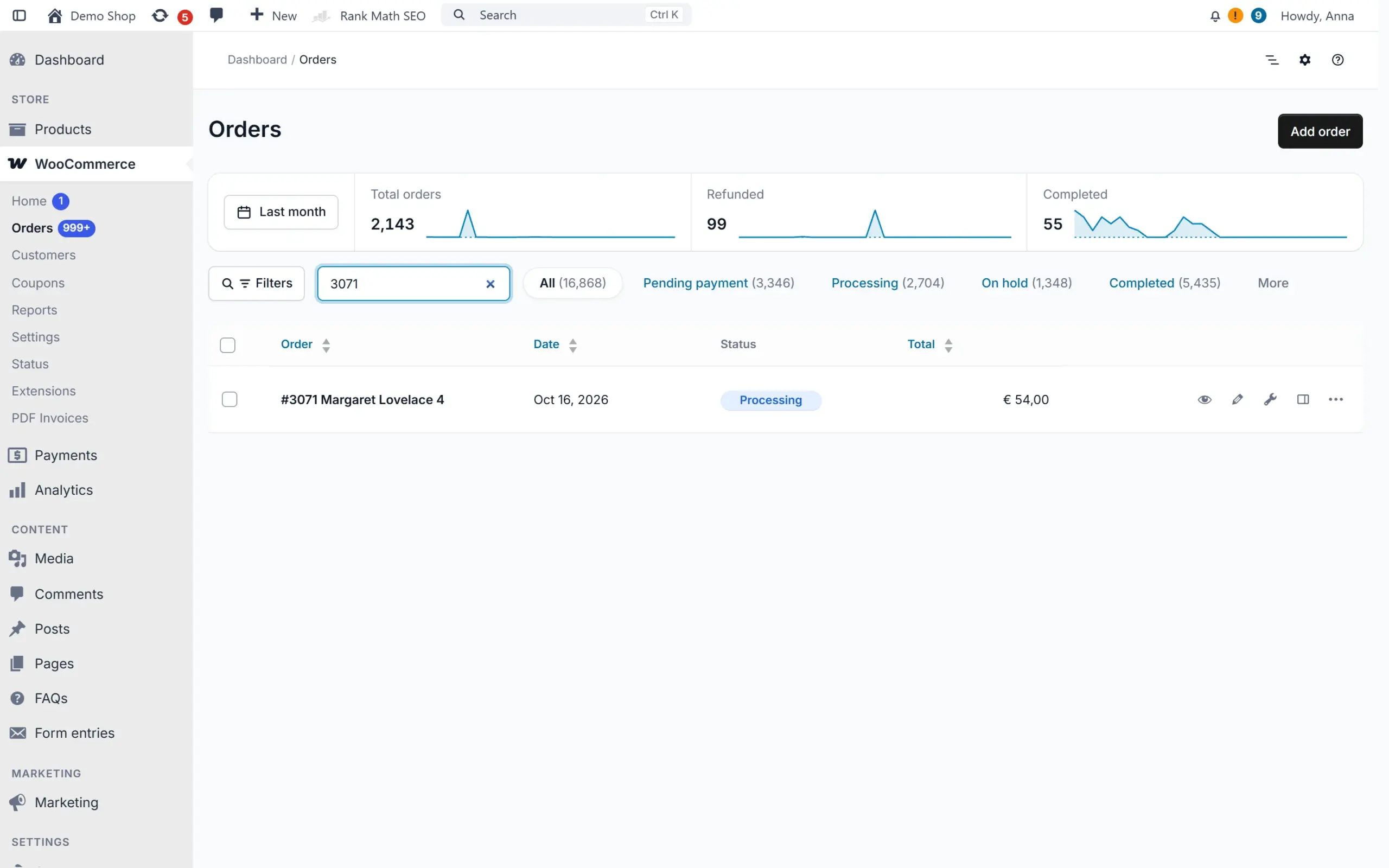
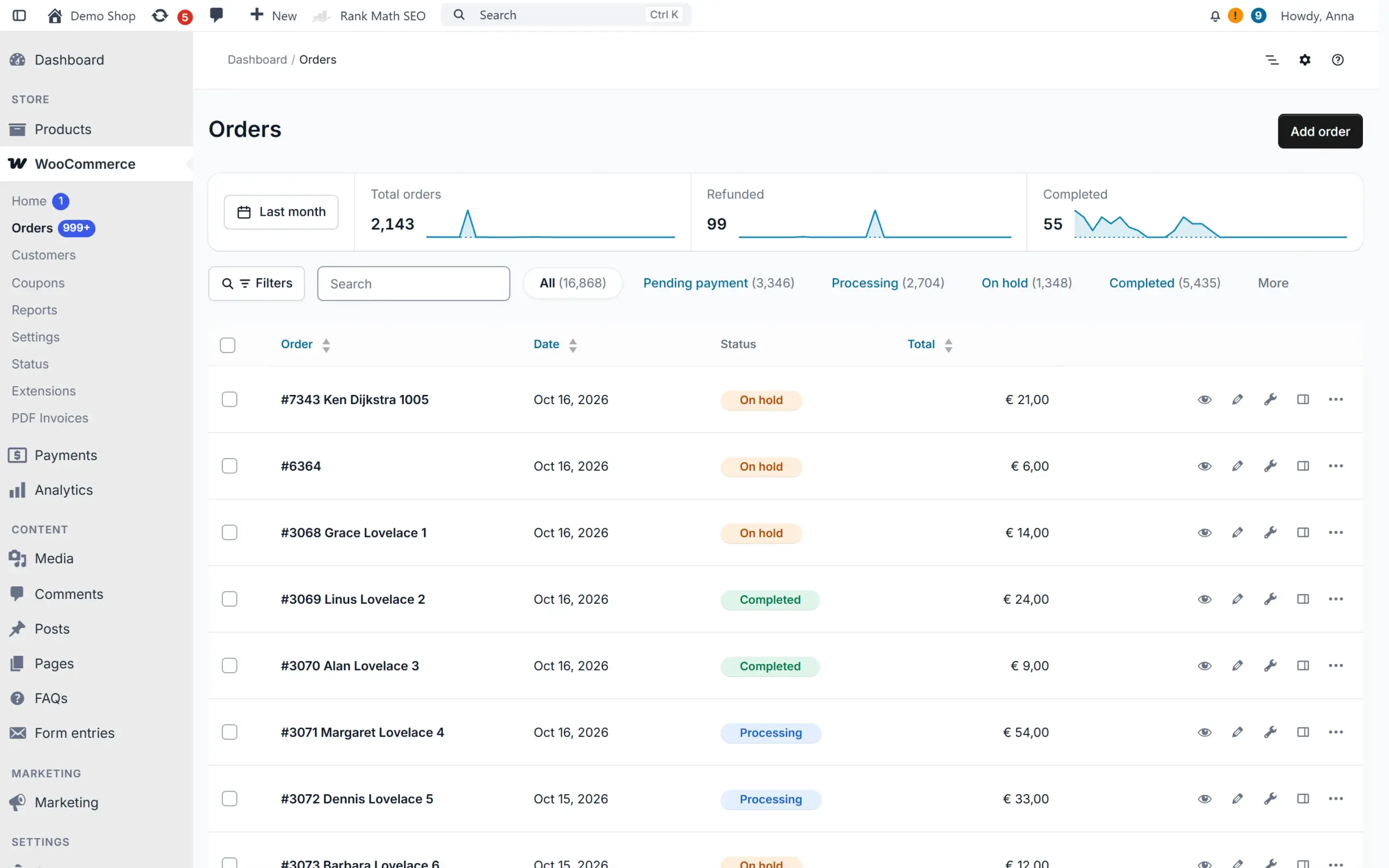
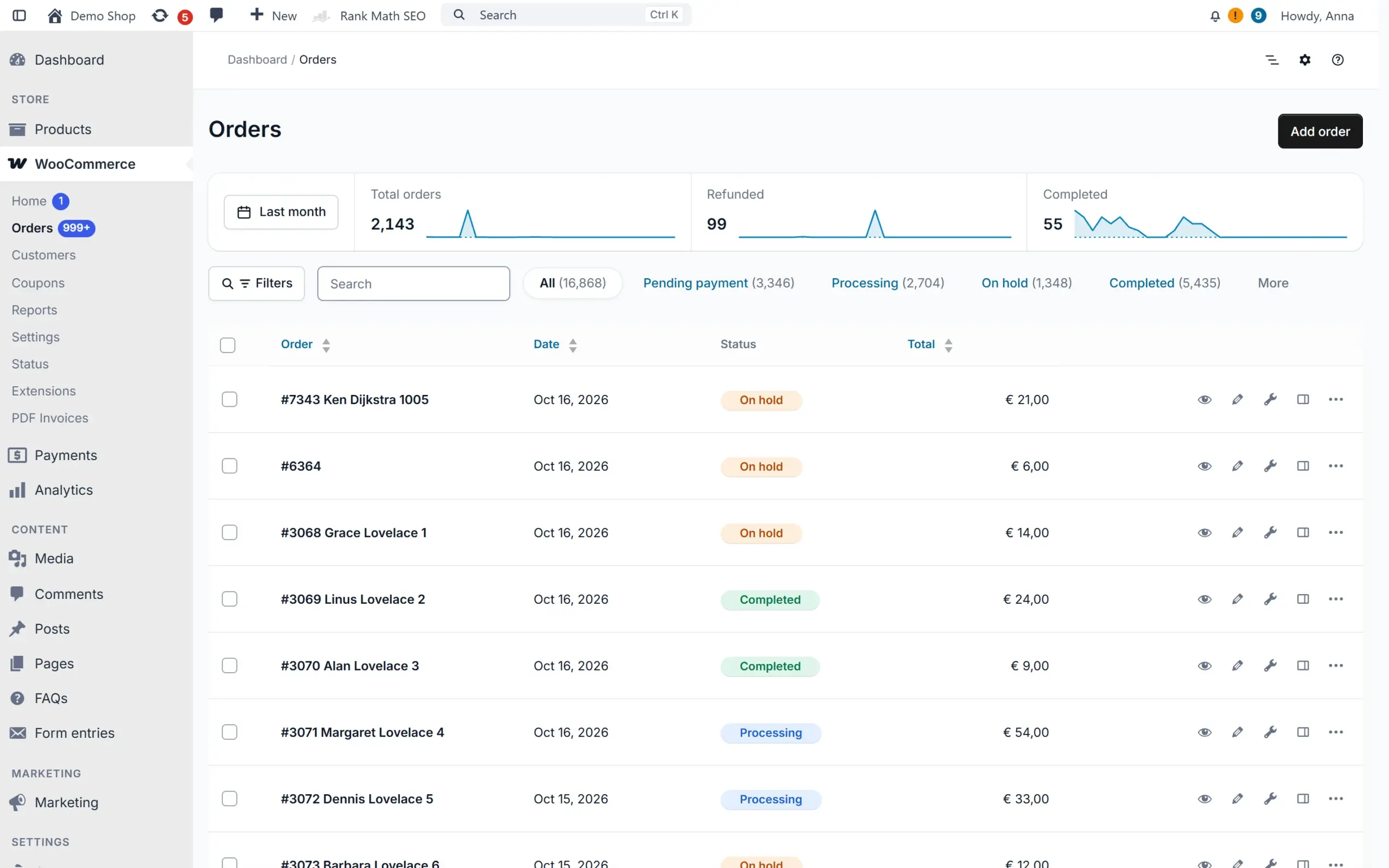
WooCommerce order list with Addofy: order trends, status badges and a clean layoutWooCommerce order list with Addofy: order trends, status badges and a clean layout (dark mode)WooCommerce order list in the simple view of AddofyWooCommerce order list in the simple view of Addofy (dark mode)
WooCommerce order list in the standard WordPress admin
Order list
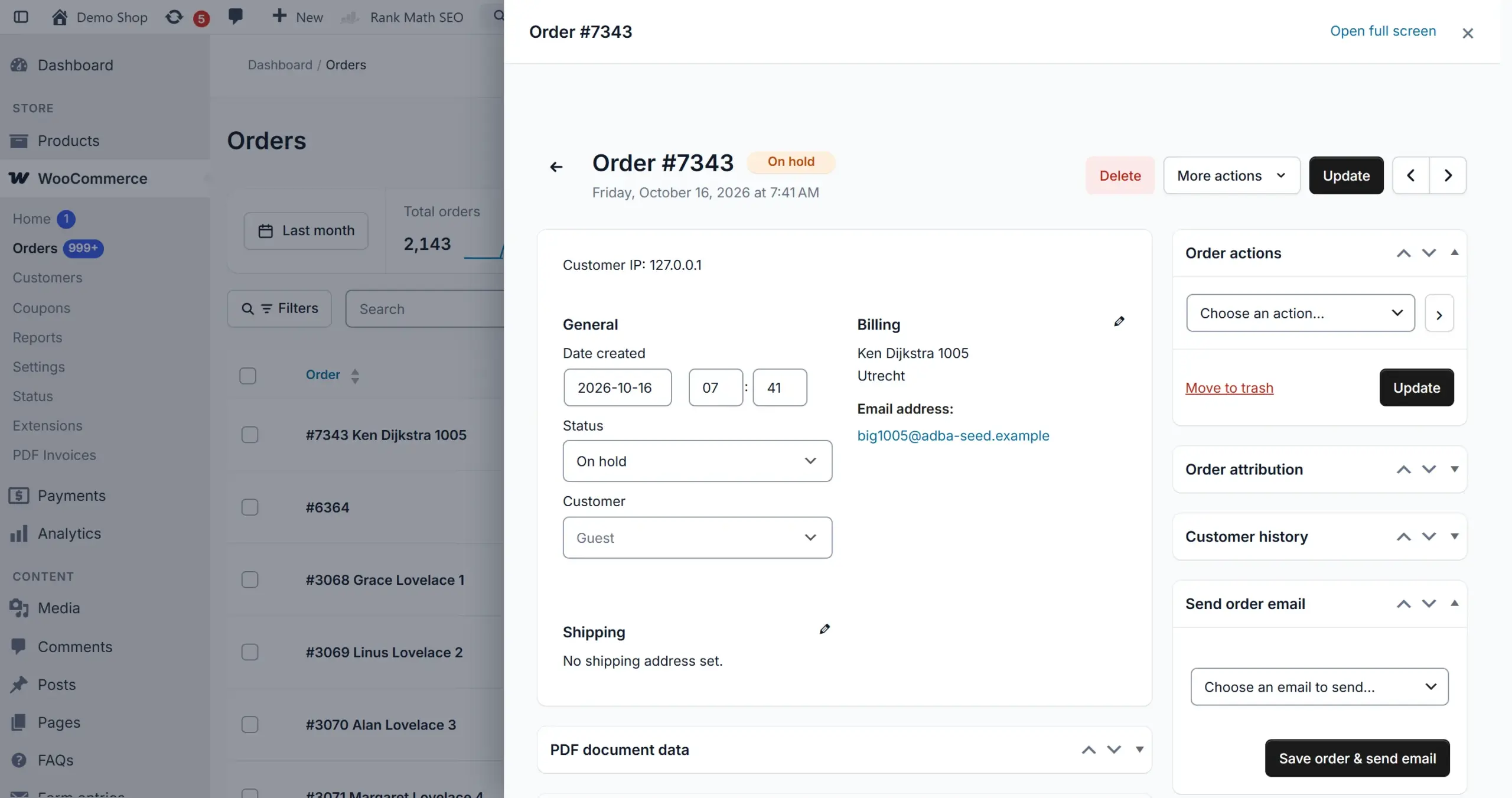
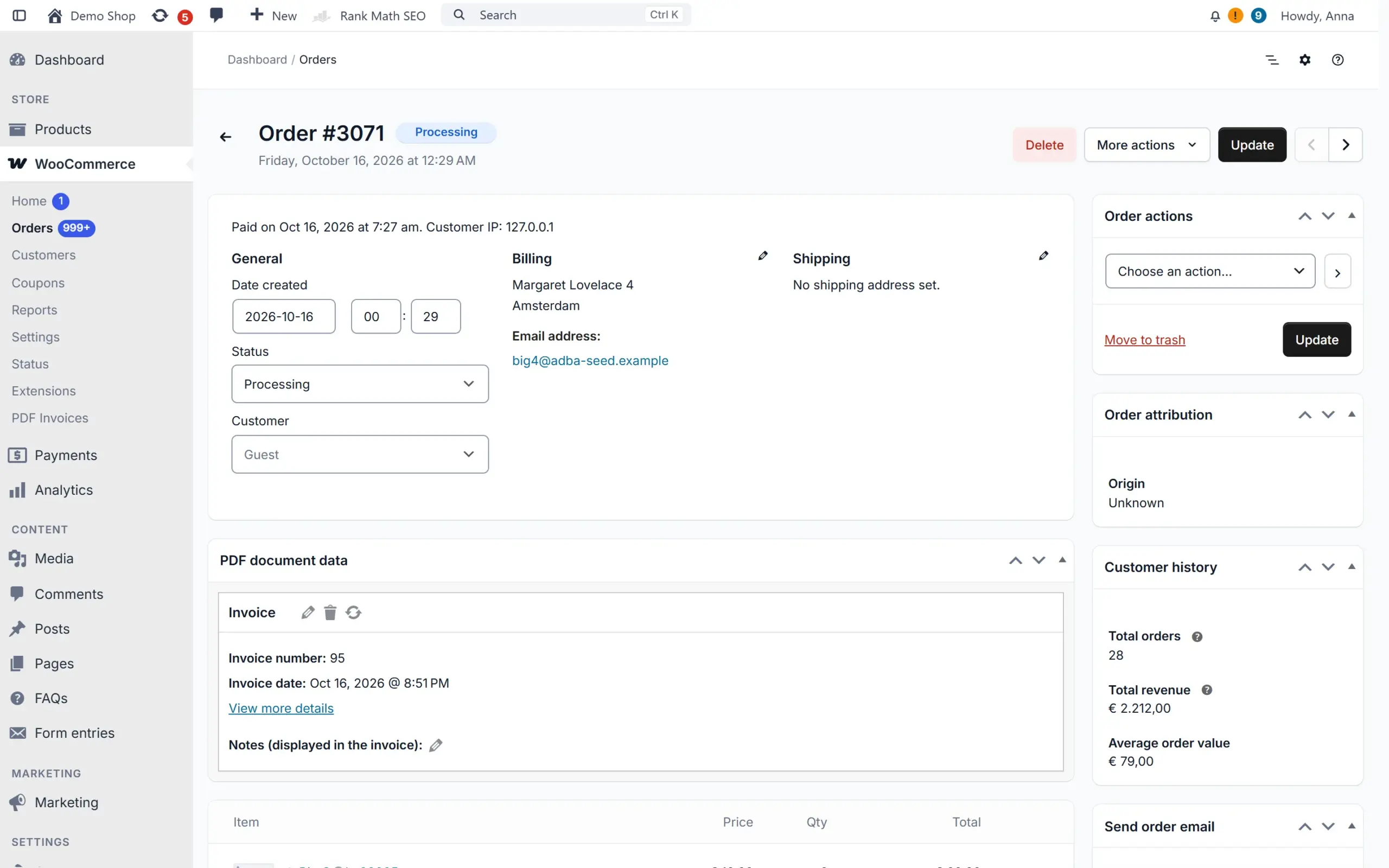
WooCommerce edit order screen with AddofyWooCommerce edit order screen with Addofy (dark mode)WooCommerce edit order screen in the simple view of AddofyWooCommerce edit order screen in the simple view of Addofy (dark mode)
WooCommerce edit order screen in the standard WordPress admin
Edit order
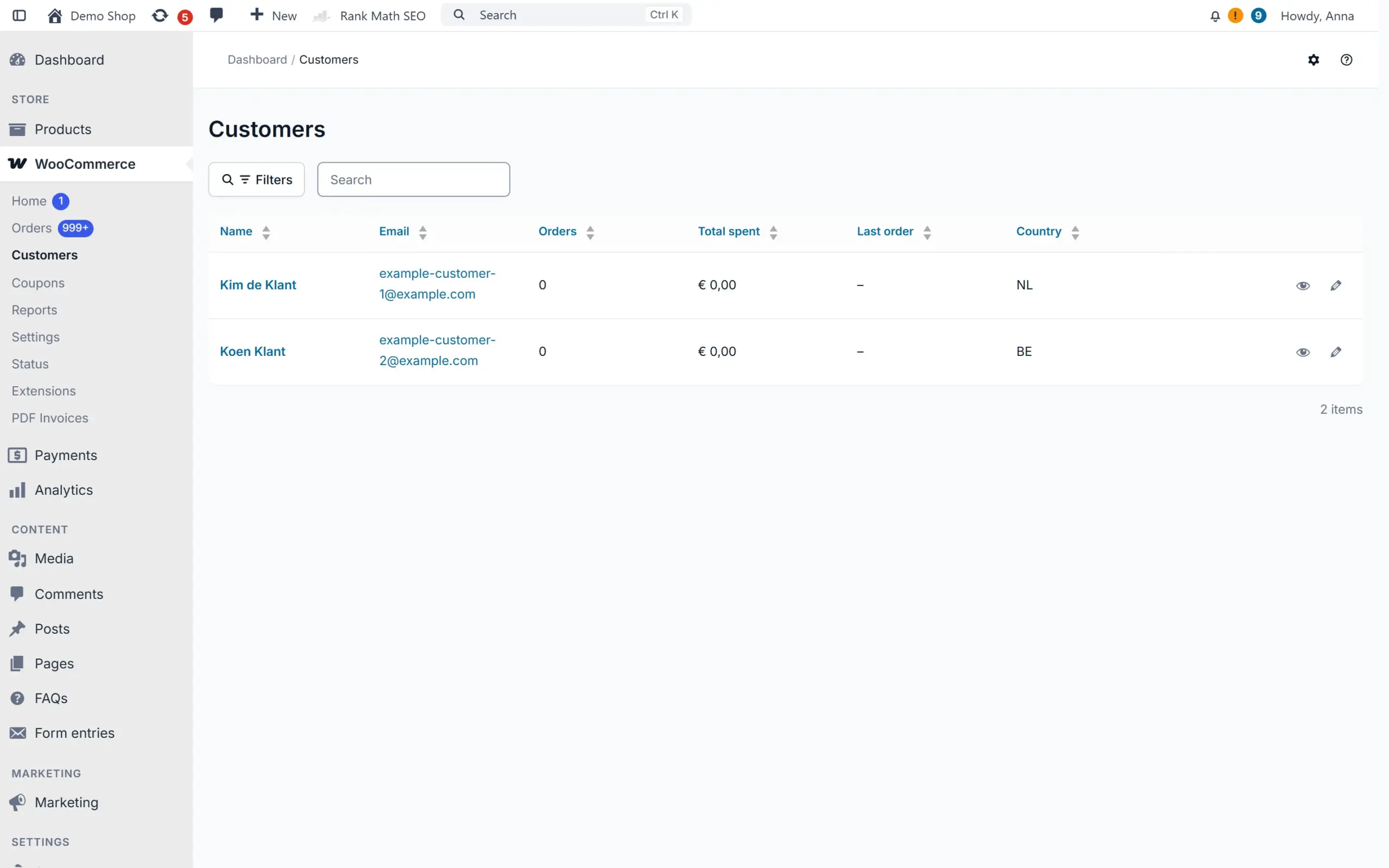
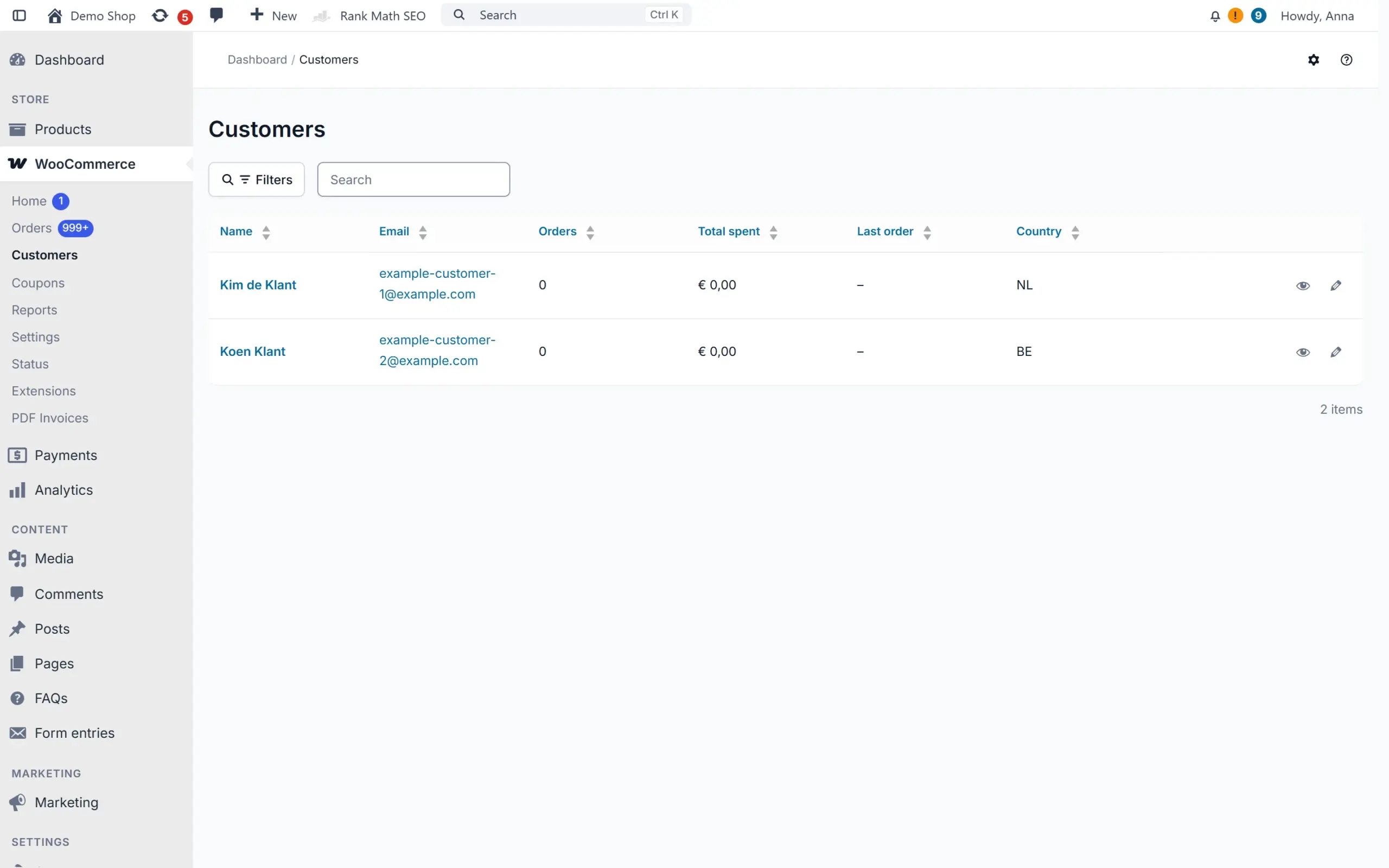
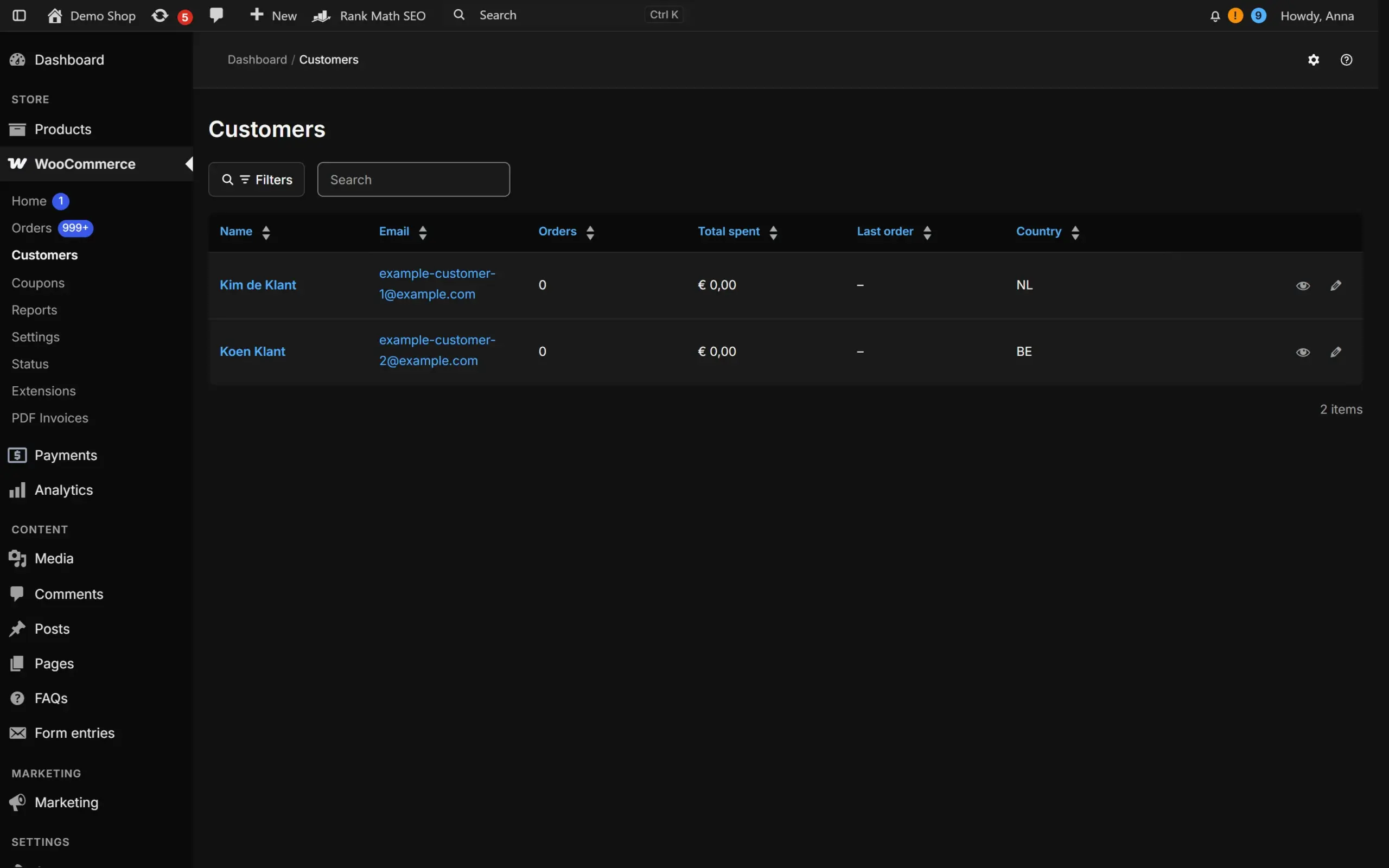
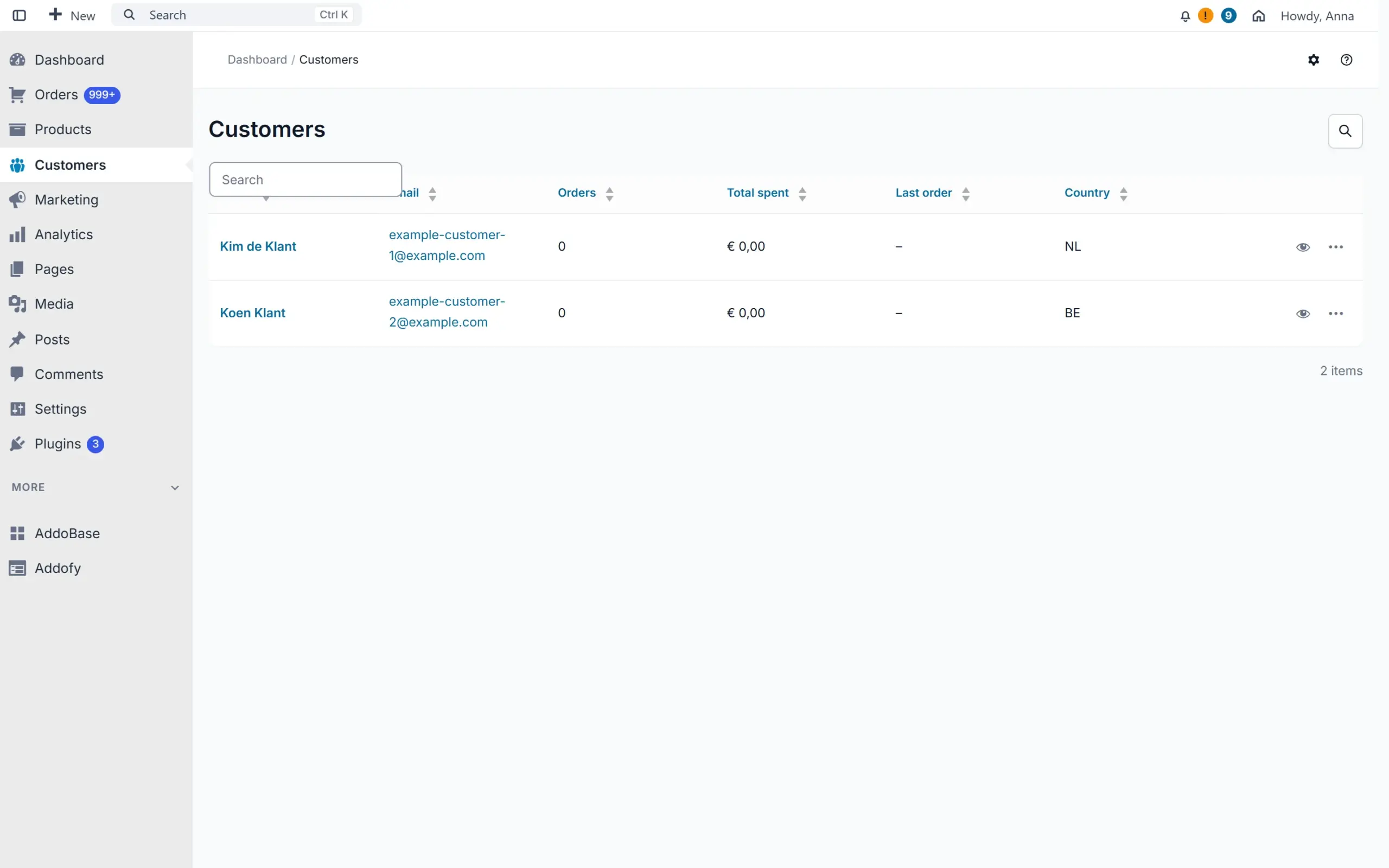
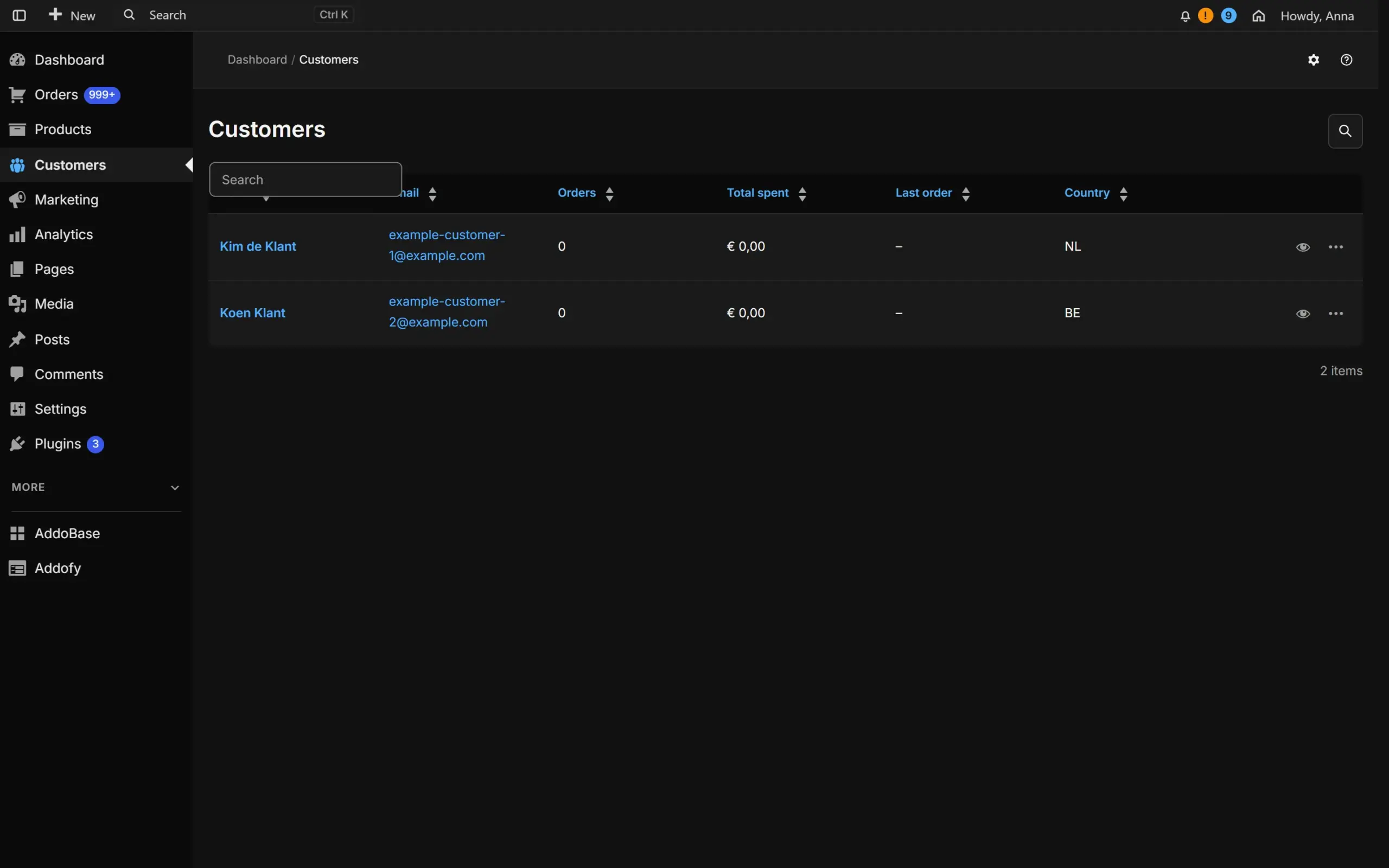
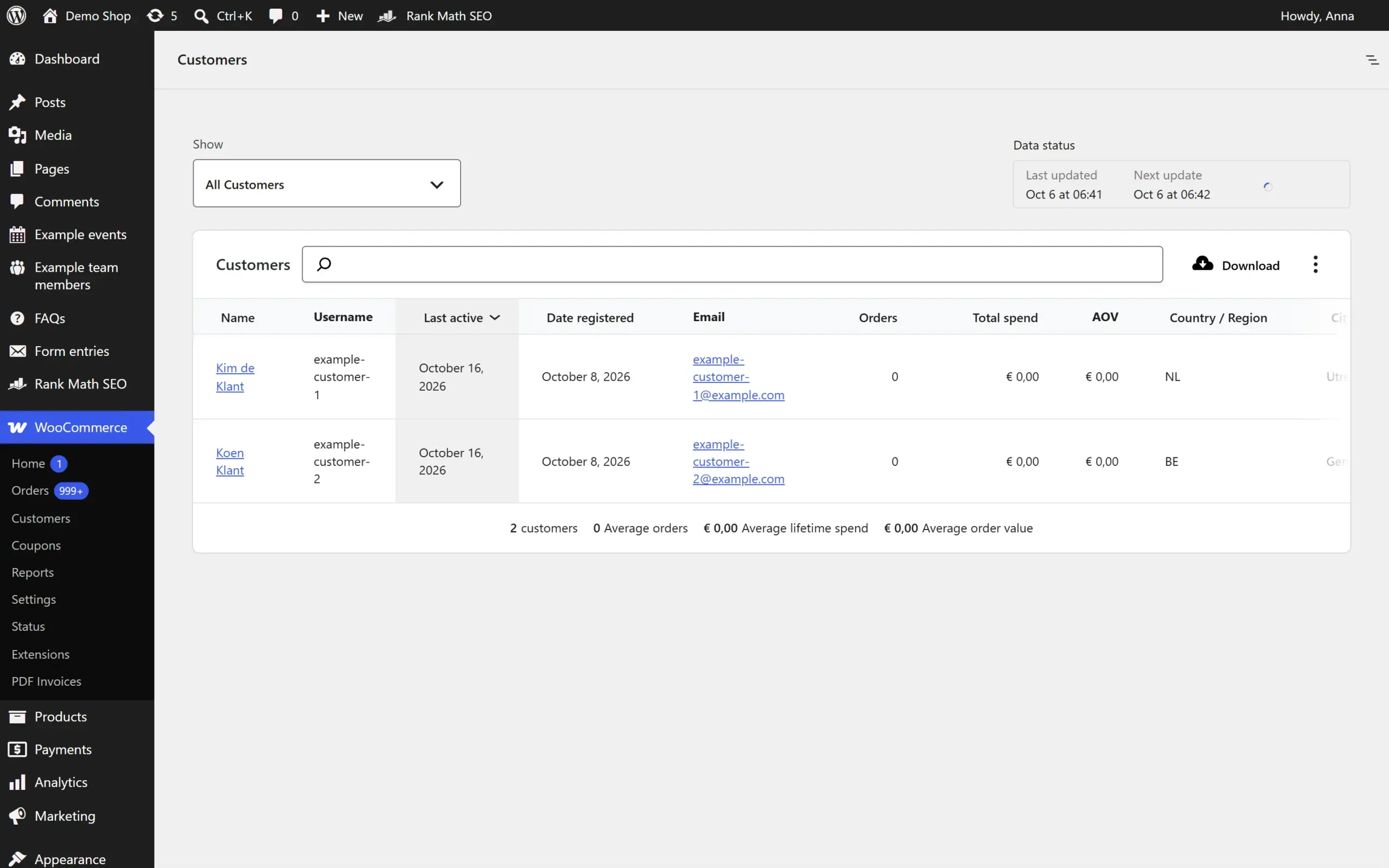
Customer overview with Addofy: orders, total spent and last order per customerCustomer overview with Addofy: orders, total spent and last order per customer (dark mode)Customer overview in the simple view of AddofyCustomer overview in the simple view of Addofy (dark mode)
WooCommerce customers report in the standard WordPress admin
Customers
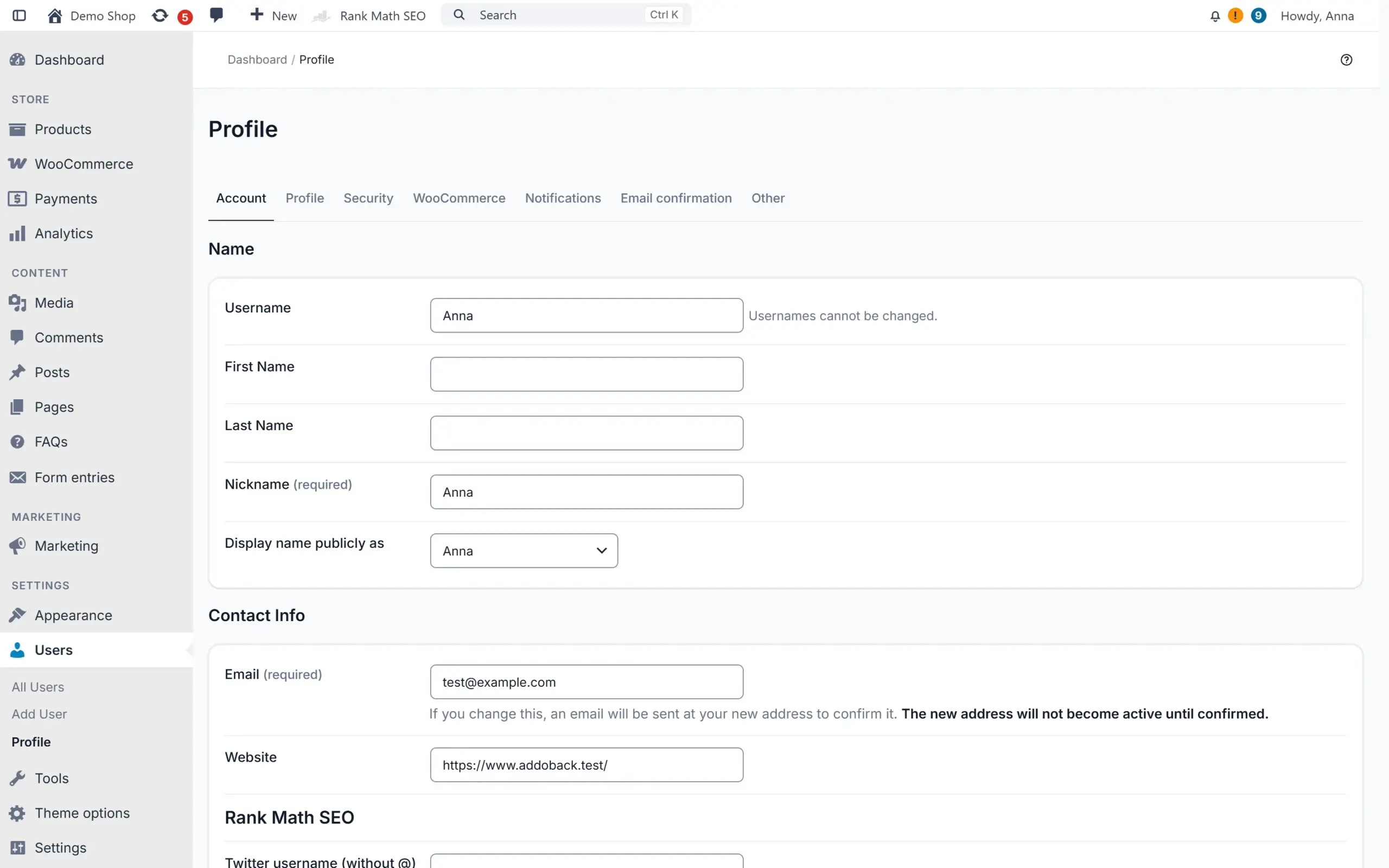
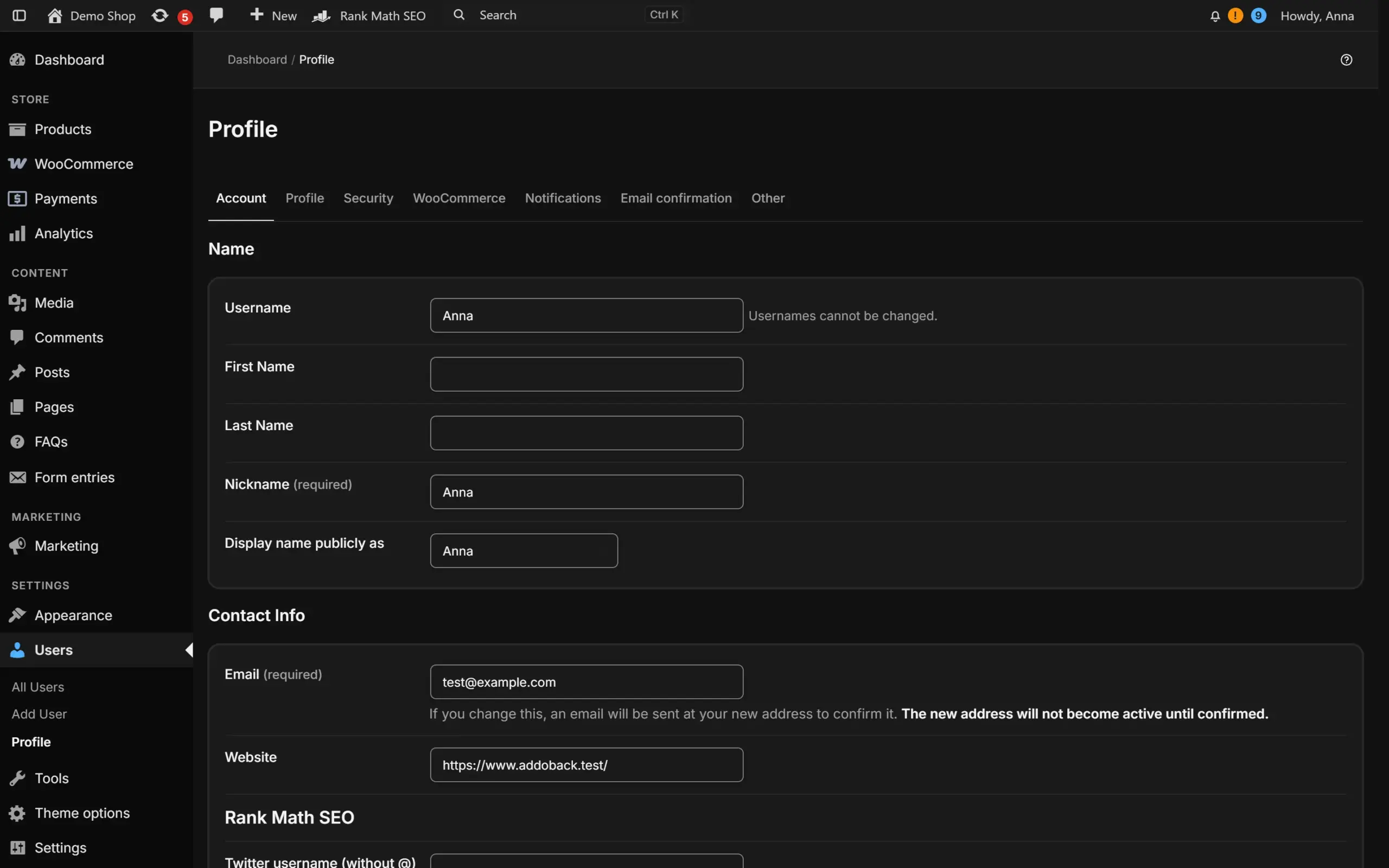
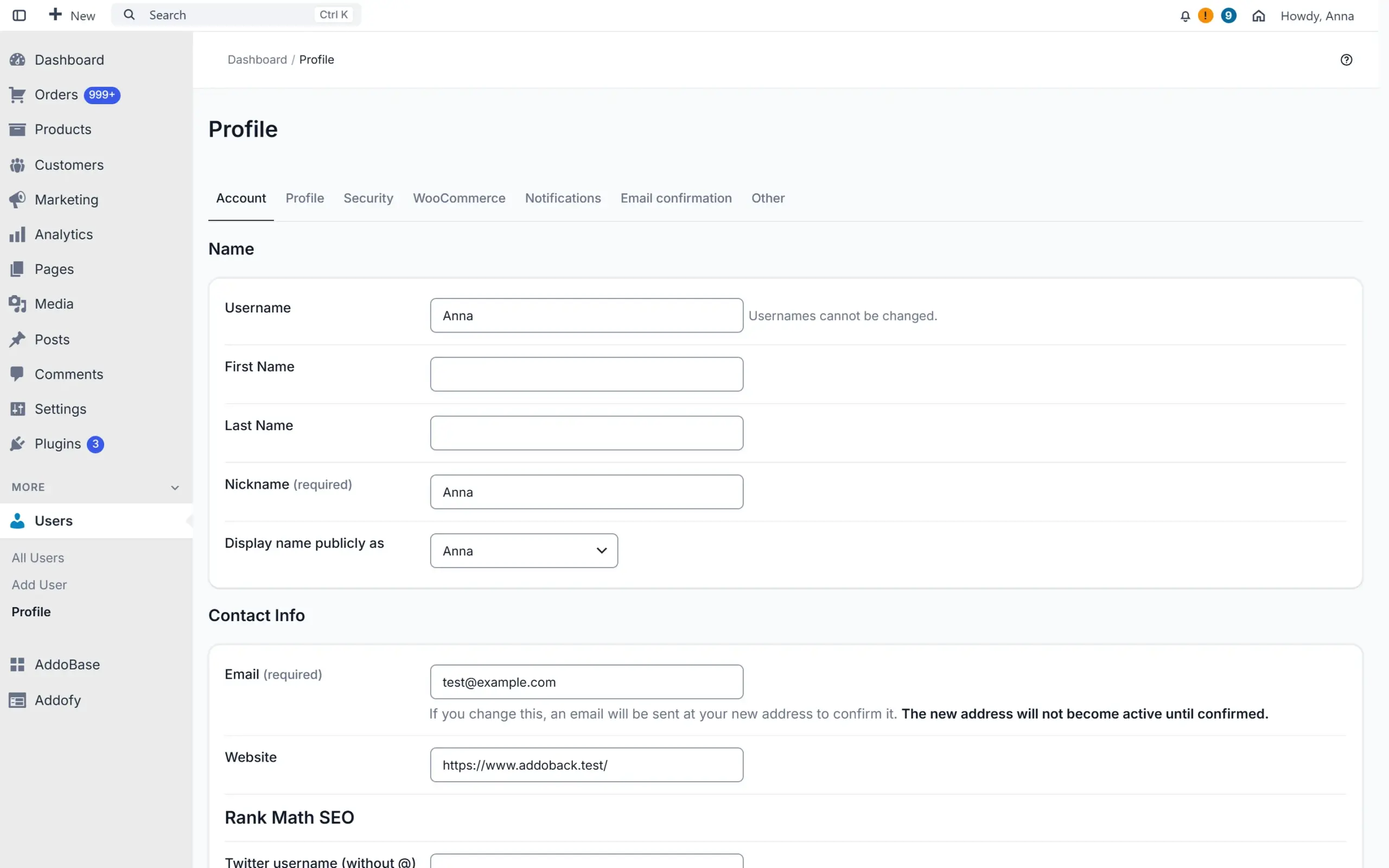
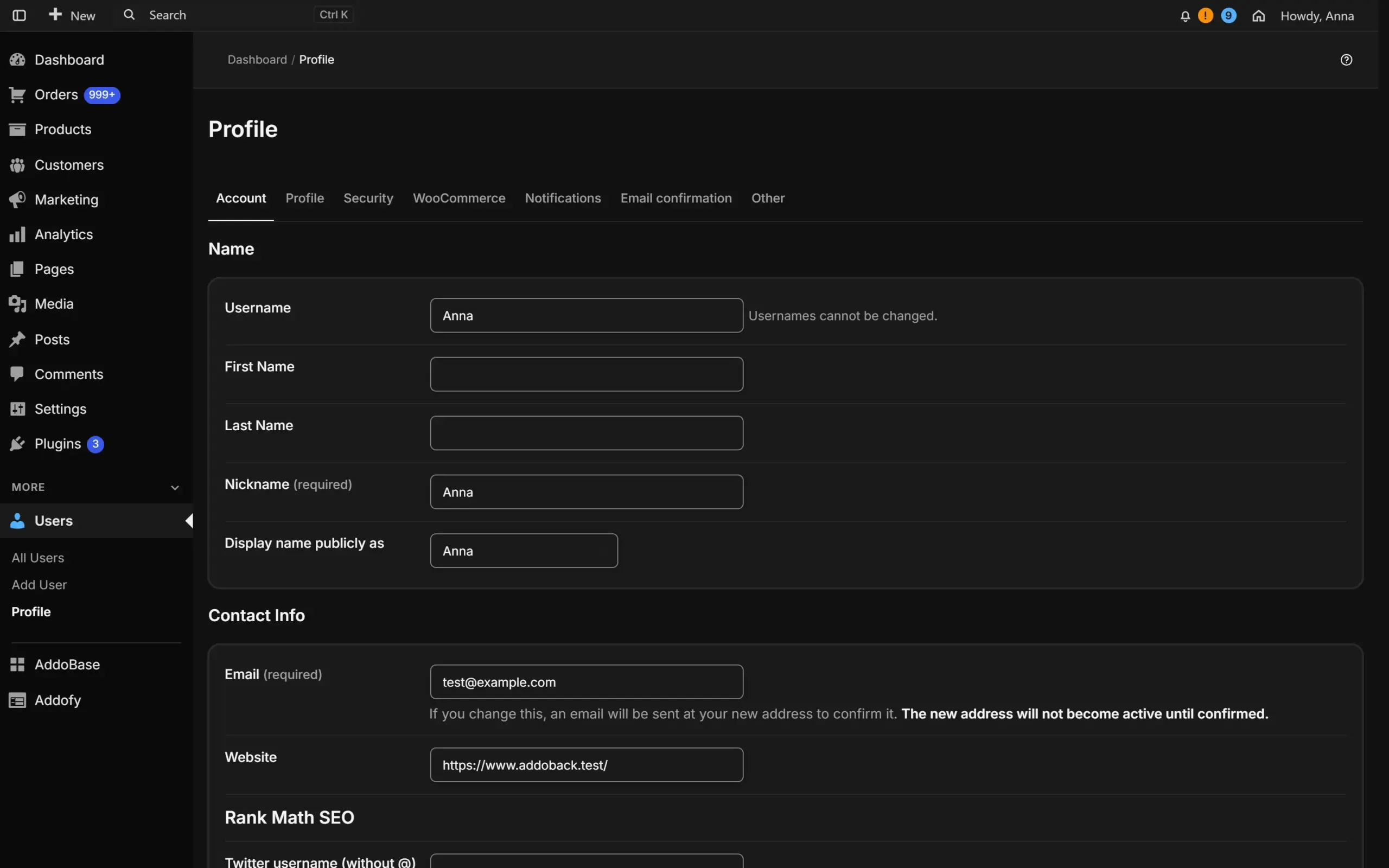
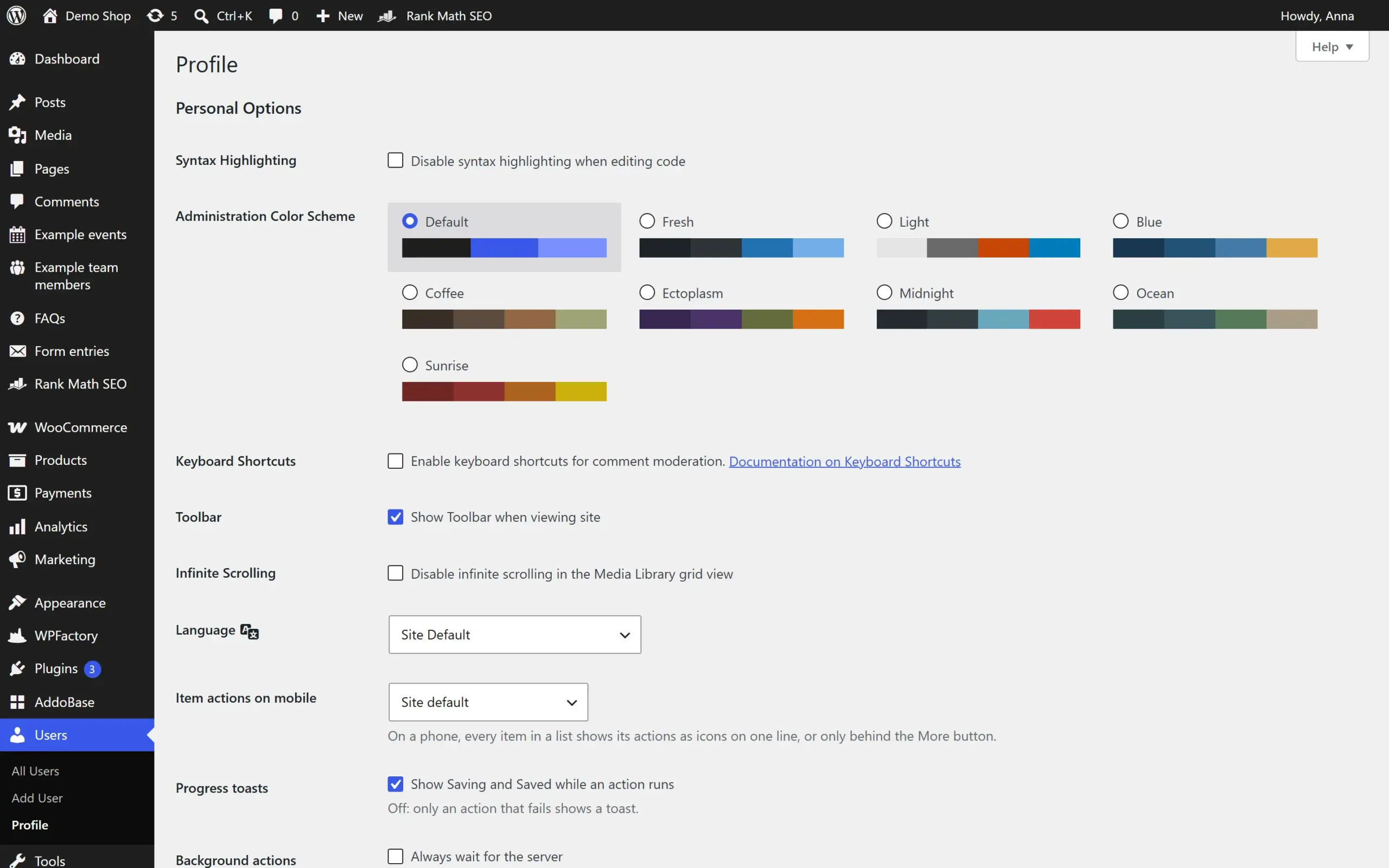
User profile with Addofy, split into tabsUser profile with Addofy, split into tabs (dark mode)User profile in the simple view of AddofyUser profile in the simple view of Addofy (dark mode)
User profile screen in the standard WordPress admin
User profile
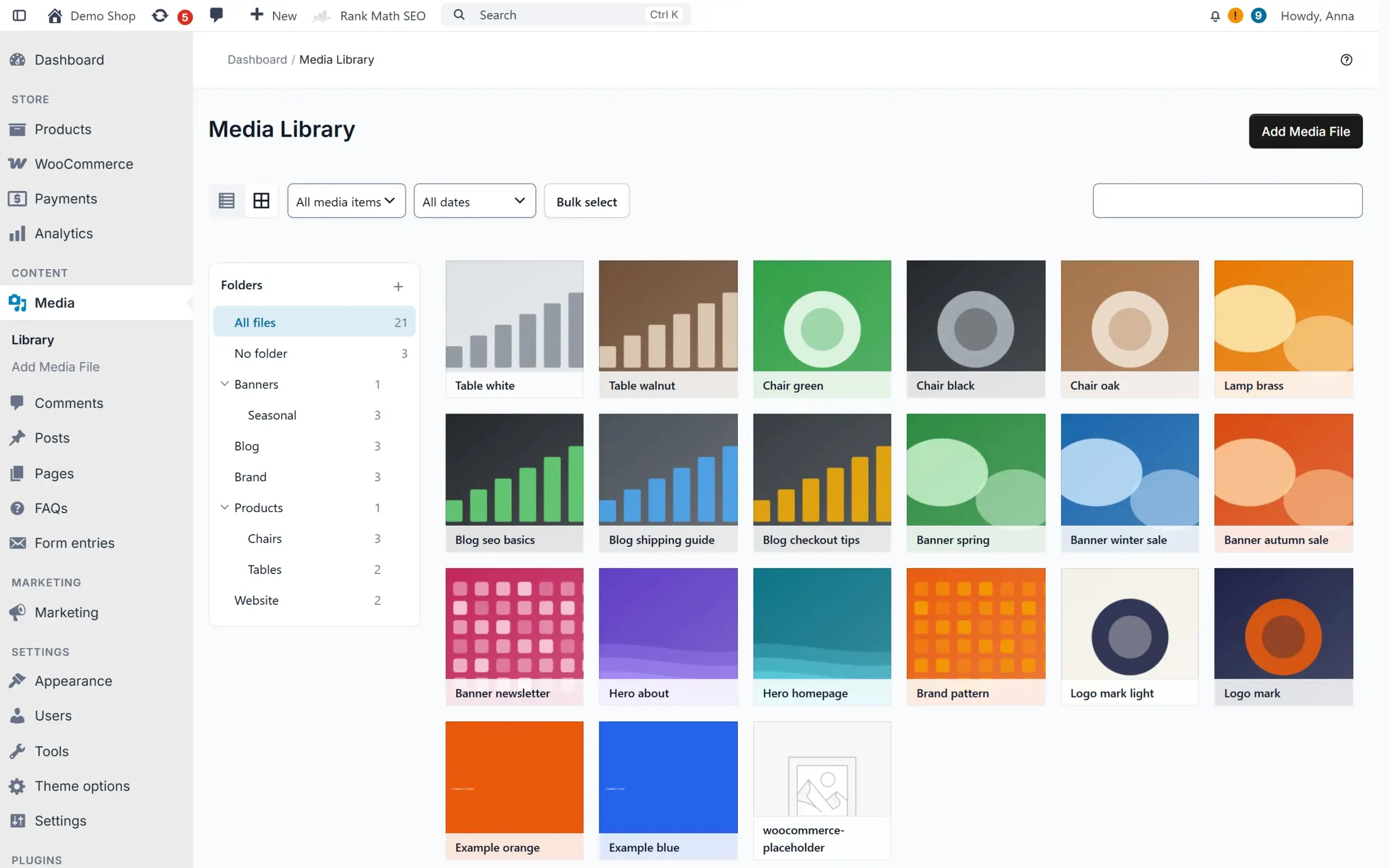
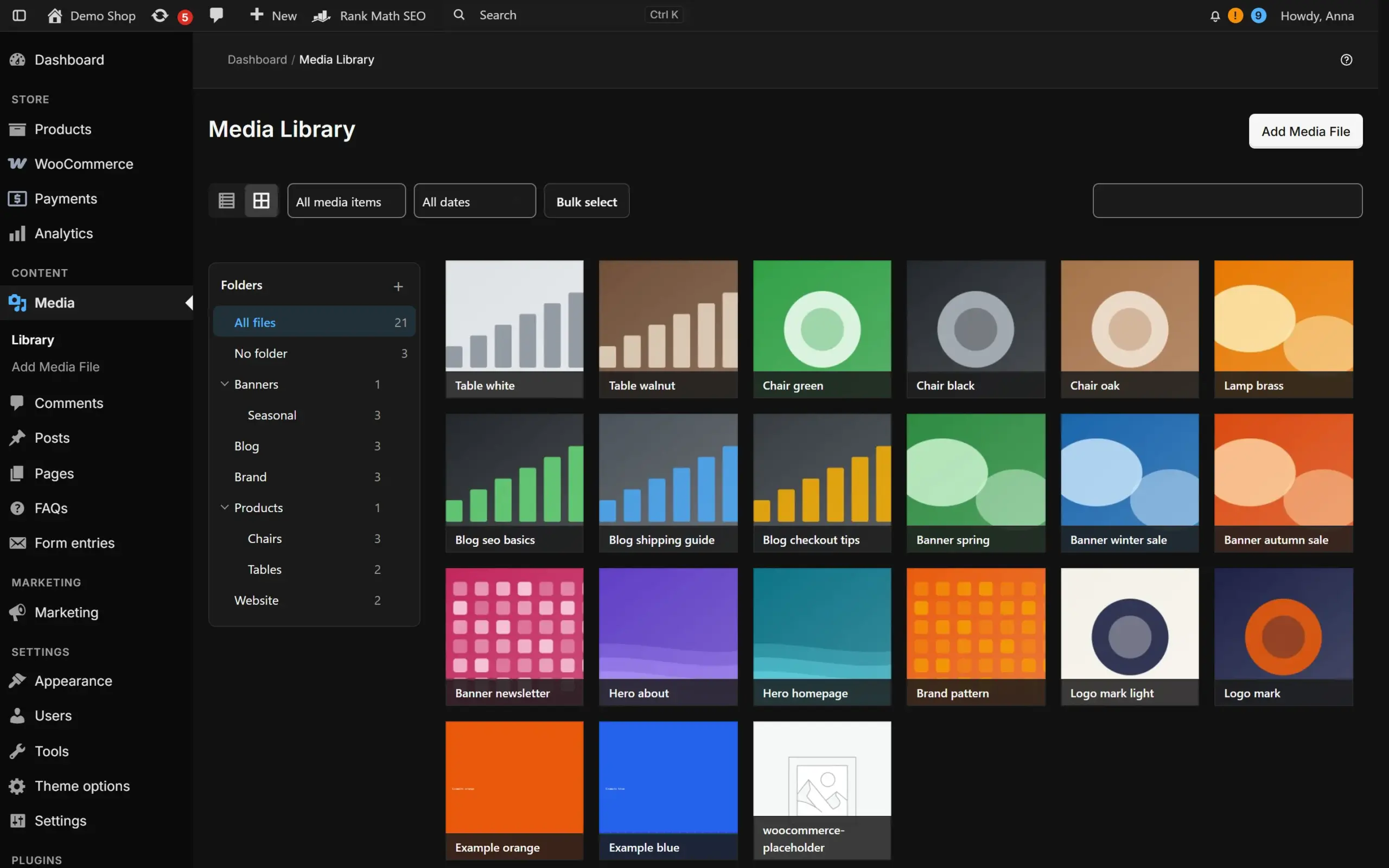
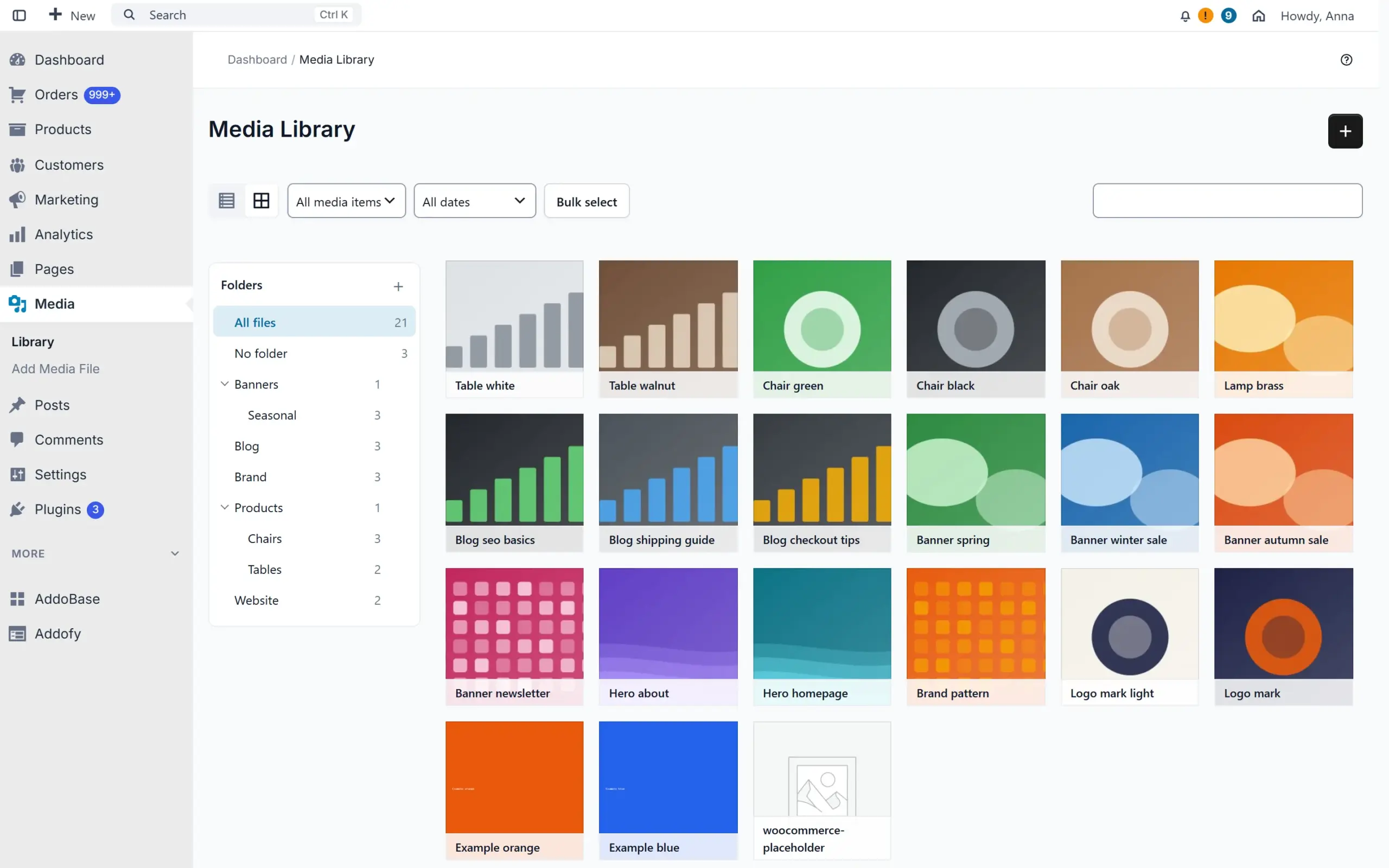
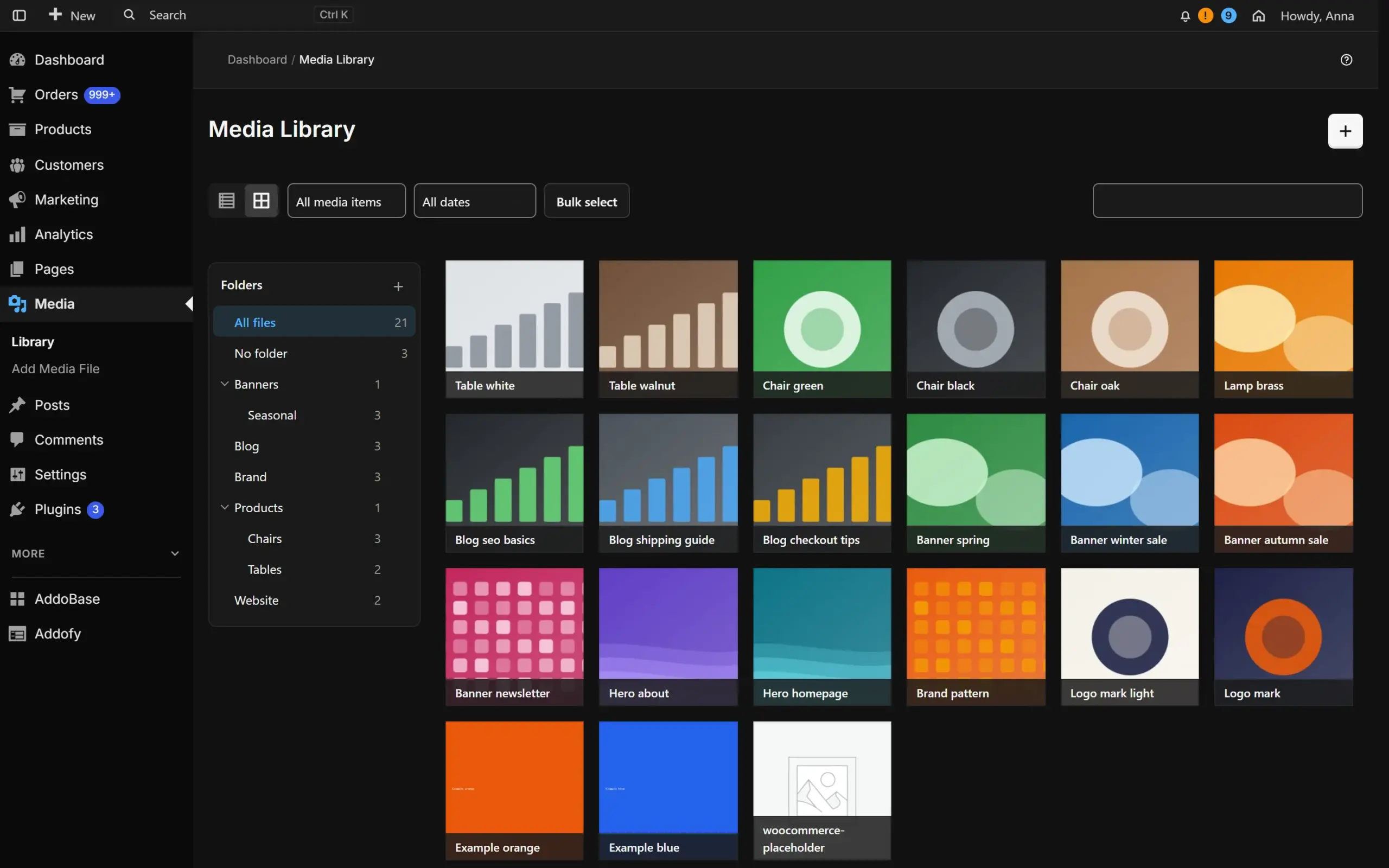
Media library with AddofyMedia library with Addofy (dark mode)Media library in the simple view of AddofyMedia library in the simple view of Addofy (dark mode)
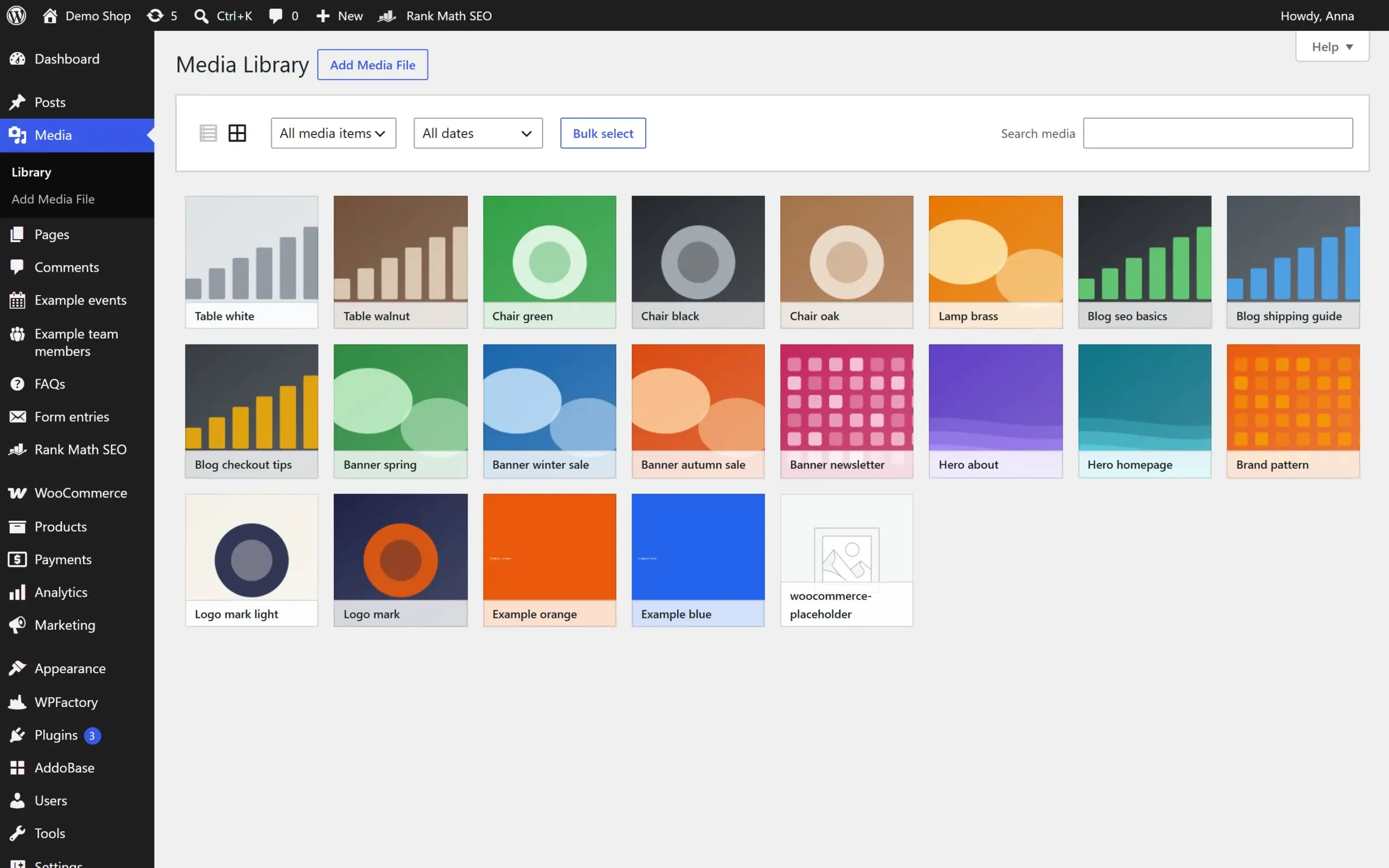
Media library in the standard WordPress admin
Media library
How it works

Three steps

  1. Install AddoBase

    AddoBase is the free connector for AddoCore plugins.

  2. Connect your account and pick Addofy

    One click in AddoBase. 14 days free on one site.

  3. Work in a calmer admin

    Addofy tidies up wp-admin. You choose what to show.

What you get

What Addofy does

One design system for every screen

Fonts, buttons, cards, tables and notices in one style, with light, dark and auto themes and three densities. Media, plugins, menus, users and settings follow the same look, and module settings open in a side panel.
Find anything with Ctrl/Cmd + K

Global search and a command palette for orders, products, customers, content, settings pages and every Addofy setting by name, with keyboard shortcuts. Partial SKU search included.

Show each role only what it needs

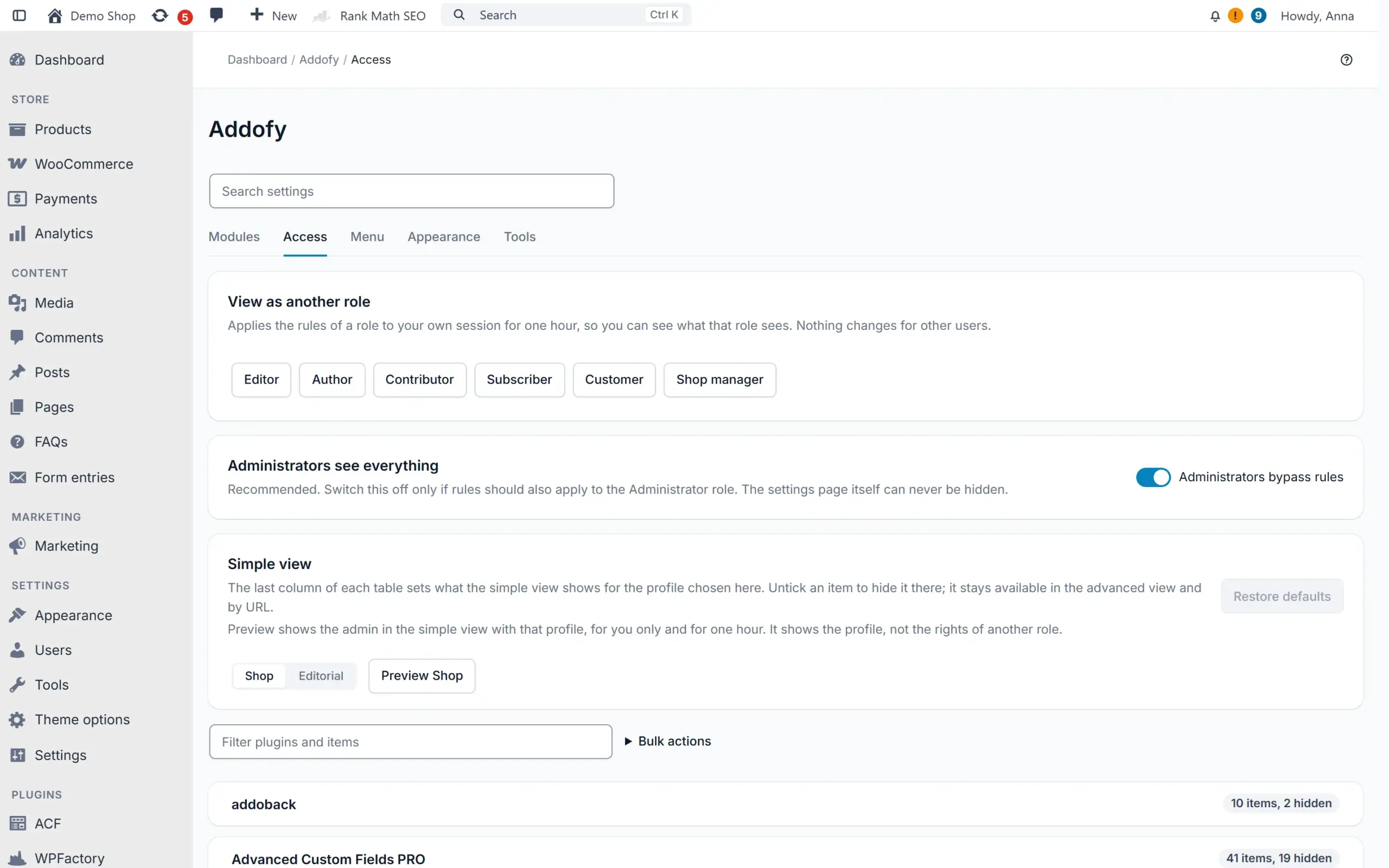
Hide menu items, meta boxes, list columns, notices, admin bar items and dashboard widgets of any active plugin. Capabilities never change, and you can preview the admin as another role.

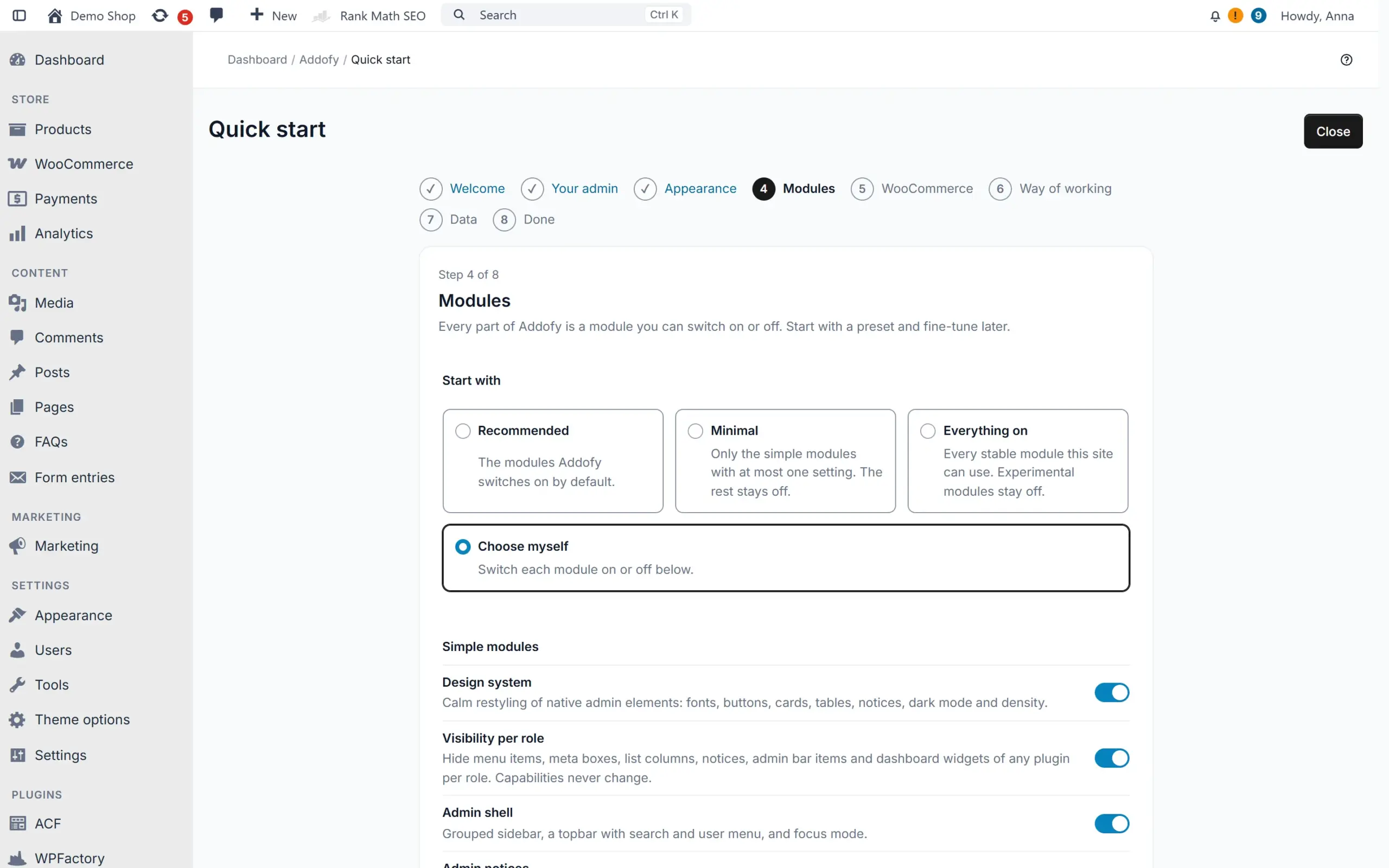
Addofy setup guide

WooCommerce screens that work faster

A two-column product editor with a sticky save bar, an order screen with a notes timeline and order trends, and a customer overview that includes guests. Block a customer from new orders, also when they order as a guest (experimental).

Less clicking in list tables

Saved views, a floating bulk action bar that shows progress per row, status badges and clickable order rows. Wide lists keep the select box and title in view, and quick search finds as you type. Sort the media library into folders and drag files in, with undo (experimental).

A quieter notice center

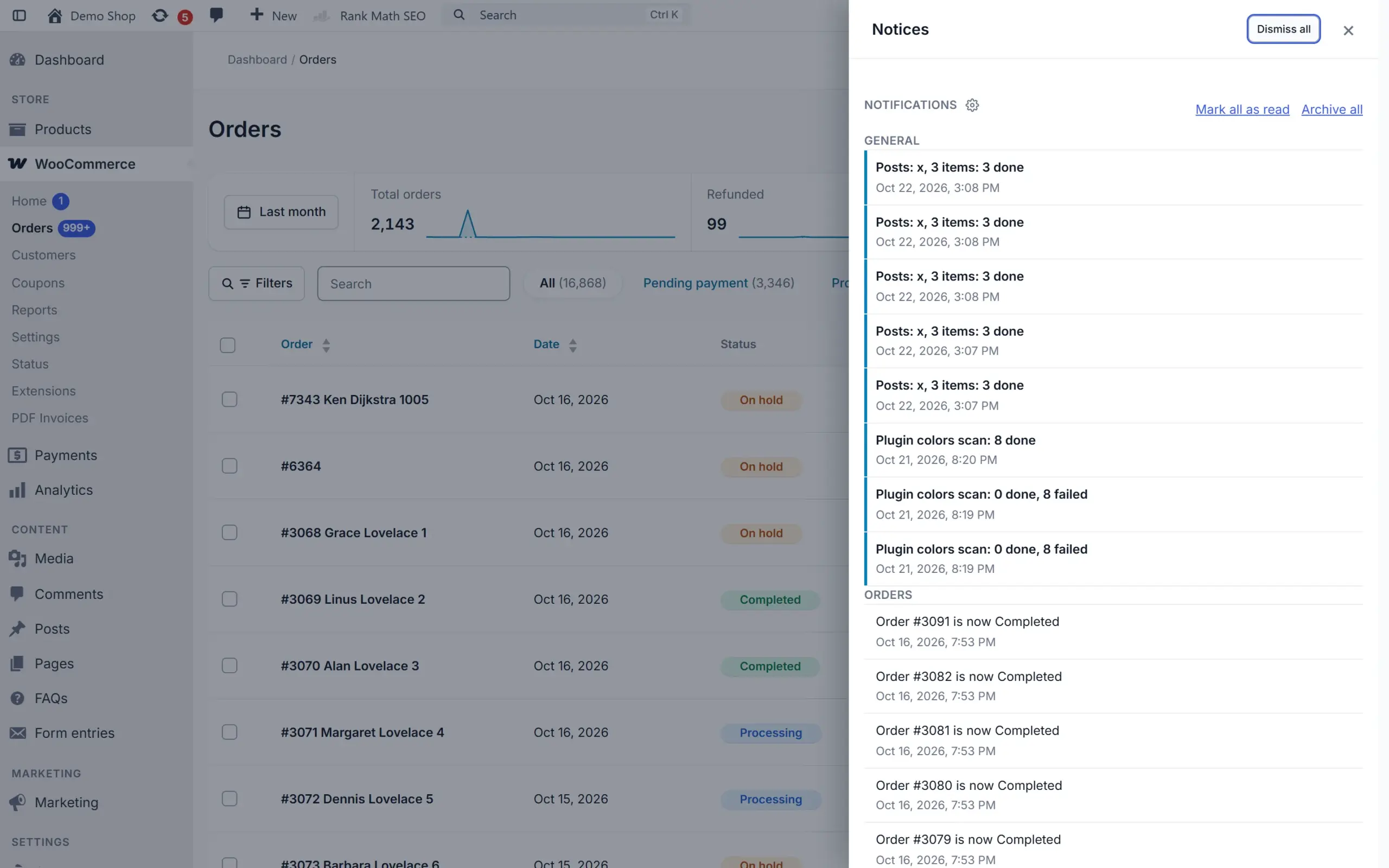
Notices move to one panel. Mute a kind of notice for yourself or for whole roles, and subscribe to notifications by e-mail or in the browser.

Built to be safe

For agencies and busy shops

Never breaks your admin

Hooks only, no overridden templates. Exclude a single screen to make it native again, or switch everything off at once with safe mode in wp-config.php or WP-CLI.

Addofy setup guide

Copy your setup to the next site

Export your settings and visibility rules, or pages, posts and products with their images, then import them on another site. You see every change before it is applied, and an import can be undone for a week.

Multisite ready

Set network defaults and lock them on every site. All orders and all products of every site in one list, plus a site switcher in the top bar.

Lightweight by design

Assets load only on screens where a module is active. Visitors of your website get nothing; logged-in users with the admin bar get one search item. API requests from WooCommerce and linked shops load only what they need.

Works with the plugins you use

Compatibility adapters for ACF, Rank Math, Yoast SEO, WPML and WooCommerce. WooCommerce is optional: its modules wait until it is active.

Your settings stay when a license ends

Without an active license the site falls back to the normal WordPress admin. Settings, rules, views and notes come back when you renew.

Trials and licenses
Pricing

Pick the number of sites

Try Addofy free for 14 days on 1 site, without payment details. Buy during the trial and it simply stays on.

Recommended

Addofy

14-day free trial on 1 site

From € 60,50 /yr per site excl. VAT: € 50,00

or € 6,05 per month

  • Calm admin in light and dark
  • Search and command palette
  • Visibility per role
  • WooCommerce and multisite modules
  • Updates through AddoBase

AddoBase

Free, needed to run Addofy

Free

  • Connects your site to AddoCore
  • Switches Addofy on per site
  • Delivers updates
  • WordPress 6.5+ and PHP 8.1+

All plans

Sites Per year Per month Lifetime, once
1 site € 60,50 € 6,05 € 180,29
5 sites € 181,50 € 18,15 € 482,79
25 sites € 544,50 € 54,45 € 1.329,79
Unlimited sites € 1.210,00 € 121,00 € 3.023,79

Prices include VAT. Use the VAT switch at the top for prices without VAT.

Lifetime: pay once, updates until this plugin's end of life (announced at least 6 months ahead), 12 months of basic support. Extra support years can be added.

  • Every module, in light and dark
  • Updates while your license is active
  • Move the license to another site any time
  • Your settings stay when a license ends

Actively developed: version 2.36.1, last update 02/11/2026

Licenses for 1 site, 5 sites, 25 sites or unlimited sites. Local development sites (.test, .local, .localhost) need no license.

Roadmap

What we are building

Addofy gets new features every week. This is what is live, what is being built and tested now, and what comes next.

In progress Being built right now

  1. Simple view, but minimal

    A short task list instead of a trimmed admin: profiles for shops and editors, icon buttons in the page bar and a Today widget.

  2. Content import and export

    Move pages, posts and products between sites with a preview of what is new, updated or skipped.

  3. Zip uploads into the media library

    Unpack a zip straight into the media library and its folders, even a large one with video.

  4. See who is working on an order

    When someone else has an order open, you see who it is and it opens read-only for you, so no one overwrites the other.

  5. Quick actions on right click

    Right-click a row in a list to edit, preview, duplicate, change the status or move it to the Trash.

Planned Coming up

  1. Menu and admin bar stay put

    When you switch pages only the content reloads, so the menu keeps its place and nothing jumps.

  2. Faster edit screens and popups

    Folded plugin boxes load when you open them, Addofy files come from the browser cache and simple edits open without loading a full page.

  3. Work through lists with the keyboard

    Move between rows, select, open and edit without the mouse. Press ? to see every shortcut.

  4. What is new after an update

    A short card with the main changes after each update, and Addofy never asks you more than one thing at a time.

  5. A sound for new orders

    Hear a short sound when an order comes in, and keep the screen on while the order list is open.

  6. Profit and customer insights

    One honest profit figure on Today and in Order trends, and see who your best customers are and who is about to leave.

  7. Export a list as you see it

    Export the filtered list of orders, products or customers to CSV or Excel, or copy a store summary to paste into an AI chat.

  8. Shipping labels and Mollie in the order screen

    Create a Sendcloud, MyParcel or PostNL label and see the Mollie payment without leaving the order.

  9. Meta boxes in the block editor, under control

    See how many meta boxes a post has, show them as a sidebar, and turn on Spotlight automatically in focus.

  10. Add reviews and preview products in a popup

    Add product reviews with stars from the admin, and preview a product in a popup you can open full screen.

  11. Addofy in the Customizer and on theme screens

    The Addofy admin bar in the Customizer and site editor, dark mode for theme screens, and your preferences on your profile page.

  12. Index advice in the query advisor

    Add, change or undo database indexes from the query advisor, with a temporary backup.

  13. Bulk actions grouped per plugin

    A long list of bulk actions split into sections, so you see which plugin added what.

  14. Let AI assistants work with Addofy

    Addofy actions become available to AI assistants through MCP, with the same rights as the user.

  15. Share your setup between sites

    Save your modules, menu and palette to your AddoCore account and apply them to another site, with undo.

  16. Accessible to everyone (WCAG 2.2 AA)

    Every screen works by keyboard, with visible focus, large enough targets and enough contrast in every palette.

  17. More hooks for developers

    A stable module API and new filters for order actions, notices, customer notes and term order.

  18. Dashboard with widgets

    Revenue today, orders to process, low stock and recent activity, a KPI strip above the order list and pinned items.

  19. Activity log and stock history

    Who changed what and when, and every stock change per product with its source.

  20. Edit price and stock in the list

    Change prices and stock straight from the product list, and apply attribute sets in one go.

  21. More role presets and your own branding

    Preferences per user and your own logo, accent colour and login page.

Shipped Already live

  1. Version 2.36

    Shipped: Media folders, and block a customer from ordering

    Sort the media library into folders and drag files in with Undo (experimental). Block a customer from new orders with an internal reason, also as a guest (experimental), and remove notifications you no longer need.

  2. Version 2.36

    Shipped: See the progress of every action

    A small message shows what is happening while you save or create something, and turns into Saved or Failed when it is done.

  3. Version 2.36

    Shipped: A WooCommerce step in the quick setup

    Set up the store parts of Addofy in one go when WooCommerce is active.

  4. Version 2.35

    Shipped: A calmer product screen you can arrange

    Price and stock fields side by side, empty cards folded away and a short checklist before you publish. Drag the cards into your own order, per user or per role.

Show 38 more shipped
  1. Version 2.35

    Shipped: Row actions where you want them

    Show the actions under the title on hover, always or never, and let plugins put a label before or after the title.

  2. Version 2.35

    Shipped: Simple view with better defaults

    Only technical boxes are hidden. The rest stays folded, one click away.

  3. Version 2.35

    Shipped: Long lists that stay fast

    A product list with 100 rows loads almost as quickly as one with 10.

  4. Version 2.34

    Shipped: As fast as a bare WordPress admin

    Addofy no longer slows any screen down compared to a bare WordPress and WooCommerce admin. Quick search finds order numbers and amounts, Quick Edit opens in a popup and you can hide sidebar items right from the Menu tab.

  5. Version 2.33

    Shipped: Lists that fit the screen

    Wide lists keep the select box and title in view while you scroll sideways. Quick search sits above the table and finds as you type, filters that do not fit move under a More button, and the simple view keeps your columns.

  6. Version 2.32

    Shipped: Addofy Light, and a steadier save bar

    A free version of Addofy for WordPress.org is built from the same code. On a phone the save bar stays inside the screen, and notifications leave smoothly. A setting keeps the native save button on settings screens.

  7. Version 2.31

    Shipped: The admin bar on your site looks like the admin

    On the public site the admin bar uses your theme colors, the same icons and account menu, and a bell with your unread notifications. Large notice lists open at once.

  8. Version 2.31

    Shipped: An admin bar that fits, and plugin colors that follow

    Admin bar items that do not fit move into a More menu, so nothing overlaps on a tablet. Plugin colors (experimental) makes the screens of other plugins follow light, dark and your palette.

  9. Version 2.30

    Shipped: Settings in a panel and a settings search

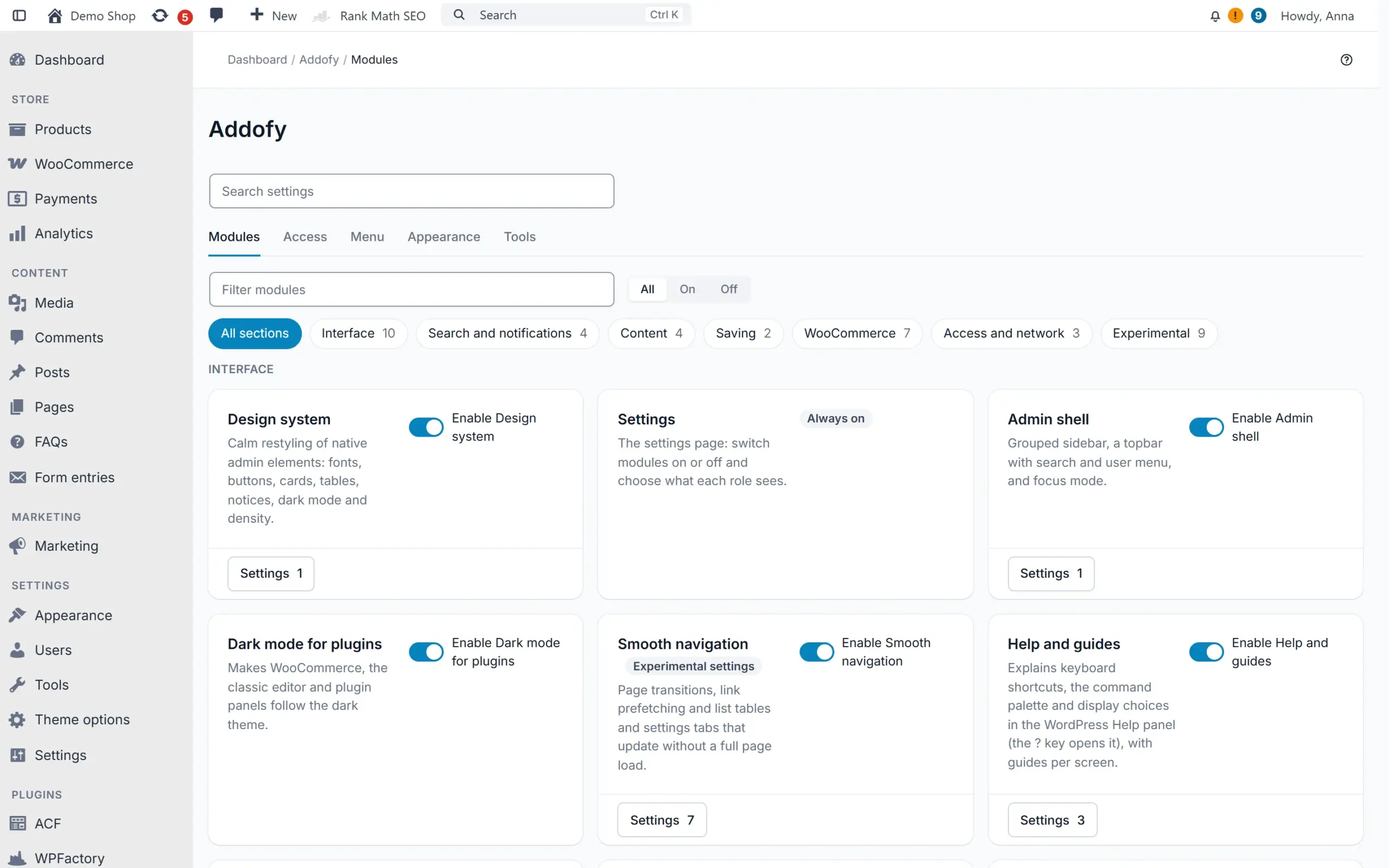
    The Modules tab is a calm grid of switches, and each module opens its settings in a panel. Search settings finds any setting by name, also from the global search and the command palette.

  10. Version 2.29

    Shipped: See which queries slow down your admin

    Tools > Query advisor (experimental) counts the database queries per admin screen and per plugin. It suggests changes that each show the gain, the risk and whether you can undo them, and a new scan sits next to the previous one.

  11. Version 2.28

    Shipped: Leave the page while a save finishes

    Save without reloading checks required fields, a SKU that is already used and ACF rules before anything is sent. On PHP-FPM or LiteSpeed you can move on at once, and a save that fails later becomes a notification with your changes kept.

  12. Version 2.27

    Shipped: Choose which actions run in the background

    Per kind of action you choose whether it waits for the server, runs in the browser or runs as a task on the server. Bulk work on 50 items or more runs on the server by default, so you can close the page and follow it behind the bell.

  13. Version 2.25

    Shipped: Every palette in light and dark

    You pick one palette and each user sees the variant of their own theme, and with Auto it follows the operating system. Vibrant and Graphite now have a light version too.

  14. Version 2.22 and 2.23

    Shipped: Faster search on large shops, styled error pages

    The global search finds orders on a large shop in about 64 ms instead of 1.75 s, and Tools shows whether an object cache such as Redis is in use. WordPress error pages in the admin follow the Addofy style in light and dark.

  15. Version 2.21

    Shipped: Bulk actions that show their progress

    Bulk actions run in batches with a bar like 12 of 340 and a Stop button, and each row changes once the server saved it. When the server did not carry out an action, the rows come back with the reason and Try again.

  16. Version 2.20

    Shipped: Lighter on API calls and syncs

    API calls that are not for Addofy, such as WooCommerce, the block editor and syncs from linked shops, only load what they need: Addofy adds about 10 ms instead of 50 ms to each of them. Alerts now also fire for orders that arrive over the API.

  17. Version 2.19

    Shipped: A new folder name and a quicker start

    The plugin folder is now called addofy. Upload the new zip and Addofy moves over from the old folder by itself, with your license, settings and data intact. With AddoBase 1.2.0 the quick start opens as soon as you switch Addofy on.

  18. Version 2.18

    Shipped: A calmer admin in the first minute

    A welcome step with three presets (Shop manager, Content editor, Keep everything), Undo all and a short tour of search, light and dark mode and role settings.

  19. Version 2.17

    Shipped: Unit price and a smoother save

    A unit price field in order lines that works out the line total, and Save without reloading turns a new product, post, page or order straight into the saved item.

  20. Version 2.15 and 2.16

    Shipped: Mobile, round two

    Item actions as icons on the phone, filters in a side panel, order, customer and coupon screens in reading order, and a product editor and WooCommerce settings that fit a narrow screen.

  21. Version 2.14

    Shipped: Menu overview, theme colours everywhere, smaller download

    Manage menu groups and submenus in one overview. Dark mode and your own palettes reach the block editor and the remaining WooCommerce screens, and the plugin zip is about a fifth smaller.

  22. Version 2.13

    Shipped: Calmer panels and account menu

    Screen options, Help and the guide open as cards in the page, with a close button. The account menu no longer switches views by itself.

  23. Version 2.12

    Shipped: Dark palettes and your own colours

    Dark mode keeps the Classic look by default. Switch to Vibrant or the calmer Graphite under Preferences, with a live preview, and register palettes of your own.

  24. Version 2.11

    Shipped: Menu editor, palette, views and columns

    Your own menu groups and submenus, a menu per role, palette commands with steps, shared saved views and column order per user.

  25. Version 2.10

    Shipped: Quality of life

    Ctrl/Cmd + S to save, back to your list as you left it, copy buttons, a customer card on hover, a quick order note and a start page per user.

  26. Version 2.9

    Shipped: Guides and tours

    A short explanation on the first visit of every screen, a tour along its parts and a Guides tab in Help. Switch them off per user.

  27. Version 2.8

    Shipped: Mobile complete

    Lists as cards on the phone, bottom sheets, long press to select, a bottom action bar and order lines as cards.

  28. Version 2.7

    Shipped: Comfort: three densities

    Comfortable, compact and dense now change the whole admin, plus an Automatic setting that makes lists compact.

  29. Version 2.6

    Shipped: Simple view and focus mode

    A simple view you adjust per item, a default view per role and a focus mode without distractions.

  30. Version 2.5

    Shipped: Faster: actions in the background

    Status changes, trash and bulk actions apply at once with Undo, Quick Edit closes immediately and pages open faster.

  31. Version 2.4

    Shipped: Dark mode on every screen

    WooCommerce Home and Analytics, the block editor, the Customizer and plugin screens follow dark mode.

  32. Version 2.3

    Shipped: Action column on every list

    Icon buttons at the end of each row for products, orders, pages, users, comments and terms.

  33. Version 2.2

    Shipped: Multisite

    Network defaults you can lock, all orders and products of every site in one list and a site switcher.

  34. Version 2.0

    Shipped: Runs on AddoBase

    Licenses and updates through the free AddoBase plugin. Your settings stay when a license ends.

  35. Version 1.5

    Shipped: Order trends and alerts

    Order trends above the order list, a new order header, a filter bar and alerts.

  36. Version 1.3

    Shipped: Open for developers

    Over 70 hooks and a documented JavaScript API, so other plugins can add their own parts.

  37. Version 1.1

    Shipped: Quick start

    A setup wizard with presets that gets a new site ready in a few steps.

  38. Version 1.0

    Shipped: First release

    One design system in light and dark, a grouped sidebar, search and command palette, visibility per role and new product, order and customer screens.

Compare

Addofy or the standard wp-admin

Addofy changes how wp-admin looks and works. Your content and plugins stay the same.

Standard wp-adminAddofy
LookEach plugin brings its own styleOne calm design on every screen, light or dark
Finding thingsSeparate menus and search per screenOne search box for orders, products, customers and settings (Ctrl/Cmd + K)
What each person seesEveryone sees the full menuYou choose per role what each person sees
NoticesNotices across the top of every screenAll notices in one panel
List tablesOpen each item to work on itLess clicking in list tables
If you stopNot applicableYour settings stay when a license ends

In practice: Office Shapers runs its WordPress admin on Addofy, set up differently for each person. Read how they use it

Technical details

Product type WordPress plugin
Requires AddoBase (free), WordPress 6.5 or newer, PHP 8.1 or newer
Current version 2.36.1
Tested up to WordPress 7.1
License Subscription, or a one-time lifetime license per site
Support Subscription: as long as it runs. Lifetime: 12 months included, then per year.
Free trial 14 days on 1 site, no payment details needed
Sites 1 Site, 5 sites, 25 sites, Unlimited

Start free with Addofy Light

Addofy Light is the free version of this plugin. Install it on any site, no license and no account needed.

Features that are Pro only show as locked, so you see what an upgrade adds. When you buy Pro, install it next to Light and Light switches itself off.

Download Addofy Light, free Version 2.36.1, WordPress plugin zip

Changelog

2.36.1

  • Changed: maintenance release without changes to the plugin code (updated product information).

2.36.0

  • Added: Media folders module (Experimental): a folder tree in the media library (grid and list) and in the media window. Drag files into a folder with undo, uploads land in the open folder, and a bulk action works without JavaScript.
  • Added: Block customers module (Experimental): block a customer from new orders on the customer screen, with an internal reason. Checkout is refused on the account and on the email address, also for guests, in the classic and the block checkout.
  • Added: a WooCommerce step in the quick start for the shop modules, the customer view and the shop manager view.
  • Added: saving through REST, admin-ajax or a form shows its progress in one toast, which turns into the result when it is done.
  • Added: notifications can be removed and are grouped in sections, and events of add-ons are on by default for the roles they are meant for.
  • Added: Tools > Content can export and import data of other plugins, and keeps the media folder of each file.
  • Changed: progress toasts cost no extra file on page load, and the Back to top button on long lists no longer slows the page down.
  • Fixed: the media library keeps its filters in view, as in WordPress, with quick search in the filter row.
  • Fixed: the color scan runs at most once a day, never twice at once, and a finished scan is no longer undone.
  • Fixed: preview tags in the admin presets keep their own height, and the shop modules section is translated into Dutch.
  • Developers: new JS helpers adba.sortable() and adba.task(), toast update(), the function adba_alerts_browser(), and for blocking customers adba_is_order_blocked() with the hooks adba_order_block_is_blocked, adba_order_block_changed and adba_order_block_prevented.

2.35.2

  • Fixed: Addofy Light passes Plugin Check without warnings.

2.35.1

  • Fixed: all admin markup Addofy prints is escaped when it is printed, as WordPress.org asks.
  • Fixed: the page bar and menu scripts are printed as separate script tags.
  • Fixed: style files are written through the WordPress filesystem API.
  • Changed: every REST route checks the user's rights in the route itself.

2.35.0

  • Added: a calmer product screen. Empty cards fold with a summary, fields sit compact in two columns, a Layout button sits next to the title and a new product opens with only the core cards.
  • Added: on the product screen, product type as buttons, a stock switch, one Organisation card with category search, a compact Publish box and a Ready to publish checklist that stays in view and leads to the missing field.
  • Added: Product cards module (Experimental): drag the product cards in your own order, plugin fields get their own part and each role can get a default order.
  • Added: choose how row actions show under the title: on hover when the action column is out of view, always on hover, always visible or never.
  • Added: add-ons with settings show as a card in a new Addons section of the Modules tab, and their settings open in the panel.
  • Added: hide order statuses from the status quick action, for example statuses a connected system sets.
  • Changed: the simple view hides only technical boxes and folds the rest, and it shows more columns and menu items by default.
  • Changed: lists, the admin bar and the phone action bar measure their layout less often, so large lists react faster.
  • Fixed: opening or closing a popup no longer jumps the page to the top.
  • Fixed: saving with the floating bar no longer says the save did not finish while it is still on its way, and a new application password no longer shows the bar.
  • Fixed: the copied table head of a wide list no longer stays over the title after scrolling up fast, and no 1px gap shows above it on WooCommerce screens.
  • Fixed: View as no longer switches when the browser prefetches the link, and the Menu tab hides items from the actions column without sideways scrolling.
  • Developers: new filters adba_row_action_buttons, adba_row_title_parts and adba_order_status_choices, the interface AddonSettingsInterface and adba_module_url() with open=.

Show all 63 releases

More for your WordPress site

Browse WordPress plugins